
Vandaag of morgen in huis

Kwaliteit gegarandeerd

Welkomstaanbiedingen ontgrendelen: GRATIS bezorging | Tot 80% korting | Gratis 30 dagen JoyPlus-proefperiode
Download de app
A baby monitor with camera can be useful when you want to watch or listen from another room. However, models vary widely in their connection, range and controls. A low price means little if the picture keeps dropping out, there’s no parent unit, or important features only work through a paid cloud service.
Look out for these common pitfalls:
A baby monitor without Wi-Fi usually connects directly to a separate parent unit. This can be handy if you don’t want to use an app, account or cloud storage. According to the product description, the VAVA VA-IH006 PRO uses a direct 2.4GHz connection and doesn’t need an app or cloud service.
A Wi-Fi model offers extra flexibility. For example, you can view the footage through an app when you’re away from home. If so, check:
A baby monitor camera with night vision should still be useful in low light. Infrared night vision usually shows a black-and-white image. Some models also offer a colour or smart night mode. Don’t just look at the number of megapixels; also consider:
A 1080p resolution can be sufficient for everyday use. A 2K or 4MP model gives you more detail, but may require more bandwidth and storage.
A baby monitor with motion detection can send an alert to your phone when movement or sound is detected. Treat this as an additional aid, not a foolproof way to identify what’s happening. Where possible, adjust the detection zone and sensitivity.
A baby monitor with talk-back is handy for responding briefly from a distance. Also check whether a separate baby monitor with parent unit is included. This is particularly useful at home, as you won’t need to keep reaching for your smartphone.
A temperature reading can provide extra information about the room. Check exactly what’s being measured: room temperature is different from body temperature. Don’t use a device as a substitute for medical advice or supervision.
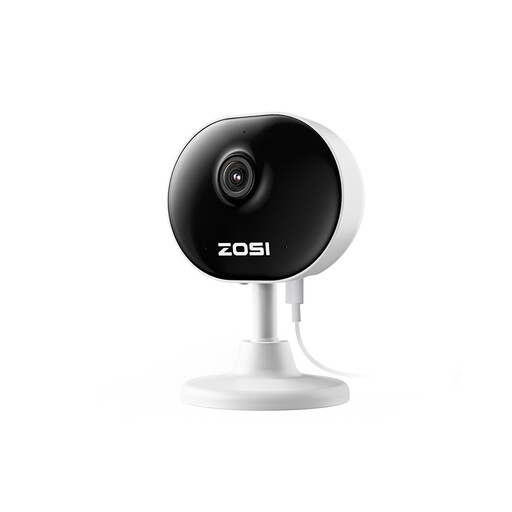
Why it suits this type of user: This compact Wi-Fi camera is a good fit for parents who mainly want to keep an eye on things using their smartphone and don’t need a separate parent unit.
The product details mention adjustable motion zones, so you don’t have to enable alerts for every part of the room. A memory card is optional.
1080p picture, up to 33 ft night vision according to the product information, motion alerts and two-way audio through the app.
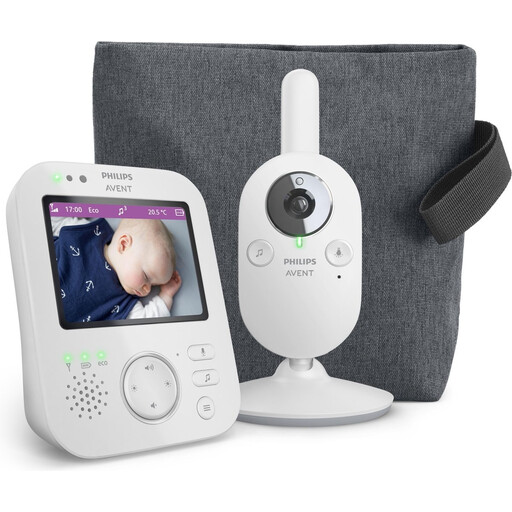
Why it suits this type of user: This model is a good choice for parents who want to use a traditional system with a parent unit at home, without relying on a smartphone app.
The direct wireless connection and dedicated pairing with the parent unit reduce the need for Wi-Fi and a cloud account.
3.5-inch screen, 2x digital zoom, infrared night vision, VOX mode and a stated range of up to 300 metres outdoors.
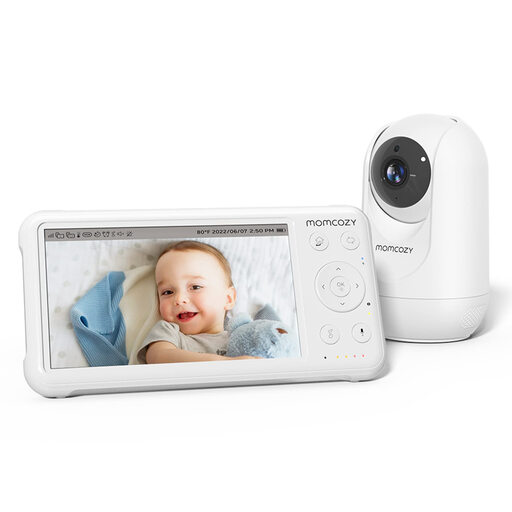
Why it suits this type of user: A handy choice for families who want to combine a parent unit, room temperature monitoring and the option to add multiple cameras.
The camera comes as a system with a parent unit, so you don’t have to rely solely on a phone and Wi-Fi app when using it at home.
5-inch 1080p screen, PTZ controls, night vision, talk-back, temperature monitoring and support for up to four cameras.
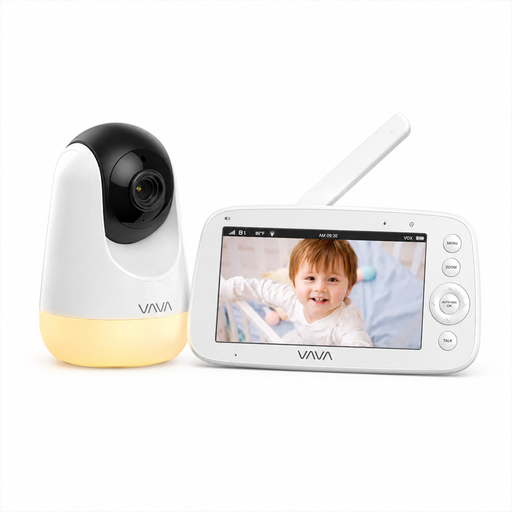
Why it suits this type of user: A sensible choice if you’re looking for a baby monitor without Wi-Fi, with a direct connection, parent unit and simple controls.
There’s no need for an app, account or cloud service. The stated 300-metre range applies in open spaces; indoors, the range may be shorter.
5-inch 720p screen, infrared night vision, 2x and 4x zoom, temperature information, talk-back and a night light.
We’ve put together a complete, up-to-date list of products that meet these strict selection criteria and the applicable European safety requirements.
Place the camera on a stable surface or mount it securely out of your child’s reach. Keep cables away from the cot and sleep area. Follow the distance and installation instructions in the manual. Then test the picture, sound, alerts and connection in different parts of your home.
How long it lasts depends on the mains adapter, battery, parent unit and software support. A camera that runs permanently on mains power won’t have limited viewing time because of a small battery. For a parent unit, battery life is the main consideration. Also check whether you need a memory card or cloud subscription to record footage.
On top of the purchase price, you may need to pay for a memory card, cloud storage or a subscription. Not every model has ongoing costs. Before buying, check whether local storage is available and which features work without a subscription. If you use a smart baby monitor camera, make sure your Wi-Fi network is also protected with a strong password.
