
Vandaag of morgen in huis

Kwaliteit gegarandeerd

Welkomstaanbiedingen ontgrendelen: GRATIS bezorging | Tot 80% korting | Gratis 30 dagen JoyPlus-proefperiode
Download de app
A baby monitor with a camera can be useful when you’re in another room during the day or want to listen and watch at night without going into the nursery. However, systems vary considerably in their connection, picture quality and alerts. A high resolution on its own doesn’t tell you much if the connection drops, the camera is poorly positioned or the app comes with unnecessary subscription costs.
In this guide, the Joybuy Product Recommendation Officer covers the main pitfalls and things to check. This will help you choose the right video baby monitor, Wi-Fi baby camera or wireless baby monitor with a parent unit.
Manufacturers often state the range in an open space. In a home in the UK, concrete floors, walls, metal structures and other wireless devices can all limit the range. So, a stated outdoor range doesn’t guarantee the same connection indoors.
Check the type of connection:
A baby monitor with motion detection can send alerts when it detects movement, but curtains, pets or changes in lighting can also trigger an alert. Check whether you can set alert zones, adjust sensitivity or enable person detection. An alert is a helpful tool, but it doesn’t replace adult supervision.
A baby monitor with night vision usually uses infrared light. The picture is often black and white; a product with colour night vision works to a different specification. Also check where footage is stored:
For a nursery, a stable picture matters more than a high number alone. A 1080p baby monitor usually offers more detail than 720p, for example when checking your baby’s position or movement at close range. 2K or 4MP can provide extra detail, but may require more bandwidth and storage.
Also look out for:
A Wi-Fi baby camera is a good choice if you also want to view the camera through an app when you’re away from home. Protect your router with a strong, unique password and change the camera’s default password. Check whether the app works on 2.4 GHz, 5 GHz or both bands.
If you don’t want to use an account, cloud service or Wi-Fi, choose a model with a direct connection to a parent unit. According to the product information, a model such as the VAVA VA-IH006 PRO uses a direct 2.4GHz connection and doesn’t require an app or cloud service.
A baby monitor with two-way talk needs a microphone and speaker. Check whether the function works through the parent unit or only through a smartphone. Also consider the power supply: many cameras run on mains power, while the parent unit has a rechargeable battery. A product advertised with “24-hour” battery life may only achieve this in audio-only mode, for example.
Always keep cables out of your child’s reach. The camera should be stable and out of your baby’s reach, not attached to or positioned directly above the cot.
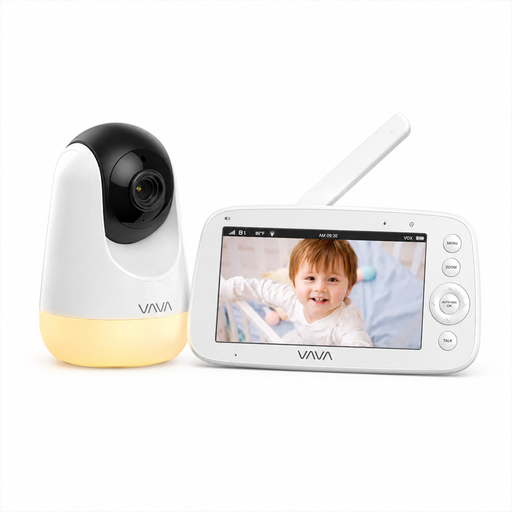
Why it suits this profile: A straightforward option for parents who want to get started without an app, account or cloud service. The direct connection to the 5-inch parent unit is practical for use around the home.
It doesn’t rely on your home Wi-Fi. The stated range of 300 metres applies to an open space; the range may be shorter indoors.
720p screen, infrared night vision, two-way communication, temperature information and up to 24 hours of audio-only use according to the product information.
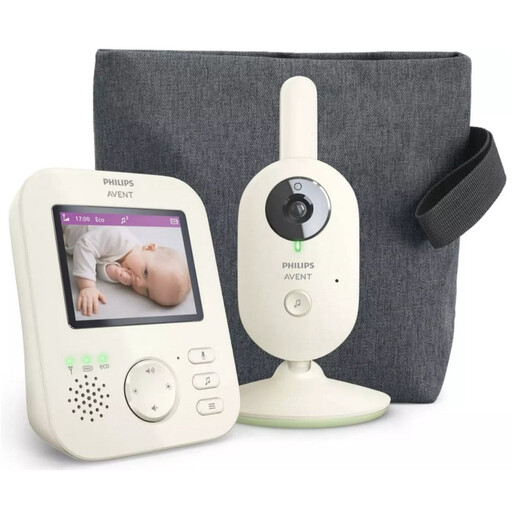
Why it suits this profile: A good fit for parents who value a dedicated screen, a direct connection and features for everyday use.
The product description specifies a unique pairing and a wireless connection that doesn’t rely on a smartphone app.
2.8-inch colour screen, zoom, VOX mode, infrared night vision, ECO mode and a stated range of up to 50 metres indoors and 300 metres outdoors.
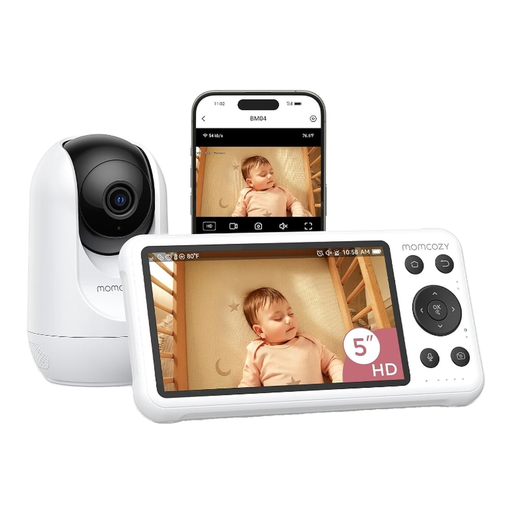
Why it suits this profile: Ideal if you want to use a baby monitor with a parent unit as well as an app, both at home and remotely.
The dual-mode design gives you a local screen alongside Wi-Fi access. If you use Wi-Fi, you’ll need to secure your network and follow the app instructions.
5-inch 1080p screen, motion and crying alerts, night vision, two-way talk and local recording according to the product description.
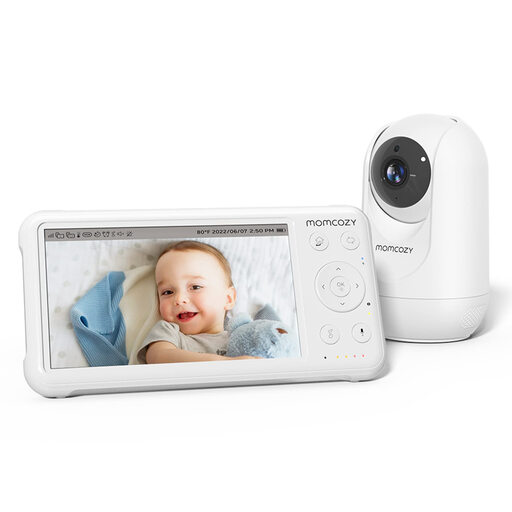
Why it suits this profile: Handy for families who want to connect multiple cameras or use a camera in different locations.
The camera comes with a parent unit and has a stated range in open space. Check the connection after positioning the camera, as walls can affect the actual range.
5-inch 1080p screen, pan-tilt-zoom, night vision, temperature monitoring, lullabies and support for up to four cameras.
We’ve put together a complete, up-to-date list of products that meet these strict selection criteria and the applicable European safety regulations.
Use this checklist before using a baby monitor for a baby or toddler:
A camera is a helpful tool, but it doesn’t replace responsible supervision. Always follow the manufacturer’s instructions and safety warnings.
Yes. A baby monitor with a parent unit can work through a direct wireless connection. Choose a model that explicitly works without Wi-Fi, an app or a cloud service. A Wi-Fi camera for remote access, on the other hand, needs a network connection.
Its lifespan depends on how it’s used, the condition of the battery, the power supply and software support. A camera that runs continuously on mains power doesn’t have the same limited viewing time as a battery-powered parent unit. Check whether parts, adapters and firmware are still supported, and replace any damaged cables straight away.
The purchase price isn’t always the full cost. Local recording may be available without ongoing storage fees, while cloud storage may become chargeable after a trial period. Also check energy consumption, as a camera that stays on continuously uses more electricity than a system with ECO or VOX mode.
