
Vandaag of morgen in huis

Kwaliteit gegarandeerd

Welkomstaanbiedingen ontgrendelen: GRATIS bezorging | Tot 80% korting | Gratis 30 dagen JoyPlus-proefperiode
Download de app
A baby monitor with a camera lets parents see and hear their baby during naps, bedtime and brief periods in another room. However, an expensive model isn’t automatically right for your home. A large screen can be inconvenient if the parent unit runs out of battery quickly, while a smart Wi-Fi baby monitor may be less suitable if you’d rather not send video footage over the internet.
Focus on what works for your situation: how large is your home, do you want to check in remotely, and do you really need features such as night vision, temperature monitoring or motion detection?
Manufacturers usually quote the range under ideal conditions. Walls, floors, furniture and other wireless devices can reduce the actual range. So a stated range of, say, 300 metres doesn’t mean you’ll always get a reliable signal in the loft of a terraced house.
Check whether the baby monitor uses a direct connection or Wi-Fi. A wireless baby monitor without Wi-Fi can be reliable indoors, but it’s generally not designed for viewing on a smartphone when you’re away from home.
A baby monitor with night vision usually uses infrared lighting. This helps you see the room in the dark, but the image may show less detail than it does during the day. As well as night vision, look at:
A wide viewing angle is useful, but always place the camera securely and out of your child’s reach. Keep cables away from the cot and play area.
A camera with motion or cry detection can send an alert to the parent unit or your smartphone. However, how well it works depends on the settings, background noise, internet connection and detection technology. Claims about reducing false alerts come from the brand’s product description and shouldn’t be taken as a guaranteed result.
A baby monitor is a useful aid, but it doesn’t replace supervision by an adult. Use alerts as an extra, not as your only way of checking on your baby.
A model with its own parent unit is practical if you mainly want to check in at home. You won’t need an account, cloud subscription or smartphone. A Wi-Fi baby monitor, on the other hand, lets you check in remotely through an app. This is useful for parents who want to see the nursery while at work or out and about.
Privacy and security matter with Wi-Fi models. Use a strong password for your home network, install available security updates and check what storage options are used. Some models offer local recording to a microSD card; others also mention cloud storage or a trial period.
A 4.3- or 5-inch screen is easier to see than a very compact display. Check the parent unit’s battery life too. Manufacturers often give separate figures for screen use and audio-only mode. For example, the VAVA VA-IH006 PRO states up to 10 hours with the screen on and up to 24 hours in audio-only mode. That difference matters if you use the monitor frequently overnight.
Also check whether the camera always needs to be plugged into the mains. This is the case with many models. The parent unit may work wirelessly, but the camera itself often needs a mains socket.
A baby monitor with a talk-back function can help you speak calmly to your baby from another room. A baby monitor with a temperature monitor displays the room temperature, but according to the product information, the sensor is only intended as a guide and not as a medical measuring device.
Other useful features include:
Bear in mind that a microSD card isn’t always included. According to its product description, the KAWA 64GB Micro SD Card is suitable for uses including baby monitors and video surveillance. Before buying, check that your camera supports this card type and capacity.
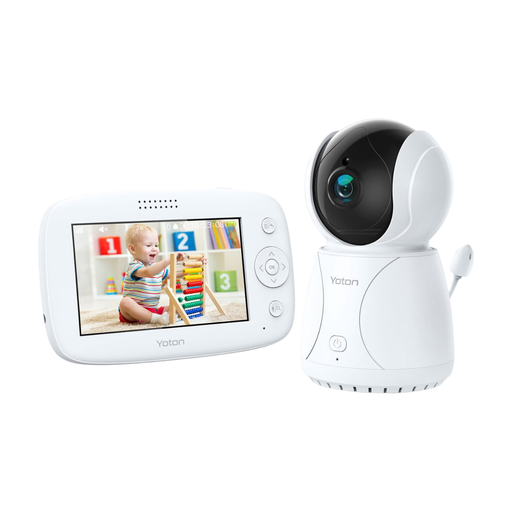
Why it suits this profile: The YB03 combines a 4.3-inch LCD screen with a temperature display, night vision and two-way communication. This makes it suitable for home use without complicated app settings.
You don’t need a smartphone app to view the live feed. According to the product information, the temperature function is intended as a guide, not as a medical device.
4.3-inch LCD, rotation function, night vision, temperature sensor and two-way audio.
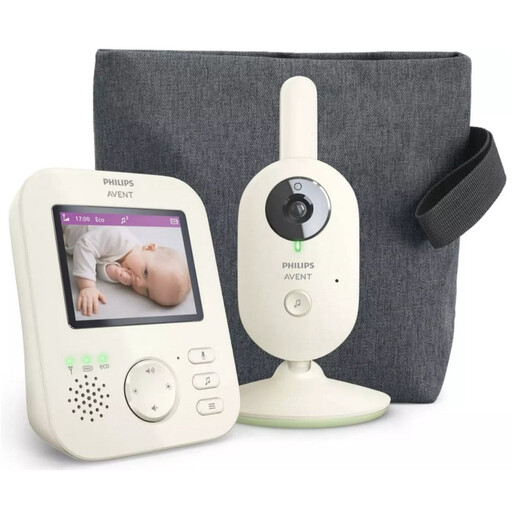
Why it suits this profile: This video baby monitor is designed to provide a direct, secure connection to its own parent unit. It’s a good fit for parents who don’t want to view camera footage through an app or the cloud.
The product information mentions a unique pairing between the parent unit and camera, and a wireless connection with limited interference. The stated range will still depend on your home.
2.8-inch colour screen, infrared night vision, zoom, VOX mode, ECO mode and talk-back function.
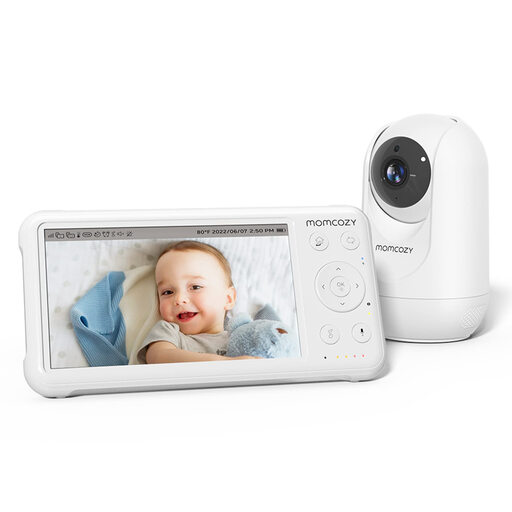
Why it suits this profile: The BM01 has a 5-inch 1080p screen, a parent unit with a 5000mAh battery, PTZ controls and support for up to four cameras. This makes it suitable for larger homes or families monitoring several rooms.
The monitor uses its own parent unit, so you don’t have to rely solely on Wi-Fi or a phone connection. The stated range is measured in open space and may be shorter indoors.
1080p, night vision, temperature display, two-way audio, lullabies and support for four cameras.
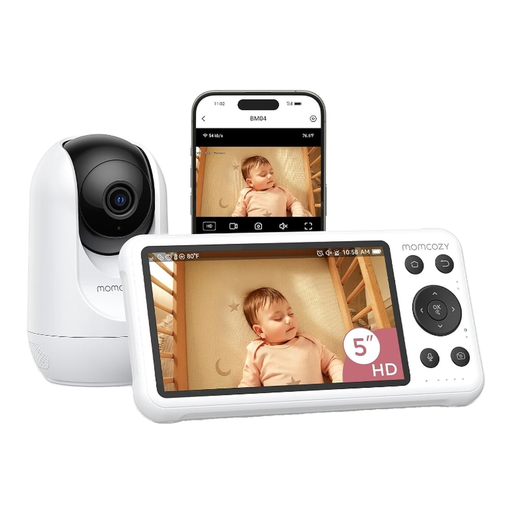
Why it suits this profile: This dual-mode system combines a 5-inch parent unit with access through a smartphone app. You can check in directly at home, then use the Wi-Fi function when you’re out.
As well as the app, you have a separate monitor. According to the product information, it offers motion and cry detection, local recording and two-way audio; alerts still depend on the settings and connection.
5-inch 1080p screen, Wi-Fi app, night vision, local recording, and motion and cry detection.
We’ve put together a full, up-to-date list of products that meet these strict selection criteria and the applicable European safety regulations.
That depends on the security of the device, app and your home network. Choose a strong, unique password, install updates and check whether footage is stored locally or in the cloud. A model with only a direct connection and parent unit reduces the need for an internet connection.
Its lifespan depends on battery wear, heat, cable quality and everyday use. A mains-powered camera may remain usable for longer, while a parent unit with a rechargeable battery may not hold its charge as well over time. Keep cables dry, use the correct adapter and replace any damaged parts according to the manufacturer’s instructions.
A temperature monitor can give you a quick idea of the room temperature, but not every parent needs one. Check where the sensor should be placed and what accuracy is stated in the product information. Use the reading as a guide to the room’s conditions, and don’t rely on the baby monitor when making medical decisions.
