
Vandaag of morgen in huis

Kwaliteit gegarandeerd

Welkomstaanbiedingen ontgrendelen: GRATIS bezorging | Tot 80% korting | Gratis 30 dagen JoyPlus-proefperiode
Download de app
A baby monitor with camera lets you keep an eye on your child without having to walk into the room every time. However, not every model is suitable for every home or family situation. A camera packed with features can become inconvenient if the connection drops, storage costs extra or the night vision is disappointing.
The product descriptions below are based on verifiable specifications. Brand promises about, for example, reducing false alerts or providing a “safer” drive are not established facts. According to a brand’s own research or claims, real-world performance may vary.
The stated range is often measured in an open area. Concrete floors, several walls and metal doors can weaken the signal. Therefore, consider whether you want a baby monitor with parent unit or would prefer a smart Wi-Fi baby monitor that works through your router and an app.
A parent unit generally works without a smartphone and is practical for use around the home. A Wi-Fi model can also be viewed when you are away, but depends on a good internet connection and proper account security.
“Infrared night vision” does not automatically mean that every detail will be clearly visible. Check the resolution, viewing angle and stated night-vision range. A baby camera with night vision may be sufficient for a cot at close range, while a larger nursery may benefit from pan-and-tilt movement or digital zoom.
Also check whether the infrared lighting visibly glows red. According to the product description, some models use a no-glow function, but the actual experience may vary depending on the situation.
A baby monitor with motion detection can send alerts when it detects shadows, curtains or pets. Check whether you can set motion zones and adjust alerts through the app. Sound or crying detection is a helpful feature, not a replacement for checking on your child regularly yourself.
Also consider storage. Local storage via a microSD card can limit ongoing subscription costs. Cloud storage is more convenient for remote access, but may require a paid subscription and calls for extra attention to privacy.
For basic use, 1080p is generally a useful starting point. A higher resolution can show more detail, but also requires more storage and bandwidth. A fixed camera is sufficient if the cot always stays in the same place. With pan-tilt-zoom, also known as PTZ, you can rotate or tilt the camera remotely.
Pay attention to these points:
A system with a parent unit is useful when you do not want to use your phone all the time. The Philips Avent SCD892/26, for example, states that it offers a wireless, private connection, VOX mode and a range of up to 50 metres indoors and 300 metres outdoors, according to the product information.
A Wi-Fi baby monitor is more appealing if you want to check in while you are out and about. According to its specifications, the Momcozy Smart BM04 combines a 5-inch 1080p monitor with Wi-Fi app access. Use a strong, unique password and install firmware and app updates whenever they become available.
A baby monitor with two-way communication lets you speak through the built-in microphone and speaker. This is useful for responding from a distance, but the device is not a substitute for supervision.
A baby monitor with temperature sensor displays the temperature at the location where the camera or sensor is positioned. Treat this as an indication: positioning, draughts and heating can affect the reading. According to the product information, the Momcozy BM01 features a temperature sensor, two-way audio, lullabies and a 5-inch 1080p screen.
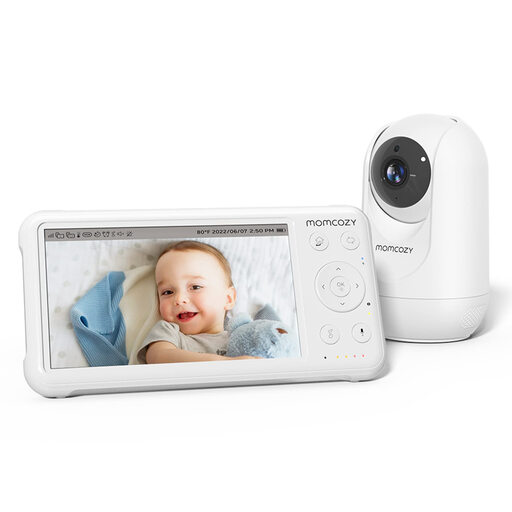
Why it suits this profile: A straightforward camera and parent-unit system for parents who want to monitor their child at home without a Wi-Fi app.
The key functions are built into a dedicated monitor. The stated range of 960 ft applies to an open area, so check how it performs in your home.
1080p screen, night vision, PTZ control, two-way audio, temperature sensor and support for up to four cameras.
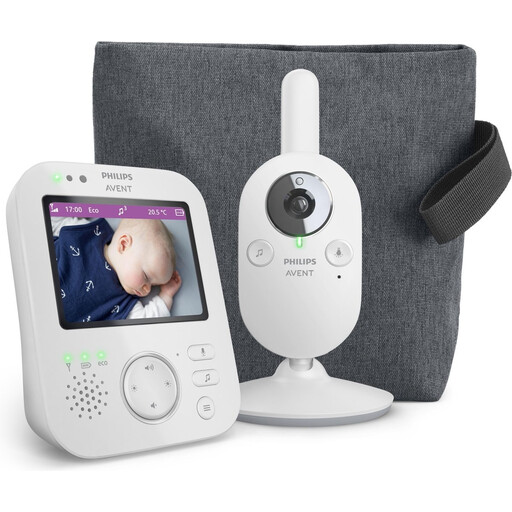
Why it suits this profile: Ideal for anyone who values a parent unit, private connection and simple controls over smartphone operation.
The product information mentions a wireless private connection and a connection indicator. This shows you when the range or connection needs attention.
VOX mode, 2x digital zoom, two-way communication, night vision and a stated range of up to 300 metres outdoors.
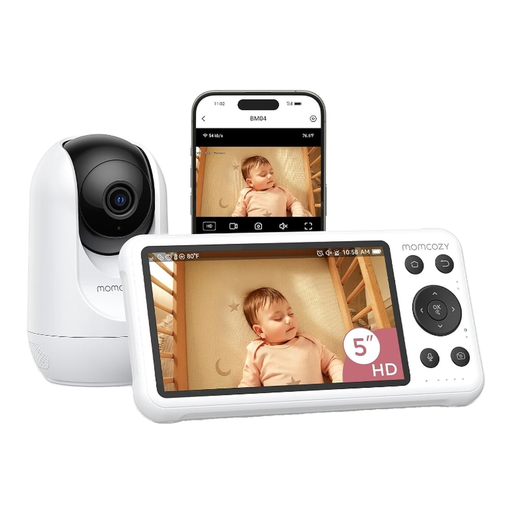
Why it suits this profile: Convenient for parents who want to use a screen at home and open the app via Wi-Fi while out and about.
You can choose between a dedicated monitor and app access. However, bear in mind that it depends on Wi-Fi, and secure your home network with a strong password.
1080p camera, 5-inch monitor, motion and crying detection, night vision, two-way audio and local recording according to the product description.
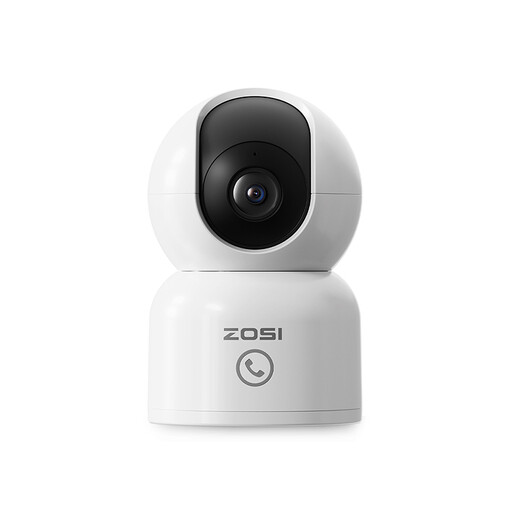
Why it suits this profile: An indoor security camera for a baby, pet or older family member when app access and automatic tracking are key priorities.
According to the product information, the camera offers 360° tracking and privacy zones. Set notification areas carefully to limit unnecessary alerts.
2.5K/4MP picture, night vision up to 10 metres, 360° automatic tracking, two-way audio and local storage up to 256 GB.
We have put together a complete, up-to-date list of products that fully meet these strict selection criteria and the applicable European safety regulations.
An action camera, such as the SJCAM C300, is designed for filming on the move and offers features such as 4K recording and motion detection. This does not automatically make it suitable as a baby monitor: it may lack a parent unit, continuous power supply and reliable audio monitoring.
Yes, models with their own parent unit can work without Wi-Fi. The Philips Avent SCD892/26 and Momcozy BM01 are examples of systems with a separate monitor. A Wi-Fi baby monitor does require a router connection for remote viewing through an app.
The service life depends on battery capacity, charging habits, software support and wear and tear. A parent unit with a lithium battery may not last as long after a while. Use the supplied or approved adapter, and replace any damaged cable or adapter.
It varies by model. Some cameras support local storage on a microSD card. With other systems, additional cloud storage or advanced features may be linked to a subscription. Before buying, check which features are available without a subscription.
