
Vandaag of morgen in huis

Kwaliteit gegarandeerd

Welkomstaanbiedingen ontgrendelen: GRATIS bezorging | Tot 80% korting | Gratis 30 dagen JoyPlus-proefperiode
Download de app
A baby monitor with camera can be useful during naps, at night or when you are briefly in another room. However, a long list of features does not automatically mean that a product is suitable for your home and everyday use. A Wi-Fi baby monitor works differently from a baby monitor with a parent unit, while a camera for the car has different connection requirements.
Pay particular attention to these three common pitfalls:
A baby monitor without Wi-Fi usually connects directly to the parent unit. This can be useful if you do not want to use an app, account or cloud storage. According to the product information, the VAVA VA-IH006 PRO uses a direct 2.4GHz connection and comes with a 5-inch parent unit.
A Wi-Fi baby monitor often provides remote access via a smartphone app. This is convenient when you are out and about or want to check in from another location. On the other hand, you depend on your router, internet connection and account security. Use a strong Wi-Fi password and check which storage options require payment.
Also note the difference between a wireless baby monitor and a camera without a power cable. With many models, only the connection is wireless; the camera itself still needs mains power.
A resolution of 1080p can provide sufficient detail at a normal viewing distance. A higher resolution, such as 2K or 4MP, can offer extra detail, but often requires more storage space and bandwidth. Practical image quality also depends on the lens, positioning and available light.
When choosing a baby monitor with night vision, check:
A wide viewing angle does not automatically prevent blind spots. Position the camera so that the entire cot remains in view and secure it out of your child’s reach.
Features such as motion detection, crying detection, automatic tracking and two-way communication can make everyday use easier. However, check how alerts are configured. A camera that sends a notification for every small movement can actually cause unnecessary concern.
Also consider ongoing costs:
Claims about reducing false alerts come from the relevant brands. Treat them as product information, not as a guaranteed result in every home.
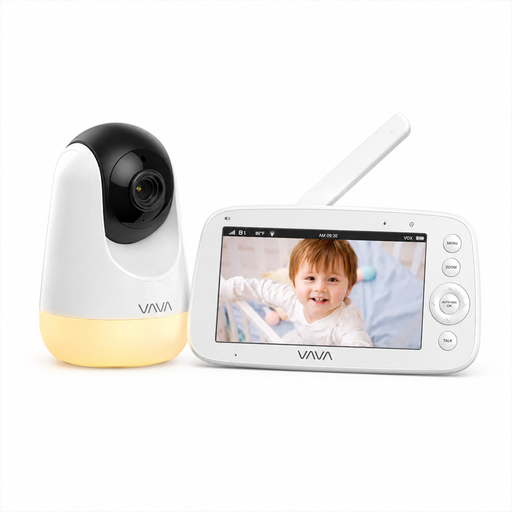
Why it suits this profile: A straightforward baby monitor for parents who want to get started without an app or cloud service. The parent unit has a 5-inch screen and, according to the product information, the connection works without home Wi-Fi.
The stated 300-metre range applies in open space; indoors, the range may be shorter. This makes the limitation clearer than a general range claim.
720p screen, infrared night vision, two-way communication, temperature information and a parent unit with a rechargeable 4500mAh battery.
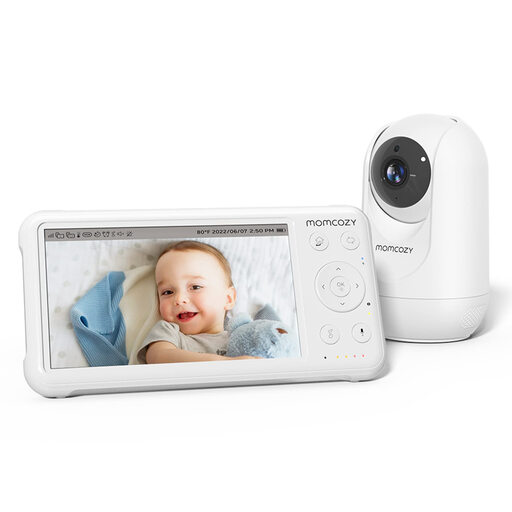
Why it suits this profile: Ideal for parents who value a parent unit, an adjustable camera and expandability. According to the product information, the system supports up to four cameras.
The product specification states that 960ft applies only in open space. Check the distance between the nursery, bedroom and living room in advance.
5-inch 1080p screen, pan-tilt-zoom, infrared night vision, two-way communication, temperature sensor and built-in lullabies.
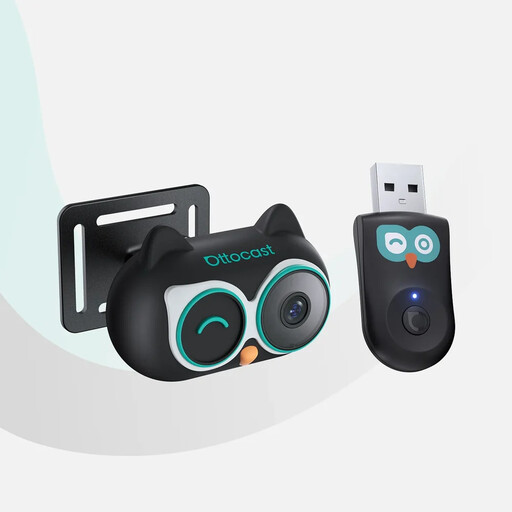
Why it suits this profile: A baby monitor for use in the car when your baby is sitting in the back seat during journeys. The image appears on the car’s original display, provided the vehicle has wired OEM CarPlay and a touchscreen.
The compatibility requirements are specific: iPhone and wired OEM CarPlay are mentioned; Android Auto is not supported. Check your car before ordering.
1080p night mode, 150° viewing angle, 360° adjustable camera, 3-metre power cable and four display modes on the car screen.
We have put together a complete, up-to-date list of products that fully meet these strict selection criteria and the applicable European safety regulations.
Mount the camera securely and out of the child’s reach. Keep power cables away from the cot and check that the mounting hardware is firmly secured. When mounting a camera on the wall, the viewing angle is more important than resolution alone.
After installation, test the connection in different areas of your home. Walk with the parent unit to the bedroom, loft or garden to assess the actual range. With a Wi-Fi baby monitor, also check that the signal remains stable at the chosen location.
A direct connection without an app or cloud service limits the number of online services you use. That does not mean that every wireless connection is automatically completely secure. Check the manual, keep the parent unit private and do not position the camera towards areas where other people could be recorded without their consent.
Its lifespan depends on use, heat, charging habits and the quality of the cables and battery. A battery-powered parent unit may run for less time as it gets older. Choose a model for which a power cable or adapter is available, and handle lithium batteries according to the manufacturer’s instructions.
The camera itself usually works without monthly costs if you only use it for live viewing. Cloud storage, longer video retention or additional app features may incur charges. Before buying, check whether local storage via a microSD card is possible and whether a trial subscription renews automatically.
