
Vandaag of morgen in huis

Kwaliteit gegarandeerd

Welkomstaanbiedingen ontgrendelen: GRATIS bezorging | Tot 80% korting | Gratis 30 dagen JoyPlus-proefperiode
Download de app
A baby monitor with camera lets you keep an eye on the nursery, living room or a pet while you are elsewhere in the home. However, it is not wise to focus solely on high resolution or a smart app. The difference between a suitable video baby monitor and a poor purchase often comes down to the connection, alerts, storage and positioning.
Manufacturers often state the range in an open area. Walls, ceilings and metal structures can significantly weaken the signal. A range of 300 metres does not automatically mean that you will have a connection throughout a typical Dutch terraced house.
So check:
A baby monitor with motion detection, crying alerts or person recognition can send a push notification to your phone. That is useful, but alerts can arrive late or be triggered unnecessarily. According to information provided by the brands themselves, some models use algorithms to recognise people, babies or pets; treat this as an aid, not as a replacement for supervision.
Also check the subscription costs. Cloud storage is not free with some models. Local storage via a microSD or TF card can be an alternative, but the card is not always included.
A camera with 1080p or 2K can deliver clear images during the day, but night-time quality also depends on the infrared lighting, viewing angle and distance from the cot. Colour night vision sometimes uses additional white light. This can improve detail, but may also be disturbing in a dark nursery.
A baby monitor with Wi-Fi usually works via a camera with an app. This allows you to view the feed remotely, for example from work or while visiting someone. However, you depend on the quality of your home network, the app and the account. Choose a strong, unique password, enable the available security options and check whether the manufacturer provides updates.
A baby monitor without Wi-Fi generally uses a direct wireless connection between the camera and parent unit. This can be simpler for everyday use and reduces your reliance on cloud or app services. You usually cannot view the feed when you are away from home. A model with a parent unit is particularly useful when you want to check the picture quickly at night without using a smartphone.
Look beyond the number of pixels:
A 360-degree camera is useful in a playroom or living room, but automatic tracking can also cause the camera to turn away from the original viewing area.
Two-way communication allows you to talk through the camera. Check whether the speaker is clear enough and whether you can switch off the microphone separately. A baby monitor with temperature sensor displays the temperature in the room. This reading is indicative only and is not a medical measuring instrument.
There are usually two options for recordings:
Also consider privacy. Do not point an indoor security camera at private areas, and let housemates or visitors know when recording is taking place. Only use a pet camera in a location where filming is appropriate.
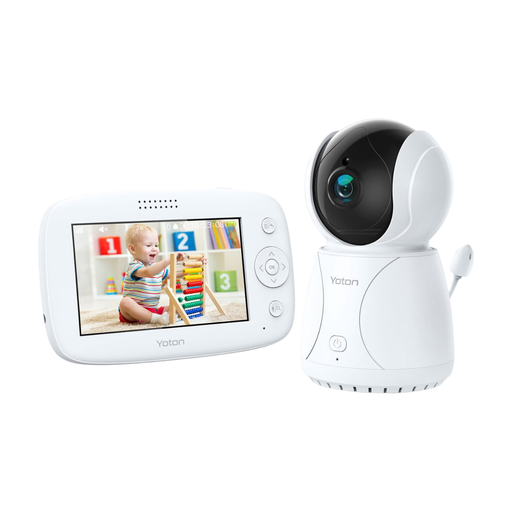
Why it suits this profile: The 4.3-inch LCD monitor combines a camera feed, night vision and temperature information in a clear system for use at home.
You do not need to use an app or cloud subscription straight away. However, the temperature display is for reference only.
4.3-inch screen, temperature sensor, rotating function, two-way communication and night vision.
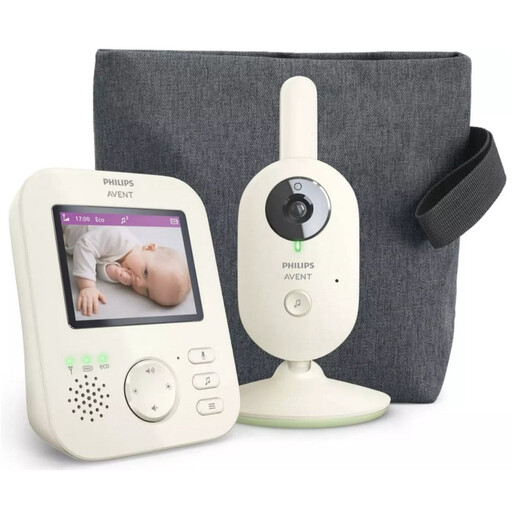
Why it suits this profile: If you mainly want a direct, private connection and a parent unit, this is a practical system without a mandatory Wi-Fi app.
The product specification states an indoor range of up to 50 metres and an outdoor range of up to 300 metres; indoors, the conditions in your home remain decisive.
2.8-inch colour screen, infrared night vision, zoom, VOX mode, two-way communication and ECO mode.
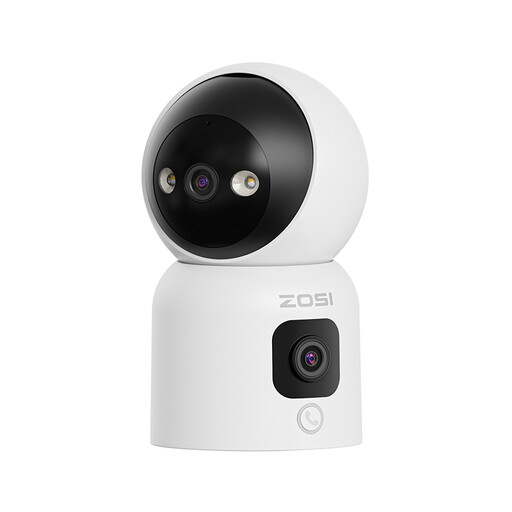
Why it suits this profile: This model is ideal for households wanting to use one indoor camera for a baby, pet or older person, while also needing several viewing angles.
Dual-band Wi-Fi supports 2.4 and 5 GHz. Local storage of up to 256 GB is possible, while cloud storage and any applicable terms should be checked in advance.
Two 2MP lenses, rotating upper lens, three night vision modes, motion detection, automatic tracking and two-way audio.
We have compiled a complete, up-to-date list of products that fully meet these strict selection criteria and the applicable European safety regulations.
Yes. A baby monitor with a parent unit can use a direct connection, as with some Philips Avent and VAVA models. You generally cannot view the feed remotely via an app, but you are also less dependent on your Wi-Fi network.
That depends on the type. A model with a parent unit usually has no monthly cloud storage costs. With a camera that uses an app, local storage and basic functions may be included, while additional cloud storage requires a paid subscription. Check this before buying.
Its lifespan depends on usage, battery condition, software support and the quality of the power adapter. A camera that runs continuously on mains power may be suitable for long-term use, but batteries in parent units wear out over time. Keep the manual and only use suitable adapters and cables.
