
Vandaag of morgen in huis

Kwaliteit gegarandeerd

Welkomstaanbiedingen ontgrendelen: GRATIS bezorging | Tot 80% korting | Gratis 30 dagen JoyPlus-proefperiode
Download de app
A baby monitor with camera gives parents a view of the nursery, but not every camera suits every home or routine. A model with lots of features is not automatically easy to use. Pay particular attention to the connection, positioning, storage and ongoing costs after purchase.
Three common pitfalls:
A video baby monitor with a separate parent unit often works without an internet connection. This can be useful if you mainly want to check in from inside your home and do not need an account or cloud storage. For example, the Philips Avent SCD882/26 states an indoor range of up to 50 metres and an outdoor range of up to 300 metres. Such distances depend on the surroundings.
A Wi-Fi baby monitor or baby monitor with an app provides remote access instead. You can view the live feed while at work or on the move, for example, as long as the camera, phone and network are working properly. Check whether the camera supports only 2.4GHz or also 5GHz. Dual-band models can offer greater flexibility with different routers.
For everyday use, resolution and viewing angle are more important than a marketing term such as “ultra-clear”. A 1080p camera is generally sufficient for viewing faces and movement in a nursery. Models with 2K or 3MP may show more detail, but they often use more storage and bandwidth.
When choosing a baby camera with night vision, check the stated night-vision range and how the camera displays the image. Infrared night vision usually shows a black-and-white image. According to their product descriptions, some models also offer colour night vision. Also check whether the camera can pan or tilt, so you can adjust the viewing angle later.
A baby monitor with two-way talk allows you to communicate from another room. Cry detection and motion detection can send alerts to a parent unit or phone. These features are useful aids and do not replace supervision by an adult.
With a baby monitor with temperature monitoring, it is important to check where the sensor is located and how the reading is displayed. According to the product information, the temperature reading on the YOTON YB03 is for reference only and is not a medical device.
Also check:
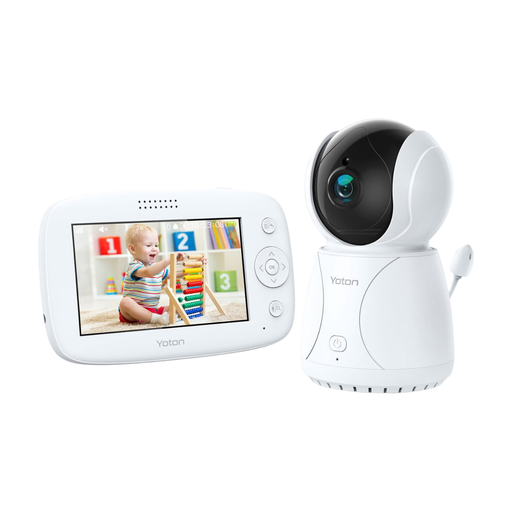
Why it suits this profile: This nursery baby monitor combines a 4.3-inch screen with temperature display, pan function, night vision and two-way audio, without the product description requiring an app.
The main features are available directly through the parent monitor. According to the description, the temperature reading is an indication only and should not be used as a medical measuring instrument.
4.3-inch LCD screen; temperature sensor; rotation; two-way audio and night vision.
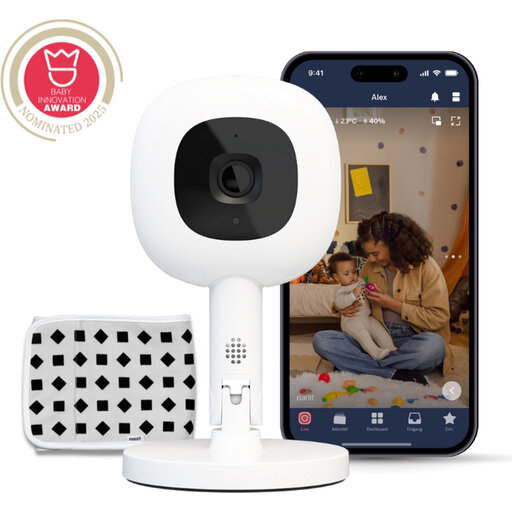
Why it suits this profile: This smart baby monitor is designed for users who want to combine app control, 1080p video, night vision, temperature and humidity readings, and flexible positioning.
The product description mentions 256-bit AES encryption and access via a home network. However, please note that certain smart alerts and analyses require a Nanit Insights subscription according to the description.
1080p video; Flex Stand; two-way audio; night light, and temperature and humidity readings.
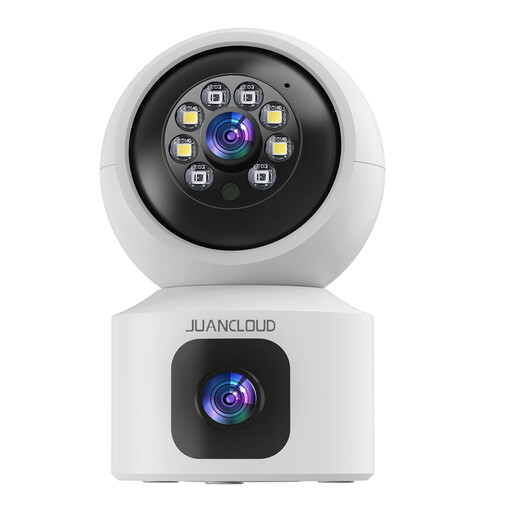
Why it suits this profile: The dual lens is designed for wide indoor monitoring of a baby, pet, child or older person. The camera supports 2.4GHz and 5GHz Wi-Fi, so it can also be used outside the nursery.
The combination of two lenses and motion alerts reduces the chance of a subject moving out of view. However, check the positioning and configure alert zones carefully to limit unnecessary notifications.
3MP 2K image; infrared night vision; 8x digital zoom; two-way audio and local or cloud storage.
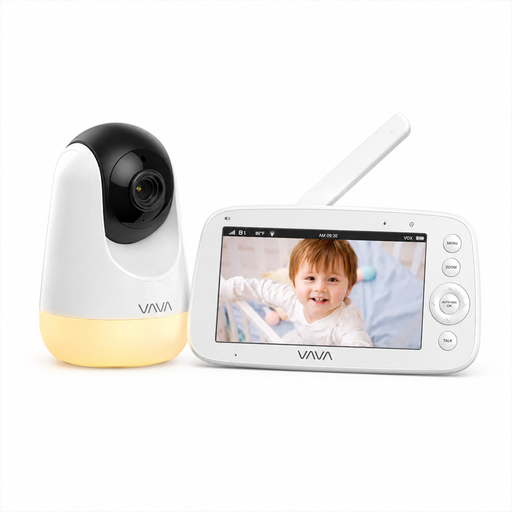
Why it suits this profile: This video baby monitor uses a direct 2.4GHz connection between the camera and parent unit. According to the product description, no app, account or cloud service is required.
You are not dependent on an internet subscription or paid cloud storage. According to the information provided, the stated range of 300 metres applies to open spaces; indoors, it may be lower.
5-inch 720p screen; infrared night vision; temperature information; two-way audio and parent unit with battery.
Place the camera in a stable position out of the child’s reach. Keep mains cables away from the cot and secure any wall mount firmly. The camera should not be placed in a bathroom or other damp area. Point an indoor security camera only at the area you actually want to monitor.
With Wi-Fi models, a unique password is important. Where possible, use two-factor authentication, update the app and firmware, and check who has access. Inform housemates or visitors when recording is taking place. Local storage requires a suitable SD card; check the maximum capacity and whether the card is included.
We have put together a complete, up-to-date list of products that fully meet these strict selection criteria and the applicable European safety regulations.
Yes. Models with a dedicated parent unit, such as some Philips Avent and VAVA models, use a direct wireless connection. A Wi-Fi baby monitor needs the internet for remote access and app alerts.
Its lifespan depends on heat, usage time, cables, battery and software support. A camera that runs continuously from mains power can be used for a long time, but a battery in the parent unit will lose capacity over time. Check cables regularly and replace damaged parts according to the manufacturer’s instructions.
In addition to the purchase price, you may incur costs for cloud storage, extra alerts or sleep functions. According to the product description, Nanit Insights requires a subscription for certain alerts and analyses. With cameras that use SD card storage, you may only pay a one-off charge for a suitable card. Check in advance which features are available without a subscription.
