
Vandaag of morgen in huis

Kwaliteit gegarandeerd

Welkomstaanbiedingen ontgrendelen: GRATIS bezorging | Tot 80% korting | Gratis 30 dagen JoyPlus-proefperiode
Download de app
A baby monitor with a camera lets you see your baby when you’re in another room. However, not every model suits every home. A Wi-Fi baby monitor with an app works differently from a system with its own parent unit. Features such as night vision, motion detection and a cry sensor may sound useful, but they’re worth looking at closely.
Manufacturers sometimes measure range in an open space. In a home, concrete walls, floors and utility cupboards can significantly affect the signal. So a range of hundreds of metres doesn’t automatically mean you’ll have a reliable connection in a terraced house or flat.
Check whether the range is specified for indoor use. With a Wi-Fi model, performance also depends on where your router is and the quality of your wireless network.
A baby monitor with motion detection or a cry sensor can send alerts to your phone. However, sensitivity varies from one model to another. Sounds from a fan, pet or traffic can trigger unnecessary alerts. Conversely, a camera that detects movement only may not pick up every sound in the room.
Look for adjustable detection zones, sensitivity settings and the option to temporarily turn alerts off. Claims about artificial intelligence or reducing false alerts come from the manufacturer; don’t treat them as guaranteed results.
A baby monitor with an app or a smart baby monitor lets you control it remotely, but it relies on an account, an app and a network connection. Check whether footage can be stored locally on a memory card or device, or whether you need a cloud subscription. Some products only include cloud storage free of charge for a limited time.
Use a strong, unique Wi-Fi password, change any default password and install available firmware updates. Don’t point a camera at areas where people might be recorded without their consent. A monitor is also just a helpful tool and doesn’t replace supervision by an adult.
A 1080p baby monitor shows more detail than a model with a lower resolution, especially when you zoom in digitally. Resolution isn’t the whole story: the lens, lighting conditions and image processing also affect what you see.
Infrared night vision is important for use at night. Check the stated night-vision range and whether the image is shown in black and white or colour. A baby monitor with night vision can help you check on your baby in a dark room, but don’t expect daylight picture quality.
A system with a separate monitor usually works without home internet. This is handy if you only want to check in at home and don’t want to use an account or cloud storage. A Wi-Fi baby monitor, on the other hand, lets you view the feed remotely on your smartphone, for example when you’re at work.
When choosing a baby monitor with an app, check:
Place the camera securely and out of your child’s reach. Keep cables away from the cot and only use the supplied or approved adapter. Some models have a pan-and-tilt camera, digital zoom or wall mount. This makes it easier to adjust the view without having to move the camera each time.
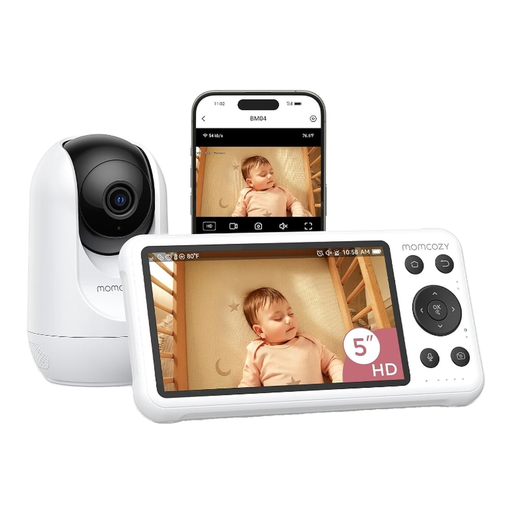
Why it suits this type of buyer: This dual-mode system combines a 5-inch parent monitor with access via a mobile app. You can use the monitor at home and check in over Wi-Fi when you’re out.
The product information lists both a standalone display and Wi-Fi access. It also supports local recording, so you don’t have to rely solely on cloud storage.
1080p screen, motion and cry detection, night vision and two-way talk.
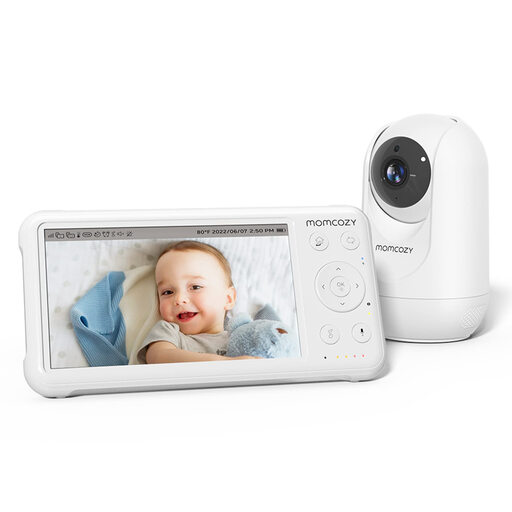
Why it suits this type of buyer: A good choice for parents who value a clear picture, remote access and a larger parent unit, without wanting to rely entirely on a smartphone.
The stated range is specified for open spaces. This makes it clear that walls and the layout of your home can affect the actual range.
1080p picture, pan-tilt-zoom, night vision, temperature sensor and support for up to four cameras.
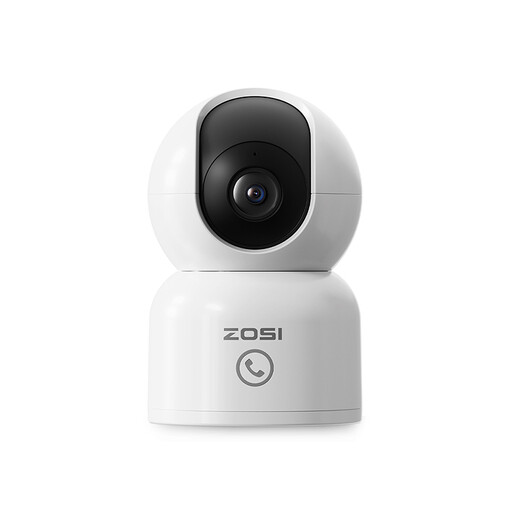
Why it suits this type of buyer: This model is a good fit if you want to use your baby camera for pets or other indoor spaces too, and need remote access.
The camera has adjustable privacy zones and local storage via a memory card. A memory card isn’t included, so bear that in mind.
2.5K resolution, 360° tracking, 10 metres of infrared night vision and two-way audio via the app.
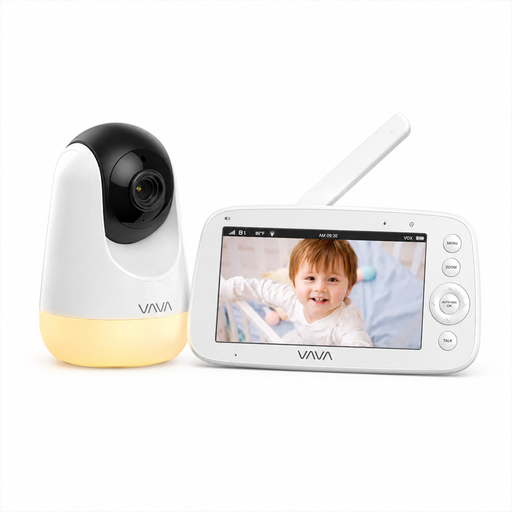
Why it suits this type of buyer: A practical choice for home use if you don’t want to use an app, account or cloud service.
The camera connects directly to the parent unit via 2.4GHz and doesn’t need home Wi-Fi. The stated range of 300 metres applies in an open space.
720p screen, infrared night vision, two-way communication, temperature display and parent unit with a rechargeable battery.
We’ve put together a complete, up-to-date list of products that meet these strict selection criteria and the applicable European safety requirements.
Usually not for remote access. Some models may continue to work in a limited way on your home network or through a direct connection, but you’ll generally need internet to check in from outside the home. A baby monitor with a separate parent unit often works without an internet connection.
Its lifespan depends on daily use, heat, cables, the battery and software support. A camera that stays on all the time puts more strain on the adapter and electronics than one used occasionally. Check the cables, plugs and parent unit battery regularly. Replace a damaged adapter or cable straight away.
It depends on the storage method. Local storage usually involves a one-off purchase of a compatible memory card. Cloud storage may require a subscription after a trial period. Before buying, check the terms for recording, playback and alerts.
