
Vandaag of morgen in huis

Kwaliteit gegarandeerd

Welkomstaanbiedingen ontgrendelen: GRATIS bezorging | Tot 80% korting | Gratis 30 dagen JoyPlus-proefperiode
Download de app
A baby monitor can help you keep an eye on your child while you are in another room. However, many models look similar, even though there can be major differences in connectivity, screen, storage and placement. A low price does not automatically mean a model is unsuitable, but a long list of features does not mean you need them all.
Pay particular attention to these common pitfalls:
A baby monitor with a monitor unit uses a separate parent unit, so you do not have to keep using your smartphone. A non-Wi-Fi baby monitor often connects the camera directly to the parent unit. This can be practical if you mainly want to monitor your child indoors and do not want to use an app or cloud storage.
A Wi-Fi baby monitor is more suitable if you want to check in while you are away from home. In that case, check:
A product with motion detection or crying detection can send alerts, but check the settings carefully. According to product information from various brands, alerts can also be affected by background noise and movement in the room.
For everyday use, 1080p is generally a useful starting point. A higher resolution can show more detail, but it also requires more storage and bandwidth. Also consider:
A baby monitor with night vision generally uses infrared light. Visibility in a dark room depends on the distance between the camera and your child, the placement of the camera and the amount of ambient light. Also treat temperature readings as an indication only: for example, YOTON’s product information states that the sensor is not intended for use as a medical device.
A wireless baby monitor does not always mean that the camera runs on a battery. Many cameras need to be plugged into a mains socket, while only the parent unit is rechargeable. So check the cable length, charging time and operating time with the screen switched on.
Place the camera securely, out of your child’s reach and away from water and heat sources. The stated distance, such as 300 metres, is often measured in an open space. In a home with concrete floors or several storeys, the range may be lower.
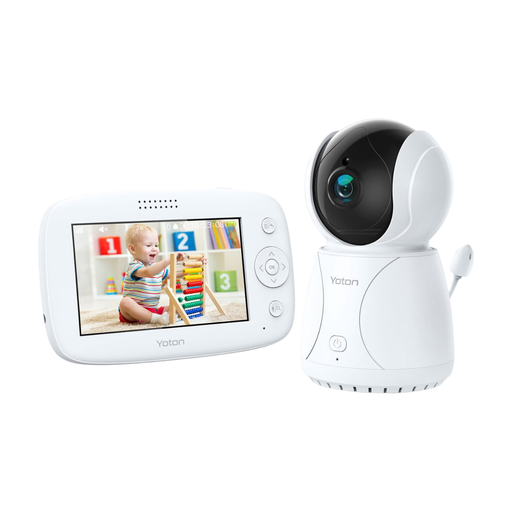
Why it suits this profile: The separate 4.3-inch parent unit is straightforward for anyone who wants to get started without a complicated app. According to the product information, this model has a temperature sensor, pan function, two-way communication and night vision.
The key features are listed in the product specifications, so you do not have to pay for remote camera access if you will not use it.
4.3-inch LCD screen, night vision, temperature display and camera rotation.
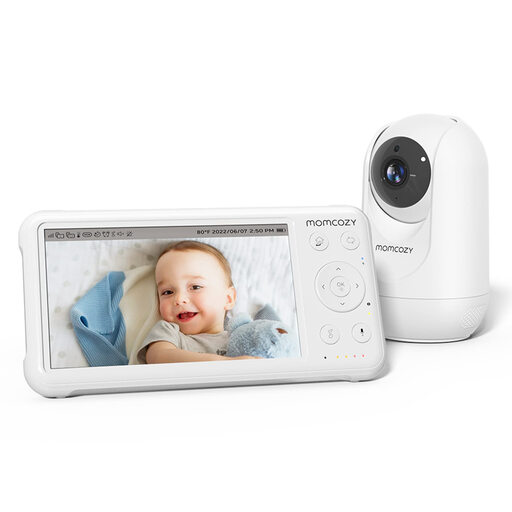
Why it suits this profile: This model combines a 5-inch 1080p screen with a parent unit, giving you a clear view without using a smartphone. According to the product information, it offers pan-tilt-zoom, night vision, two-way communication and support for up to four cameras.
The combination of camera and parent unit means you do not have to unlock your phone or open a separate app every time you want to check on your child.
1080p display, 5000mAh battery in the parent unit, temperature sensor and support for up to four cameras.
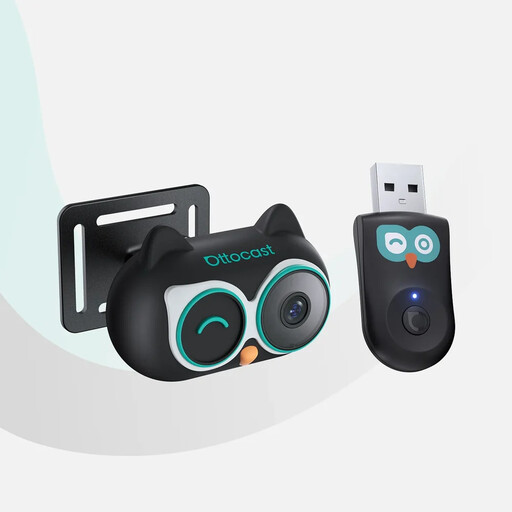
Why it suits this profile: This camera baby monitor is designed for use in the car. According to the product information, it works with vehicles that have OEM wired CarPlay and a touchscreen. The camera displays images on the car screen and is compatible with iPhone; Android Auto is not supported.
The compatibility requirements are clearly described. Check your car and phone before ordering, so you do not buy a model that is incompatible with your system.
1080p camera, 150° viewing angle, night mode without visible red light and multiple viewing modes on the car screen.
We have put together a complete, up-to-date list of products that fully meet these strict selection criteria and the applicable European safety regulations.
A baby monitoring camera is a helpful tool and does not replace supervision by an adult. Keep the following in mind when installing it:
That depends on the type of connection, building materials and distance. The stated range in an open space is not the same as the range indoors. Test the connection in the rooms where you will actually use the parent unit.
Its lifespan depends on battery use, heat, moisture, charging habits and the quality of the cables and connections. With a model that has a parent unit, the battery capacity becomes particularly important over time. A camera that only works from mains power remains dependent on a properly functioning adapter and cable.
The camera itself uses electricity and you need a working internet connection. Local storage on a microSD card can help you avoid additional cloud storage costs. However, check whether the app offers certain features, such as cloud storage or advanced alerts, only for an additional fee.
