
Vandaag of morgen in huis

Kwaliteit gegarandeerd

Welkomstaanbiedingen ontgrendelen: GRATIS bezorging | Tot 80% korting | Gratis 30 dagen JoyPlus-proefperiode
Download de app
A baby monitor can be useful when you want to listen in or keep an eye on your baby from another room. However, models vary considerably in connectivity, range, battery life and ease of use. A low price doesn’t always mean a monitor will suit your home, while smart features may only work with a stable Wi-Fi connection.
As a Joybuy Product Recommendation Officer, I filter the key product specifications and practical considerations to help you compare marketing claims more effectively.
A manufacturer may quote a range of hundreds of metres. According to the product description, this is often measured in an open area. In a home, walls, floors and metal structures can reduce the range. So don’t just look at the maximum figure; consider the type of connection too.
A baby monitor without Wi-Fi usually uses a direct connection between the camera and parent unit. This can be practical if you mainly want to monitor your baby at home. A Wi-Fi baby monitor often lets you access the camera via an app, but depends on your router, internet connection and account settings.
A baby monitor with night vision typically uses infrared imaging when it gets dark. Check whether the product description mentions infrared only or also colour night vision. Consider the viewing angle and whether the camera can be rotated, too. A fixed camera may prove less practical if you move the cot or playpen.
Motion detection, cry detection and automatic tracking sound useful, but alerts depend on the camera’s position, sensitivity settings and network connection. Treat these features as helpful tools, not a substitute for supervision. Also check whether footage is stored locally on a microSD card or through a cloud service that may have terms and conditions.
A baby monitor with a screen means you don’t have to keep unlocking your smartphone. For everyday use, screen size, resolution and controls matter more than the pixel count alone. A larger screen can be more comfortable for live viewing, while a compact parent unit is easier to carry around.
A baby monitor with a camera should also be easy to position. A pan-and-tilt model gives you more flexibility if your baby moves or you want to view different parts of the room. Check whether the camera can be rotated remotely or only adjusted by hand.
With a model that doesn’t use Wi-Fi, you generally won’t need an app or cloud account. This means fewer digital settings to manage. If you choose a Wi-Fi baby monitor, it’s a good idea to:
A direct connection won’t necessarily be free from interference everywhere. Your home, the distance and the camera’s position all matter when choosing a model.
A baby monitor with a temperature sensor can show the room temperature as a guide. The sensor isn’t a medical measuring device and shouldn’t replace your own assessment of the room. Check whether temperature alerts are available or whether the monitor only displays the current temperature.
With two-way talk, you can speak through the parent unit or app. Check that the sound is clear enough at both ends and that the feature is easy to use with a single button. Lullabies or a night light may also be included, but they aren’t essential for every family.
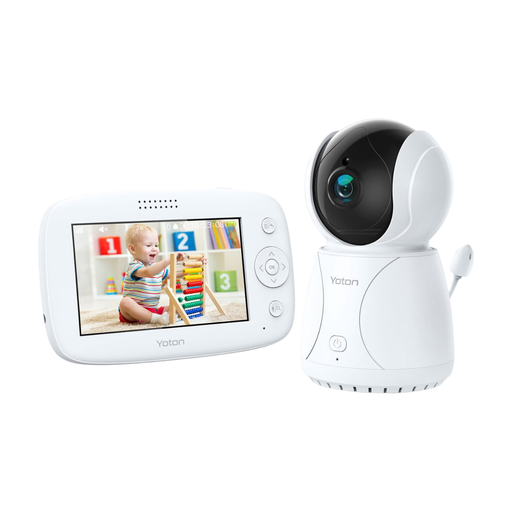
Why it suits this profile: This baby monitor has a parent unit with a 4.3-inch LCD screen and is designed for basic use in the nursery. According to the product description, the camera features a temperature display, night vision, rotation and two-way talk.
You get a dedicated screen, so you don’t have to rely on a smartphone app. Use the temperature feature as a guide; according to the safety information, it isn’t intended to be used as a medical measuring device.
4.3-inch LCD screen, camera with rotation, night vision and two-way talk.
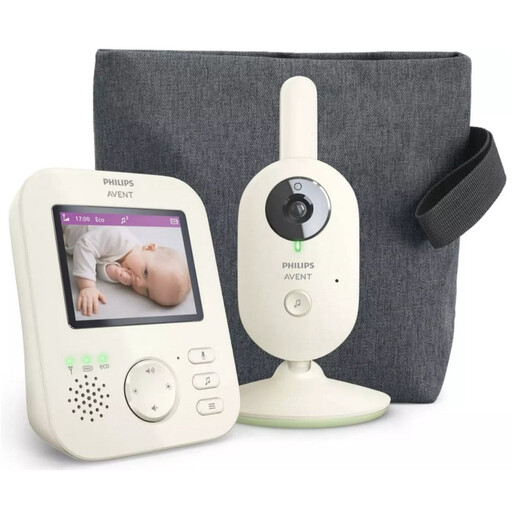
Why it suits this profile: This model uses a parent unit with an LCD screen and a separate wireless connection. According to the product description, features include zoom, infrared night vision, VOX mode and ECO mode.
The product description mentions a secure private connection and a range of up to 50 metres indoors and 300 metres outdoors. These figures are a guide; walls and other obstacles can affect the actual range.
VOX mode, zoom, infrared night vision and ECO mode; the manufacturer also states that it comes with a minimum two-year statutory EU guarantee.
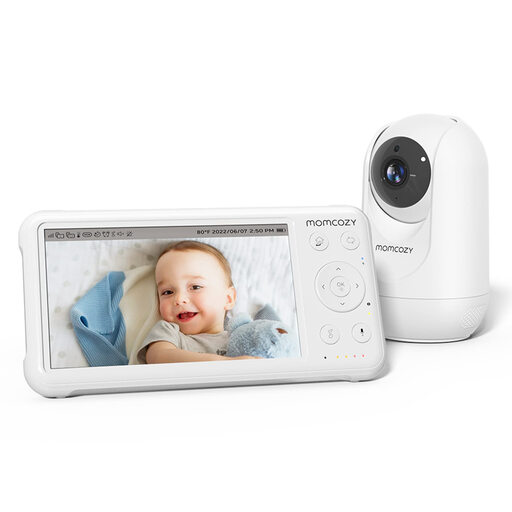
Why it suits this profile: This system is a good choice for families looking for a larger screen, longer battery life and extra camera features. According to the product information, it has a 5-inch 1080p screen, pan-tilt-zoom, a temperature sensor, night vision and support for up to four cameras.
The camera can be panned and tilted remotely, so you’re less likely to need to reposition it. According to the product information, the stated range of up to 960 feet applies in open space and may be shorter indoors.
1080p image, 5000mAh battery in the parent unit, temperature display, two-way talk and expandability to four cameras.
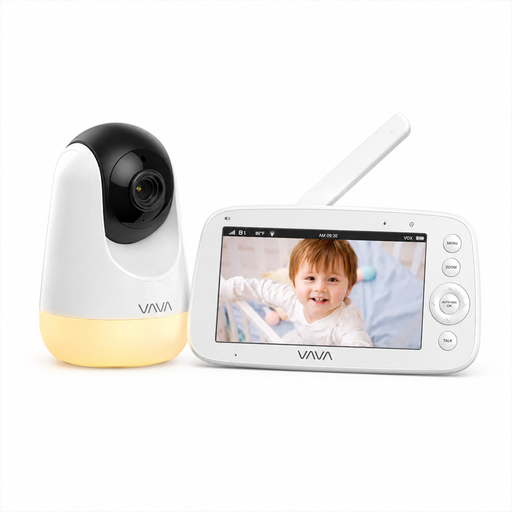
Why it suits this profile: The VAVA VA-IH006 PRO uses a direct 2.4GHz connection between the camera and parent unit. According to the product description, it doesn’t require an app, account or cloud service.
You don’t need Wi-Fi or mobile internet for the basic connection. The stated range of 300 metres applies in open space; walls can affect the range indoors.
5-inch 720p screen, night vision, pan-and-tilt, two-way talk, temperature display and up to 24 hours in audio mode, according to the product specifications.
We’ve put together a complete, up-to-date list of products that meet these strict selection criteria and current European safety requirements.
No. A baby monitor without Wi-Fi may be all you need at home. Choose Wi-Fi if you want to check in via an app or receive alerts remotely when you’re out. Bear in mind the need for network security and possible reliance on cloud storage.
Its lifespan depends on battery use, charging habits, heat, cables and daily use. A parent unit with a replaceable or well-maintained battery may remain useful for longer. If something goes wrong, check the adapter, cable, connection and positioning before resetting the device.
A model with a parent unit usually only adds to your electricity bill. A Wi-Fi baby monitor may also involve cloud storage costs, depending on the brand and service you choose. A microSD card may allow you to record footage locally, but check its maximum capacity and compatibility first.
