
Listener with a regular audiobook app
You already use Storytel, Spotify or the online Library and want to know how to play the service through a speaker. Support varies by service and playback method.


If you don’t have a suitable speaker and want to listen using one device, consider a compact wireless speaker. If you already have a stereo system, compare a standalone streamer with the speakers, amplifier and inputs you own. Before buying, check how your audiobook service works: Sonos lists Storytel as a service, but you’ll need a Storytel Unlimited account. Network features on other players don’t, by themselves, prove that your audiobook app is supported directly.
You already use Storytel, Spotify or the online Library and want to know how to play the service through a speaker. Support varies by service and playback method.
You want to keep using your existing speakers and are looking for a suitable network player, without buying an extra speaker unnecessarily.
You’re looking for a setup that fits in a small space and want to check how many separate devices and controls you’ll need.
Choose this if: you don’t want to connect existing speakers and want to listen using a single device.
Consider: you’re also choosing the associated ecosystem, so check that your audiobook service works with it. Sonos lists Storytel for Sonos, subject to having a Storytel Unlimited account.
Choose this if: you want to keep using suitable active speakers, or an amplifier with speakers.
Consider: a streamer doesn’t produce sound on its own; WiiM describes the Pro as a streamer, not an amplifier.
| What to consider | What should you check? | Who is this important for? |
|---|---|---|
| Compatibility with your audiobook service | Check whether the service works directly or needs to be played from a phone or tablet. For Storytel on Sonos, Sonos requires a Storytel Unlimited account. | If I listen to books through a particular app, I want to know whether it works directly or needs to be played from my phone. App compatibility is the top priority for around 33% of consumers. |
| Keeping your existing speakers | Check whether your speakers are active or need an amplifier, and compare their inputs with the streamer’s outputs. | I want to keep using my existing speakers rather than buy another complete speaker. For around 27% of consumers, keeping their stereo system is the top priority. |
| Space and controls | Consider where the device will go and check which pause, volume or preset controls the model offers. | With limited space, I don’t want more separate devices than necessary, and I want the controls to be easy to reach. Compact placement and direct control are the main considerations for around 20% of consumers. |
| Terms and conditions from your audiobook provider | Check the subscription, any included listening hours and playback options offered by your audiobook provider. | I want to know in advance what listening terms apply to my audiobook provider, separately from the cost of the player. Around 20% of consumers say ongoing listening costs are their top priority. |
A streamer such as the WiiM Pro isn’t an amplifier and doesn’t include a speaker. You’ll need suitable active speakers, or an amplifier and speakers.
Before buying, work out what equipment you already have and check that the connections are compatible.
Network protocols on a device don’t automatically mean your audiobook service is available directly. Sonos requires Storytel Unlimited for Storytel on Sonos.
Check the specific app and subscription route you want to use, not just whether a device has Wi-Fi.
According to Sonos, the Era 100 must first be set up over Wi-Fi, even if you plan to use it via Bluetooth afterwards.
Check that you can complete the initial setup using the required network and the Sonos app.
Bluesound lists aptX Adaptive Bluetooth for the NODE NANO as a future software update, not as a confirmed feature available now.
Base your choice on features confirmed for the version on offer and its current software.
Worth considering if you’re looking for a standalone wireless speaker and the Storytel option suits your subscription.
Worth considering if you want to connect a standalone network player to an existing audio system.
Worth considering if you’re looking for a standalone speaker for an existing or planned HEOS system.
Worth considering if you want to connect a standalone network player to an audio system and use BluOS.
This selection includes wireless speakers and a soundbar with options for playing audio from compatible devices. Check each product and audiobook app to make sure they support the playback method you want.
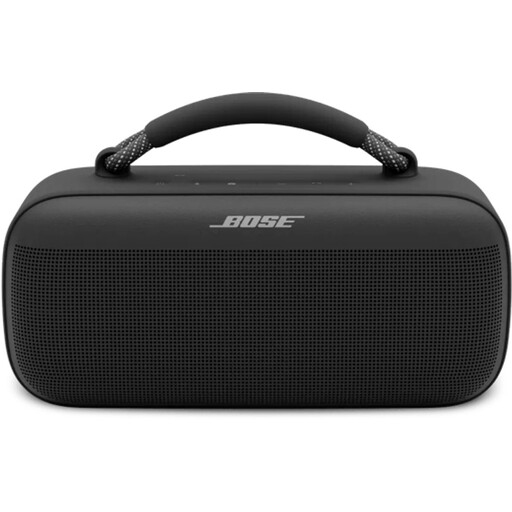 Image unavailable
An option if you want to stream audiobook audio from a compatible device; check that your app supports the connection you want to use.
The product description lists Bluetooth, AirPlay and Spotify Connect, control via a mobile app, and a battery with up to 20 hours of playback. The stated weight is 3.2 kg.
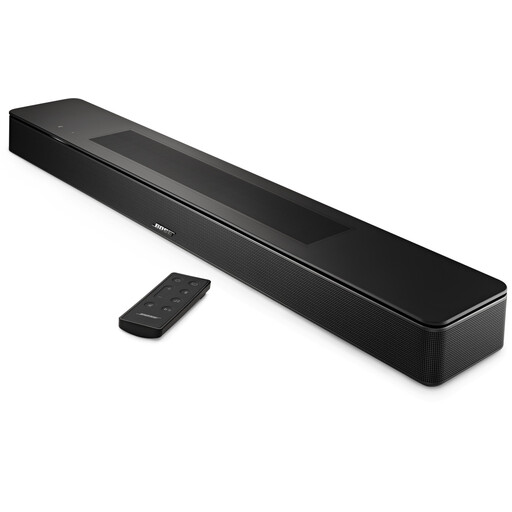 Image unavailable
An option if you’re looking for a soundbar that can play audio from compatible sources; check that your audiobook app offers a suitable connection.
The product description lists Bluetooth, AirPlay 2, Spotify Connect and built-in Chromecast. It also mentions an AI dialogue mode; check which features are available with the version on offer.
 Image unavailable
An option if you’re looking for a standalone speaker with wireless connections; Wi-Fi support alone doesn’t confirm that your audiobook app will work directly.
The product name lists Wi-Fi, Bluetooth, AirPlay 2 and 60 W. The product description also mentions USB and AUX inputs, and a battery with up to 12 hours of playback.
Yes, Sonos lists Storytel as an available service, but you’ll need a Storytel Unlimited account. Storytel says you need an active account to add Storytel to the Sonos app. Check your subscription before choosing this option.
Yes, a standalone streamer such as the WiiM Pro needs to be connected to suitable active speakers, or to an amplifier with speakers. Before buying, compare the inputs and outputs of the equipment you want to use.
With the online Library, you can download the entire audiobook over a stable Wi-Fi connection first, then play it from the app. Sonos requires the Era 100 to be set up over Wi-Fi using the Sonos app, even if you use Bluetooth afterwards. These steps don’t confirm that every network player supports the library app directly.
Check the terms of your audiobook service separately from the cost of buying the speaker. Spotify Netherlands says that certain Premium subscriptions include 12 hours of listening time per month. For distance purchases, the Dutch government says you’ll usually have 14 days to change your mind; there’s no fixed statutory warranty period in the Netherlands.
Radio equipment placed on the EU market is subject to the Radio Equipment Directive, which sets requirements for areas including safety, electromagnetic compatibility and radio spectrum. The Dutch government points to the CE marking for electronic devices. These are general rules for placing products on the market, not separate confirmation that a specific item on offer complies; if in doubt, ask for the documentation for that particular version.