For practising a presentation and listening back to individual sentences, a simple voice recorder with useful playback features is often the most straightforward choice. A handheld recorder may suit you if you also want to record other audio, but check the controls, storage and power options. Extra recording formats don’t guarantee that your voice will sound clearer in your room.
Who might find this choice useful?
Pronunciation-focused presenter
Want to listen back to short sentences, pauses and speaking pace? Check whether each model offers features such as repeat playback and speed control. Sony lists these features for the ICD-UX570, while OM SYSTEM lists playback features for the WS-883.
Independent evening practice
If you want to record and listen back without using your phone, check the controls, available storage and power options for the specific model. Sony lists built-in memory and a built-in lithium battery for the ICD-UX570.
Presenter with broader recording plans
If you might also use the same device to record other audio, compare its recording and connection options with the extra storage and steps involved in using it. Zoom and Tascam describe models with options for wider audio use.
What should you look for when choosing?
Simple voice recorder
Best for: mainly recording your own presentation and replaying individual sentences. Sony lists A-B repeat and speed control for the ICD-UX570; OM SYSTEM lists a simple mode and playback features for the WS-883.
Bear in mind: check that the playback controls on the exact model feel easy to use. The features listed don’t prove that a recorder will sound better in your room.
Handheld audio recorder
Best for: recording other audio as well as practising presentations. Zoom lists a built-in X/Y microphone, speed control and an external microphone input for the H1essential; Tascam lists several recording formats for the DR-05XP.
Bear in mind: the extra features may be unnecessary if you only want to practise speaking. Zoom’s manual refers to an inserted microSD card, so check storage and power before you start.
| What to consider |
What to check before buying |
Who is this important for? |
| Listening back to pronunciation and pace |
Check whether the exact model has A-B repeat, speed control and easy-to-use controls. |
If I want to repeat tricky sentences individually and assess my pace, I’m looking for features that make it easy to listen back to specific sections. Around 36% of consumers say this is their main concern when buying. |
| Recording your own voice |
Check the built-in microphone and recording mode, then listen back to a test recording. Don’t assume it will guarantee noise-free audio. |
I want to assess my own voice in the recording before practising the presentation. For around 29% of consumers, making a usable recording of their own speech is the top priority. |
| An uninterrupted evening session |
Check the power options, available storage and whether a memory card is required. |
If I want to get started straight away in the evening, I don’t want to find out that the recorder needs charging or has no storage. Around 21% of consumers give the highest priority to being ready to practise. |
| Transferring files and required accessories |
Check how files are transferred and which memory card, batteries or cables are required or included. |
I want to keep recordings or listen to them on a computer, and know in advance which accessories I’ll need. For around 14% of consumers, file transfer and knowing what’s included are their main buying concerns. |
What to watch out for when buying
-
Assuming an advanced recording format means clearer speech
A recording format such as 32-bit float doesn’t prove how clearly your voice will sound in your practice room. Tascam lists this format for the DR-05XP, but that isn’t a measure of speech clarity in every room.
First, choose the playback features and controls you need, then make a test recording in your own practice space.
-
Forgetting storage for a handheld recorder
For recordings with the Zoom H1essential, the manual refers to an inserted microSD card. Without checking that storage is in place, you may not be able to start recording.
Before buying, check what storage is required and whether it’s included. Test the recorder before your practice session.
-
Assuming similar model names mean identical products
The OM SYSTEM page titled WS-883 also mentions WS-882 in its descriptive text. Don’t assume the two model numbers refer to the same device without checking.
Check the full model number and specifications on the product listing before you order.
Relevant brands to consider
Sony
The ICD-UX570 is worth considering if you want to record and listen back on the device itself.
- Sony lists A-B repeat, speed control, 4 GB of built-in memory and a built-in lithium battery for the ICD-UX570.
- These specifications apply to this model and don’t mean that all Sony recorders have the same features or sound quality.
OM SYSTEM
The WS-883 is worth considering if you’re looking for a voice recorder with playback features for independent practice.
- OM SYSTEM lists 8 GB of internal memory, a simple mode and several playback features for the WS-883.
- Check the full model number: the Dutch page titled WS-883 also mentions WS-882 in its descriptive text.
Zoom
The H1essential is a handheld recorder for anyone weighing up extra recording options as well as presentation practice.
- Zoom lists an X/Y microphone, playback speed control and an external microphone input.
- The manual refers to a microSD card. The extra connection options aren’t necessarily needed to record one voice in a practice room.
Tascam
The DR-05XP is worth considering if recording formats and use with a computer are part of your decision.
- Tascam lists built-in stereo microphones, several recording formats and use as a USB-C audio interface.
- The listed 32-bit float recording doesn’t prove that recordings will be noise-free in every practice room.
Joybuy products
These Joybuy products mention voice recording; check whether the controls and features of each model suit your needs for listening back to a presentation.
 No image available
Plaud Note Pro AI Notes & Summary Voice Recorder (Silver)
The product name identifies this as a voice recorder. Check whether its controls suit the way you practise your presentation.
The product name mentions AI Notes & Summary.
Variant: Silver.
View on Joybuy
 No image available
Digital Voice Recorder, 64 GB, with Transcription Function
The product name describes a digital voice recorder. Check whether the model suits the way you want to record your own presentation.
Storage: 64 GB.
The product name mentions a transcription function.
View on Joybuy
 No image available
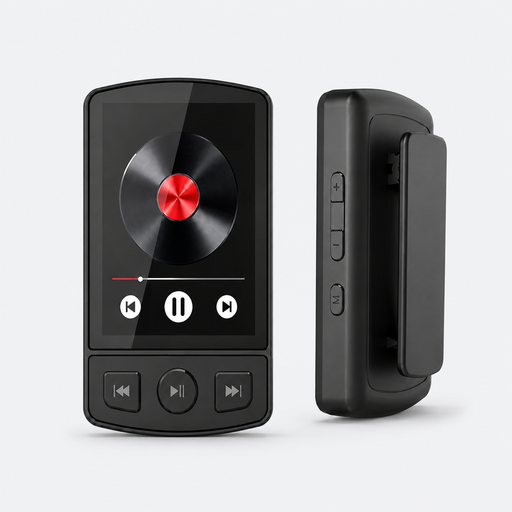
MP3 Player with Bluetooth 5.2 and Clip, 64 GB
The product name mentions voice recording. Check whether this feature suits your practice goals and preferred controls.
Storage: 64 GB. The title mentions Bluetooth 5.2 and a clip.
The product name also mentions a speaker, pedometer and FM radio.
View on Joybuy
 No image available
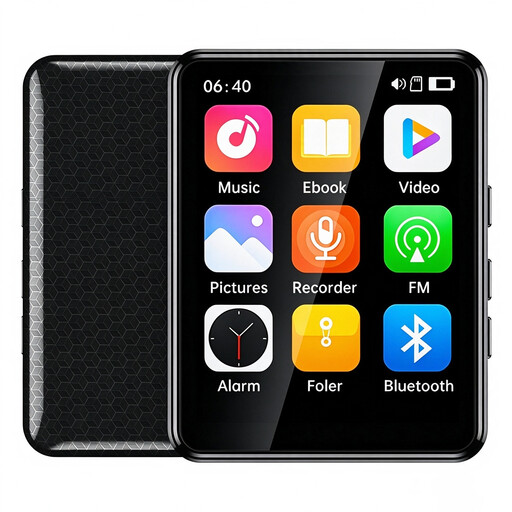
VIELLAN MP3 Player with 2.4 inch Color Display and Touchscreen, 64 GB
The product name mentions voice recording. Check whether the feature and controls suit your needs for recording and listening back to your presentation.
Storage: 64 GB. The title mentions a 2.4-inch colour display and touchscreen.
The product name also mentions Bluetooth, FM radio, a speaker and an e-book function.
View on Joybuy
 No image available
Digital Audio Player with 1.8 inch Display and Voice Recording
The product name mentions voice recording. Check whether this suits your needs for listening back to your own speaking pace.
The title mentions a 1.8-inch display, Bluetooth, an e-book reader and an alarm function.
View on Joybuy
Frequently asked questions
Which playback feature can help if you want to practise the same English sentence repeatedly?
A-B repeat is a specific feature for playing a passage again. Sony also lists speed control for the ICD-UX570. Check that the exact model you’re buying has the features you need.
What should you check before you start recording in the evening?
Make a short test recording and listen back to it. Also check the power and storage options for your model; the Zoom H1essential manual refers to a correctly inserted microSD card.
What if a recorder you’ve just bought doesn’t work properly?
For a consumer purchase in the Netherlands, the seller must offer a solution if the product is faulty. According to the Dutch government, there is no fixed statutory guarantee period for all products; a manufacturer’s warranty is in addition to your statutory rights.
Do you need permission if classmates or a teacher are also recorded during your practice?
For a private practice recording, it’s best to include only your own voice. Check your school’s rules before recording anyone else or sharing a recording. The Dutch Data Protection Authority’s guidance for schools on recordings during online teaching doesn’t automatically provide the same answer for every recording made by a pupil.


