What should you look for when choosing?
Start by considering where you’ll make the recording and how you want to listen back to the pronunciation. Then decide whether you need a simple recorder or a model that offers more options for microphone placement.
| What to consider |
What should you check? |
Who is this important for? |
| Clarity |
Decide where the speaker will stand and whether you can position the recorder nearby or need a suitable external microphone. |
If I’m recording one pupil in a noisy or reverberant classroom, I want to position the microphone so their voice remains clear. Around 36% of consumers consider clarity their top priority. |
| Focused playback |
Check whether the exact model lets you repeat sections, mark clips or adjust playback speed. |
If I want to listen to a sound or short sentence several times, I look for features that support this kind of practice. Around 29% of consumers give focused playback their top priority. |
| Easy recording |
Before the lesson, check the controls, power supply, storage and playback method. Also find out whether you need a memory card. |
If I want to record a short exercise quickly without using my phone, simple controls and minimal preparation are important. Around 21% of consumers prioritise being able to record independently. |
| Files and privacy |
Check whether files can be transferred to the storage location designated by the school and how they’ll be managed under school policy. |
If I store identifiable pupil voices, I want to know who has access and when the files will be deleted. Around 14% of consumers consider managing stored recordings their top priority. |
Products at Joybuy
These products list voice recording as a feature. The selection includes both recorders and music players with recording functions. Check each model to see whether its controls and features are suitable for recording and listening back to a pronunciation exercise.
 No image available
Plaud Note Pro AI Notes & Summary Voice Recorder (Silver)
The product information lists audio recording for lectures, as well as transcription and summary features.
Check whether the transcription and summary features suit your intended use and the school’s arrangements for identifiable pupil voices.
View at Joybuy
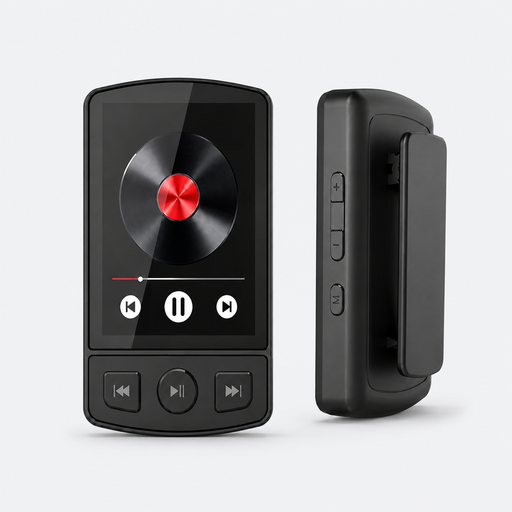 No image available
MP3 Player with Bluetooth 5.2 and Clip, 64 GB
The product information lists voice recording with a mode that’s activated by sound.
This device is described as an MP3 player with 64 GB of storage. Check whether its recording controls are suitable for short classroom exercises.
View at Joybuy
 No image available
Digital Audio Player with 1.8 inch Display and Voice Recording
The product information lists a built-in microphone for voice recording and one-touch controls.
The title specifies a 1.8-inch display. Check in advance how to start a recording and play it back.
View at Joybuy
 No image available
AI Dictation Device 64 GB
The product information lists voice recording, transcription and summaries; the title specifies support for 118 languages.
Check which features are available for your intended use and how identifiable recordings will be handled by the school.
View at Joybuy
 No image available
Rexsun L357 digital voice recorder, 128 GB
The product information lists one-touch recording and A-B repeat for a section.
MP3 and WAV are listed as recording formats. Before use, check that the controls and playback options suit the exercise.
View at Joybuy
Frequently asked questions
Where should you place the recorder during a pronunciation exercise?
Where possible, position the microphone closer to the speaker and make a short test recording from the intended location first. Shure says a microphone cannot separate unwanted reverberation from direct speech after recording, so noise reduction is no substitute for good positioning.
What do you need to do to prepare a Zoom H1essential before a lesson?
Insert and check a suitable microSD card: according to Zoom’s manual, recording and playback aren’t possible without a card inserted. Also check the power supply and listen back to a test recording.
Can you use a phone to record the exercise?
According to the Dutch government, using phones in class for non-educational purposes isn’t allowed, but there is an exception when a phone is needed for the lesson. Schools set out their own arrangements, so a pronunciation exercise doesn’t automatically make using a phone appropriate under local school policy. This rule doesn’t mean that a standalone audio recorder is prohibited.
Can a school store identifiable pupil voices without any safeguards?
No. Identifiable audio recordings are personal data, and the school must decide on an appropriate process before processing them. The Dutch Data Protection Authority says pupils and parents must be informed, and personal data must not be kept for longer than necessary. There is no single fixed retention period for every classroom audio recording.
What should you check when it comes to accessories and power?
Check what’s included with your chosen model and what preparation is needed. The Zoom H1essential needs a microSD card inserted for recording or playback; Sony specifies two AAA batteries for the ICD-PX370.


