
Recorder user who wants to get the connection right
You want to know whether the USB port powers your recorder or also charges its batteries, and which cable you need. The manuals for Zoom and Tascam show why the exact model matters.


First, check the manual for your exact recorder model: USB may power the recorder without charging the batteries inside it. A USB charging station may be enough if you only need to connect USB devices; choose a power strip with USB if you also need mains sockets. Check that the cable is compatible, that there is enough power for simultaneous use, and that the station can be placed safely.
You want to know whether the USB port powers your recorder or also charges its batteries, and which cable you need. The manuals for Zoom and Tascam show why the exact model matters.
You want to connect your recorder and other devices somewhere within easy reach. A compact cube and a model with a desk clamp need different positions and cable routes; ACT lists a 1.5 m cable for the models mentioned.
As well as your recorder, you may use other USB devices or mains plugs. The Netherlands Fire Service advises checking the load and making sure power strips are connected safely.
Start with your recorder’s manual. Then choose based on the space available and whether you need mains sockets as well as USB ports.
| What to consider | What should you look for? | Who is this important for? |
|---|---|---|
| Recorder and cable connection | Check the manual for your exact recorder model to confirm USB power and the compatible connector at each end of the cable. | I want to be sure USB will power my recorder and that the cable fits; around 36% of consumers put recorder compatibility at the top of their list when buying. |
| Position and cable reach | Measure the distance to the socket and, for a clamp model, the thickness of the desk edge. Place the charger somewhere unobstructed. | On a small desk, I want the connections within reach without the power strip getting in the way; around 29% of consumers prioritise desk space. |
| Safe use | Check the product specifications and conformity information. Don’t connect extension leads to each other, and leave the charger unobstructed so heat can escape. | I want to connect devices responsibly in my student room and stay within the stated load; around 21% of consumers put safe use first. |
| Charging several devices at once and extra sockets | Count what you’ll connect at the same time and check the power available for that exact combination of ports. Decide whether you also need mains sockets. | If I want to use my recorder alongside other devices, I’ll check the ports and shared power; around 14% of consumers put expandability for simultaneous use at the top of their list when buying. |
The manuals for the Tascam DR-05X and Zoom H1essential describe USB as a power option alongside batteries. This doesn’t automatically mean that the batteries inside the recorder will be charged.
Check the manual for your own recorder model to see whether it can charge batteries before choosing a charging station.
If you want to charge batteries, you may need a separate battery charger.
ACT states that the AC2420 delivers 30 W when using one USB port and 15 W in total when using multiple USB ports.
Check how the power is shared across the number of ports you want to use at the same time.
The Netherlands Fire Service advises against connecting extension leads to each other and overloading power strips.
Choose a cable that’s long enough and stay within the stated maximum load.
ACT offers compact USB power strips, including the AC2420 cube and the AC2480 model with a desk clamp.
Belkin offers power strips with USB ports and surge protection, including the SRB002vf2M.
Legrand Netherlands’ catalogue includes mountable power strips with USB-A and USB-C, including reference 049416.
This selection includes USB power strips with extra mains sockets, as well as a USB charging station without extra mains sockets.
 No image available
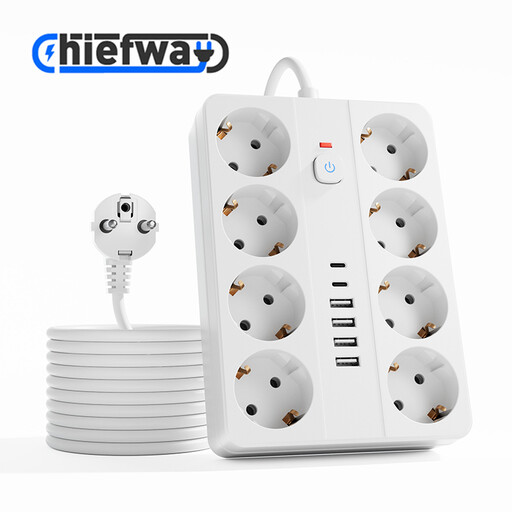
An option if you want to connect USB devices and devices with mains plugs in one place.
The product title lists several AC sockets, USB-A and USB-C, a maximum power rating of 4000 W and a white finish.
 No image available
Suitable for a set-up where you want to connect your recorder and several USB devices, and would find a digital clock useful.
The product title lists four AC sockets, three USB-A ports, two USB-C ports, a digital clock, a maximum power rating of 2500 W and a 3 m cable. It comes in white.
 No image available
An option if you want to connect several devices with mains plugs as well as USB devices.
The product title lists a maximum power rating of 2500 W and a white model with a 3 m cable. The product information mentions surge and overload protection.
 No image available
Suitable for a desk set-up where you want to connect mains plugs and USB devices in one place.
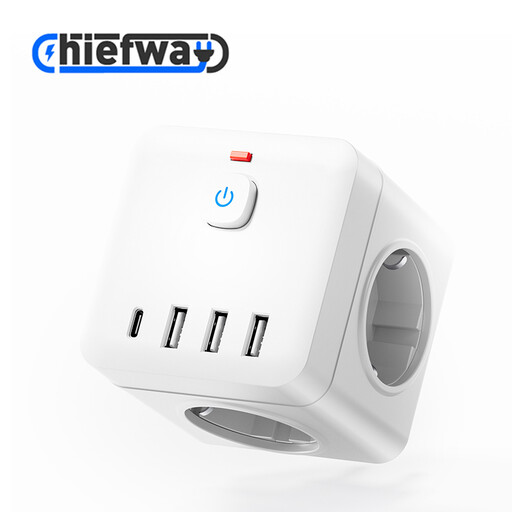
The product information lists individual switches for the three AC sockets and a 7.5 × 7.5 × 7.5 cm cube. The product title lists a maximum power rating of 2500 W, a white finish and a 1.5 m cable.
 No image available
An option if you mainly want to connect USB devices and use built-in retractable cables on your desk.
The product title lists two retractable USB-C cables and a power rating of 320 W. The product information also lists two USB-C ports and two USB-A ports; this model does not add extra mains sockets.
Not necessarily. Tascam lists AA batteries, USB bus power and a mains adaptor as power options for the DR-05X; Zoom also lists USB power alongside batteries for the H1essential. Check the manual for your exact model to see whether its batteries can be charged over USB.
Place the charger somewhere unobstructed so heat can escape, and don’t use damaged cables. The Netherlands Fire Service advises students not to connect extension leads to each other or overload power strips. It also recommends charging devices during the day where possible, when you’re awake and at home.
In the Netherlands, the retailer is responsible for the statutory guarantee. According to ACM ConsuWijzer, there is no fixed period: the lifespan you can reasonably expect depends, among other things, on the product and its price. A manufacturer’s guarantee does not replace this right.
For electrical equipment covered by the relevant EU rules, the manufacturer must carry out the required conformity assessment, draw up an EU Declaration of Conformity and apply the relevant CE marking. The Netherlands Food and Consumer Product Safety Authority states that the Low Voltage Directive applies to electrical equipment with a rated AC voltage of 50 to 1000 V. A CE marking is not an independent safety test of a specific product.