
Making lots of short flashcards
You want to record without lots of setup and easily find or transfer your recordings. The file format and ease of use are important too.


For short audio flashcards that you want to record and transfer easily, a voice recorder is the obvious choice. Choose a handheld recorder if you need more control over recording formats or microphone placement. First, check that your flashcard software can import the file format, and make a test recording in your own room: a different recording format won’t remove echo.
You want to record without lots of setup and easily find or transfer your recordings. The file format and ease of use are important too.
You’re mainly looking for clear speech and paying attention to microphone placement. An external microphone input may be useful if you can’t position the built-in microphone where you want it.
You want to work with files in recording software or use an external microphone, and are happy to follow a more involved process.
A good fit if: you mainly want to record short spoken flashcards and then transfer them to a computer.
Bear in mind: controls and file formats vary by model, so check that your software can import the format.
A good fit if: you want more choice of recording formats or the option to connect an external microphone.
Bear in mind: extra settings and microphone placement need attention; a higher recording format won’t eliminate room echo.
When recording flashcards at home, speech clarity, file transfer, recording multiple takes and potential upgrades all play a part.
| What to consider | What should you check? | Who should pay particular attention? |
|---|---|---|
| Clarity in the room | Listen to a test recording from your usual seat and compare it with one made with the microphone closer to your mouth. Shure explains that a microphone can’t reliably separate direct speech from reflected sound after recording. | If I’m speaking at home in a room with echo, I want to know that my voice will still be clear; around 36% of consumers put speech clarity first. |
| Transferring files | Check the recording format for the exact model and whether your flashcard software can import it; you may need to convert the files. | I want to add my recordings to my flashcard software without unnecessary extra steps; around 29% of consumers prioritise format and transfer. |
| Quick recording and playback | Check how to start and play back a recording on the model you’re considering, and whether you want to review clips on the recorder itself. | If I’m recording lots of short clips one after another, I want recording and playback to take as few steps as possible; around 21% of consumers prioritise simple, quick controls. |
| External microphone or computer use | Check the type of microphone input and USB function on the model, and whether you’ll need a compatible storage device. | I want the option to use an external microphone or record on a computer later, and I’m happy to use extra settings; around 14% of consumers prioritise expandability. |
A microphone can’t reliably separate direct speech from room reflections after recording. So your recording may still be hard to understand, even if you choose a more advanced recording format.
Record a short clip first and compare different microphone positions before recording a whole set of flashcards.
Making a test recording and adjusting your setup can take extra time before you record all your flashcards.
The file format can affect whether you can use your recordings directly in your flashcard software. According to OM SYSTEM, the OM SYSTEM VN-541PC records in WMA.
Before buying, check which formats your software can import and whether you’ll need to convert any files.
If your software doesn’t accept the format you choose, you may need to convert the files first.
A workflow using local files is different from one that relies on additional app or cloud services.
Decide in advance whether you want to transfer recordings locally or deliberately use an app or cloud-based workflow.
According to Sony Netherlands, the ICD-UX570 is designed for short voice recordings that you want to save as linear PCM or mp3 files.
According to OM SYSTEM, the VN-541PC is designed for people who want a simple recording experience.
According to Philips, the DVT4115 lets you choose between PCM/WAV and mp3.
According to Tascam Europe, the DR-05XP is a handheld recorder for anyone who values a choice of recording formats, an external microphone or use as a USB audio interface.
According to Zoom, the H1essential is a handheld recorder with built-in X/Y microphones and an input for a lavalier microphone, for example.
These product picks are aimed at spoken recordings, finding or transferring files, and making audio flashcards.
 No image available
The product name positions this model as a voice recorder for notes and summaries; check whether that workflow suits recording individual flashcard clips.
 No image available
The product name mentions a transcription function; check whether the available workflow suits the way you make and use your flashcards.
The title lists 64 GB of storage.
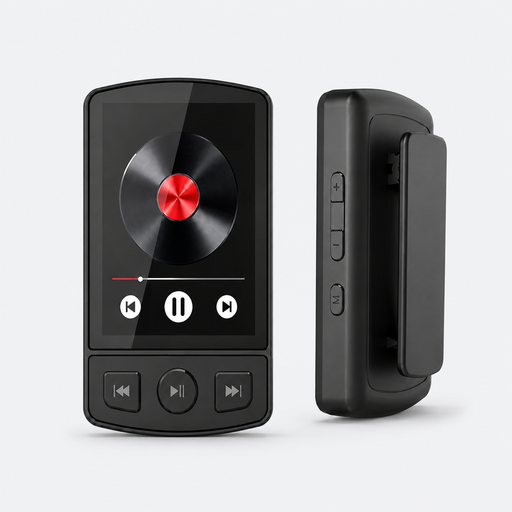 No image available
The product name mentions voice recording; check whether the controls and file transfer suit the way you make flashcards.
The title lists Bluetooth 5.2, a clip and 64 GB.
 No image available
This option is aimed at short recordings and playback; check which file formats and transfer options are available on the version offered and whether they suit your workflow.
The product name lists 128 GB of storage and model L357.
 No image available
This model is designed for starting short recordings quickly; check that its controls and file transfer suit your workflow.
The product name lists 64 GB of storage and model L810.
No. 32-bit float won’t solve echo caused by poor microphone placement. Tascam offers this mode, and the Zoom manual describes 32-bit float recording on the H1essential. Choose a format that suits your editing and flashcard workflow, and test your microphone placement.
Record a short clip and compare it with one made with the microphone closer to your mouth. Listen back from where you’d normally use the flashcards; Shure explains why reflected speech can reduce clarity.
For each version, check whether you need a storage device, compatible batteries or an external microphone for your setup. The Dutch government says that statutory guarantees in the Netherlands don’t have a fixed legal time limit, and that the seller is your point of contact if a product is faulty.
According to the Dutch government, a private copy of copyright-protected material for personal use must not be distributed or made public. Check the rights or ask for permission before including such texts in shared flashcards.
The Dutch Data Protection Authority describes an exemption from the GDPR for use that is purely personal or domestic. Publishing recordings for a wide audience or using them professionally doesn’t automatically fall under this exemption; check which privacy rules apply before sharing a voice recording.