
Writers working with a script and outline
You want to refer to the scene structure and dialogue while you write. Whether QHD or ultrawide is right for you depends on your preferred window layout and the space available on your desk.


A compact, adjustable screen may be enough for working on a single script. If you want to read the script and scene breakdown at the same time, more workspace is useful. Measure your desk and check that your computer supports the chosen model’s resolution and connections. USB-C does not automatically mean that a monitor can carry video or charge your laptop.
You want to refer to the scene structure and dialogue while you write. Whether QHD or ultrawide is right for you depends on your preferred window layout and the space available on your desk.
You want to adjust the screen position to suit your workspace and take breaks or switch to other tasks during writing sessions. An adjustable monitor alone is no guarantee that it will prevent discomfort.
You want to choose a suitable screen size and need to check whether your laptop supports the video connection you need. Desk space and available connections both affect which monitor is practical.
Choose this if: you mainly work on one script or have limited desk space. Dell lists the P2425 as having a resolution of 1920 × 1200 pixels.
The trade-off: you get less horizontal space than with the QHD and ultrawide models reviewed here. Dell says the P2425’s USB-C port is for data, not video docking for a laptop.
Choose this if: you often place your script and outline side by side, and have a laptop that can work with the monitor. Lenovo specifies QHD resolution, USB-C and a hub for the ThinkVision T27h-30.
The trade-off: check your laptop’s video output, charging requirements and cable. A USB-C connection alone does not confirm docking compatibility.
Choose this if: you want to keep a long outline and script side by side and have enough desk width. Philips specifies a 21:9 screen with 3440 × 1440 pixels for the 346E2CUAE/00.
The trade-off: the wide screen needs more space. Measure your workspace and check that the text remains easy to read in your preferred window layout.
Compare the space you need for your text windows with the room on your desk and your computer’s connections. The points below can help you choose a monitor that suits your main priorities.
| What to consider | What should you check? | Who is this important for? |
|---|---|---|
| Reading a script and outline at the same time | Try your planned window layout and font size. Compare 2560 × 1440 with 3440 × 1440 pixels, without assuming that screen size alone determines readability. | If I want to see dialogue and the scene breakdown at the same time, I look for room for two text windows. Around 36% of consumers say this is their main need. |
| An adjustable workspace | Check the height and tilt adjustment, screen reflections and whether you can position the monitor to suit your workspace. | For long writing sessions, I want to adjust the screen position and set up my workspace comfortably. Around 29% of consumers give adjustability their highest priority. |
| Connecting a laptop | Check your laptop’s video output and charging capabilities, the monitor’s exact USB-C functions and which cable is included. | If I work on a laptop, I want to know in advance whether it supports video and, if needed, power through the connection I’ve chosen. Around 21% of consumers prioritise connectivity. |
| Space and extra features | Measure the available desk width and compare it with the screen space you need for your own window layout. | At a small desk, I want to leave enough room and avoid paying for features I don’t need for writing. Around 14% of consumers consider this their main priority. |
A USB-C port may be intended for data and might not support video or power for a laptop. Dell specifies that the P2425’s USB-C port is a downstream data port.
Check the exact model code, video input, direction of power flow and the charging wattage your laptop needs.
You may need a different cable, adapter or dock, so check before ordering.
A 34-inch ultrawide can give you more horizontal space, but it also takes up more desk width. Your practical window layout will also depend on viewing distance and font size.
Measure the space available and check in advance how your script and outline will fit side by side on screen.
According to ACM ConsuWijzer, your statutory guarantee depends on what you could reasonably expect from the product under normal use. It is not simply the same as a fixed manufacturer’s warranty period.
Keep your proof of purchase and contact the seller about your statutory rights if something goes wrong.
You do not automatically need an extended warranty to have statutory rights. Check the terms before choosing one.
The models reviewed offer different options: a more compact 16:10 screen and a separate QHD model with USB-C docking.
The ThinkVision T27h-30 reviewed here is a 27-inch QHD model with USB-C docking.
The E Line 346E2CUAE/00 reviewed here is a 34-inch ultrawide model for anyone who wants to place windows side by side.
The ProLite XUB2792QSU-B6 reviewed here is a 27-inch QHD model with an adjustable stand.
These Joybuy monitors are suited to writing with multiple text windows, alongside QHD models for a more compact screen size.
 Image unavailable
A 34-inch ultrawide option for viewing a script and scene breakdown side by side. Bear in mind the width of your desk.
34 inches; 3440 × 1440 pixels; 21:9; grey.
 Image unavailable
A 27-inch QHD option for anyone who wants to refer to a script and outline on one screen.
27 inches; 2560 × 1440 pixels; black and silver.
 Image unavailable
A 24-inch QHD option if you want to compare the resolution for your text windows with that of larger models.
24 inches; 2560 × 1440 pixels; black.
 Image unavailable
A 34-inch ultrawide option for anyone who wants to place a script and outline side by side. Check that the screen will fit on your desk.
34 inches; 3440 × 1440 pixels; 21:9; black.
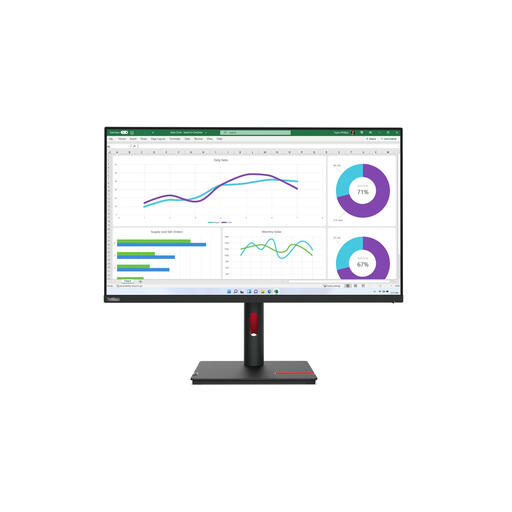 Image unavailable
A 31.5-inch QHD option for referring to a script and scene breakdown on the same screen.
31.5 inches; 2560 × 1440 pixels; black.
No. It depends on how many text windows you want to keep readable at once and how much space you have on your desk. Try your intended window layout on a compact, QHD or ultrawide screen before choosing a size.
Pay attention to screen height, reflections and ambient light, and take breaks from extended screen work. Arboportaal describes employers’ obligations in specific work situations; these do not automatically create a legal purchasing requirement for every writer buying for personal use.
No. Dell describes the P2425’s USB-C port as a downstream data port with up to 15 W of power, while the P2725DE has a different configuration that provides up to 90 W. Check your laptop’s requirements and the exact monitor variant.
For a standard online purchase by a consumer, you usually have 14 days from delivery to change your mind, subject to legal exceptions, according to ACM ConsuWijzer. You also have statutory rights if, under normal use, the product does not meet what you could reasonably expect. These rights do not simply mean that every monitor has a fixed two-year guarantee period.