
Vandaag of morgen in huis

Kwaliteit gegarandeerd

Welkomstaanbiedingen ontgrendelen: GRATIS bezorging | Tot 80% korting | Gratis 30 dagen JoyPlus-proefperiode
Download de app
Buying an ASUS laptop seems straightforward, until you start comparing specifications. A model may look modern, yet have too little storage, an unsuitable keyboard or weigh more than you expected. With gaming models in particular, prices, graphics performance and portability can vary considerably.
The main pitfalls are:
For studying, office work, video calls and streaming, a recent processor with 8GB RAM is suitable for basic tasks. 16GB RAM gives you more room for multitasking and is a more sensible starting point for creative software, gaming and long-term use.
Also consider the difference between a 256GB, 512GB and 1TB SSD:
The usable space is always less than the stated capacity, as Windows, recovery files and pre-installed software all use storage.
A 15-inch laptop is often a practical choice for home, school and the office. A 16-inch laptop usually gives you more vertical space thanks to its 16:10 aspect ratio. That’s useful for documents, spreadsheets and timelines.
An 18-inch laptop is best suited to staying mostly on a desk. As well as the screen size, check:
A high refresh rate is most relevant for gaming. For word processing, administration and online lessons, resolution, readability and viewing angles are often more important.
An ASUS gaming laptop with an RTX 5060 or RTX 5070 is designed for more demanding graphics applications than a model with integrated graphics. However, specifications vary between models. So check the graphics power, the amount of video memory and whether features such as G-SYNC, MUX Switch or Advanced Optimus are included.
Check the connections too. For working from home, HDMI, USB-C, USB-A and a headphone socket may matter more than a striking design. For creative users, a fast USB-C port, a card reader and an external monitor can all come in handy.
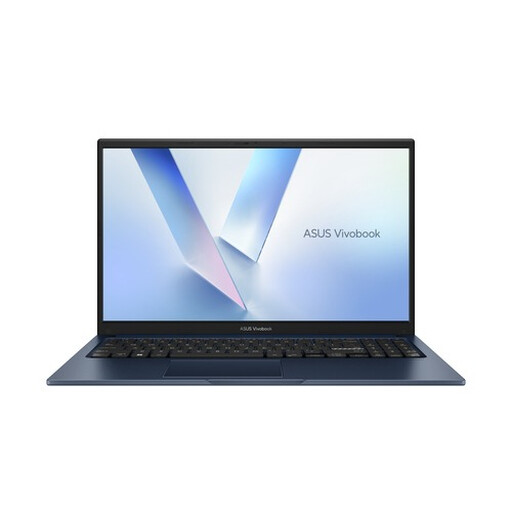
Why it suits this profile: This model is designed for everyday use, online lessons, administration, streaming and office software. Its 15.6-inch screen gives you a familiar workspace without making the laptop exceptionally large.
The product listing clearly states that it has 8GB DDR5, a 256GB PCIe 4.0 SSD, a Full HD screen and a QWERTY layout. This makes it easier to see in advance what the model is and isn’t designed for.
15.6-inch Full HD anti-glare screen, Wi-Fi 6, Bluetooth 5.3, webcam with privacy shutter and Windows 11 Home.
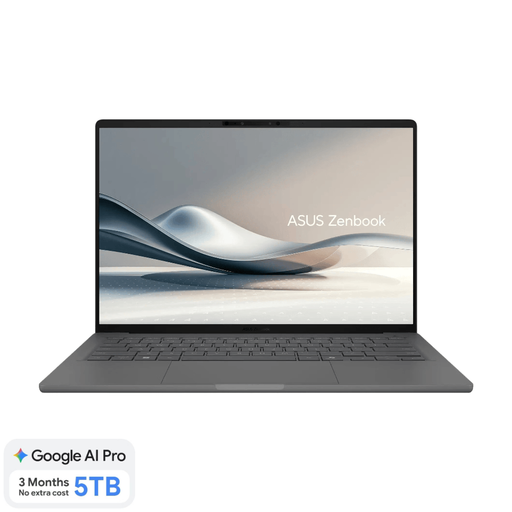
Why it suits this profile: Weighing around 0.98kg, this model combines a 14-inch OLED screen, 16GB RAM and a Dutch QWERTY layout. It’s well suited to students, business users and frequent travellers.
The specifications clearly state that the memory can’t be upgraded and that a 65W USB-C charger is required separately. This helps avoid surprises after purchase.
16GB LPDDR5x, 512GB SSD, OLED WUXGA screen, Wi-Fi 6E and a weight of around 0.98kg.
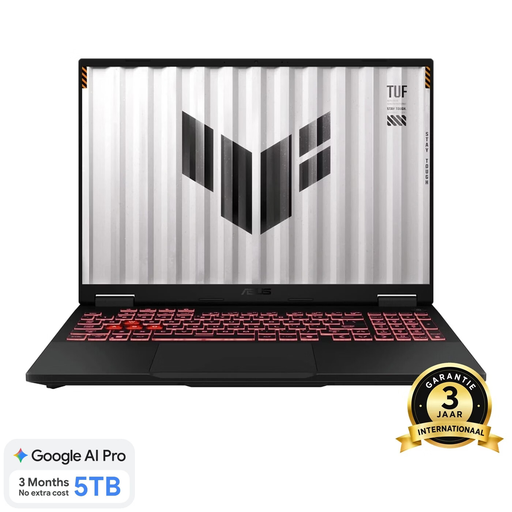
Why it suits this profile: This ASUS gaming laptop is designed for users looking for a large screen, an RTX 5070, 16GB RAM and a 1TB SSD for gaming, streaming and demanding applications.
The listing specifies the screen type, 144Hz refresh rate, storage and QWERTY keyboard. It also makes clear that this is a large, relatively heavy model, weighing around 2.2kg.
18-inch WUXGA screen, RTX 5070 with 8GB GDDR7, 1TB PCIe 4.0 SSD, upgradeable RAM up to 64GB and a 90Wh battery.
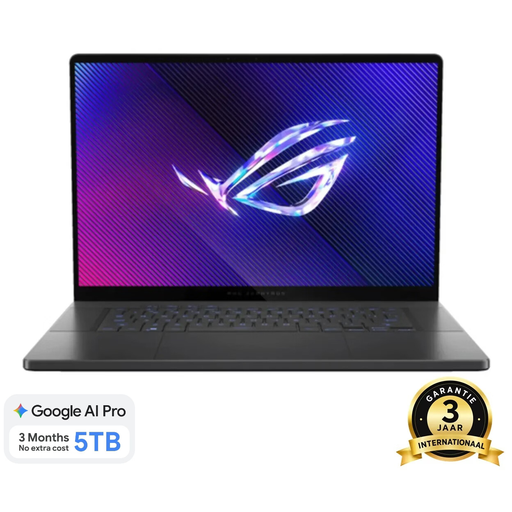
Why it suits this profile: This model combines a 16-inch OLED screen with a 240Hz refresh rate, 16GB RAM, a 1TB SSD and an RTX 5060. It’s a good fit for users who want to combine gaming and image editing with a relatively slim laptop.
The product information lists the resolution, refresh rate, colour coverage, ports and weight of around 1.85kg. This makes it easier to assess screen quality and portability together.
16-inch WQXGA OLED screen, 240Hz, 100% DCI-P3, Thunderbolt 4, Wi-Fi 7 and RTX 5060 with 8GB GDDR7.
We’ve put together a complete, up-to-date list of products that meet these strict selection criteria and comply with current European safety regulations.
How long it lasts depends on the model, workload, battery care and software support. A Vivobook used for office work will be put to a different test from a ROG laptop used for gaming. For intensive use, we recommend choosing 16GB RAM, plenty of SSD storage and a model with upgradeable memory or storage.
For many games and everyday multitasking, 16GB is a good starting point. Also check the graphics card, graphics power, screen resolution and cooling. A laptop with an RTX 5060 or RTX 5070 may be suitable for more demanding games, but the actual frame rate varies depending on the game, settings and power profile.
As well as the purchase price, you may need to factor in accessories, software, cloud storage and power consumption. Gaming laptops generally use more power under heavy load than lightweight Vivobook or Zenbook models. Also check whether a charger is included. Some models require you to buy a suitable USB-C or mains charger separately.
