What should you look for?
First assess the screen material and the sightline from the furthest seat. Then check how dark scenes look and consider the room layout. Only factor in horizontal lens shift if the projector itself can’t be positioned on the screen’s centre line.
| What to consider |
What should you check? |
Who is this important for? |
| Visibility from seats off to the side |
Check the viewing angle and gain of the exact screen material, and assess the furthest seat in your planned set-up. |
If I often sit off-centre, I want to know whether the image will still be visible from there. Around 36% of consumers put visibility from a seat off to the side first. |
| Star fields and dark scenes |
Compare independent reviews of dark scenes for the exact model, and take ambient light into account. |
If dark images are a priority, I want to be able to assess shadow detail in the room where I watch. Around 29% of consumers prioritise dark scenes. |
| Projector position and distance |
Measure the projection distance and horizontal offset, then check the optical specifications or manual for the exact model. Horizontal keystone correction is not the same as horizontal lens shift. |
If the projector needs to be placed off the screen’s centre line in a fixed position, I want to know whether the optical shift will work for that position. Around 21% of consumers put placement first. |
| Overall set-up and operation |
Check the light source, connections and included components, and factor in a screen and mounting equipment if needed. |
If you want to assess the whole set-up, consider source equipment and maintenance too, not just the projector. Around 14% of consumers prioritise practical use and the overall set-up. |
Projectors at Joybuy
These projectors are suited to home cinema use. Compare their listed features with your screen’s viewing angle, dark-scene performance and the positioning your set-up requires.
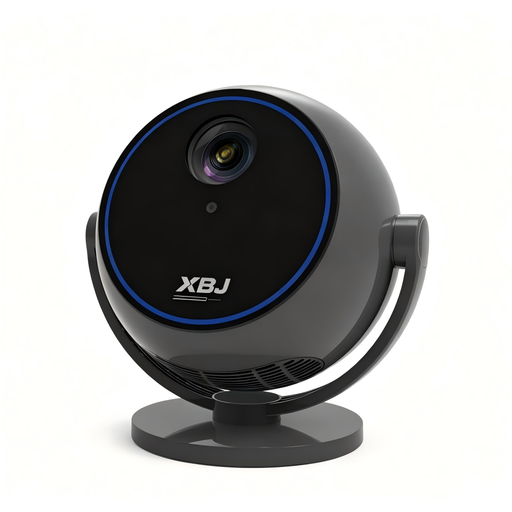 Image unavailable
Android 13 smart projector, 1080P HD
A portable home cinema projector to compare if you’re looking for a flexible set-up. If you watch from the side, assess the screen’s viewing angle separately.
The product name lists Wi-Fi 6, Bluetooth 5.0 and a 360° rotating stand.
View at Joybuy
 Image unavailable
HP CC360 FHD smart projector
An FHD smart projector to compare if you’re considering a home cinema set-up with wireless projection. Check the picture quality in your own room.
The product name lists Bluetooth, wireless projection, autofocus and 4K support.
View at Joybuy
 Image unavailable
Video projector with built-in apps
A projector to compare if you want a rotating set-up. Check that the image size and projection distance suit your seating positions.
The product name lists an image size of 50–200 inches, 50–100% zoom and a 180° rotation function.
View at Joybuy
 Image unavailable
N3 Max smart projector
A portable home cinema projector to compare if you’re considering flexible positioning. Check the distance and image position in your planned set-up.
The product name lists 1,000 ISO lumens, a sealed optical engine and 4K support. The name also mentions autofocus and keystone correction.
View at Joybuy
 Image unavailable
JMGO N1S Ultra 4K Triple Laser UHD projector
A 4K UHD projector to compare for a home cinema set-up. Assess dark-scene performance alongside your screen and the ambient light.
View at Joybuy
Frequently asked questions
Do I need lens shift because I’m sitting off-centre?
Not for that reason alone. Lens shift changes the position of the projected image; if you’re sitting to the side, check the screen material’s viewing angle. Horizontal lens shift is relevant if the projector itself needs to sit off the screen’s centre line.
How can I check before installation whether the image will fit?
Measure the distance from the lens to the screen, your desired image size and any horizontal offset. Compare these measurements with the optical information and installation instructions for the exact model. If ceiling-mounting, follow the manufacturer’s mounting instructions; Epson warns that incorrect mounting of the EH-TW7000 could cause injury or damage.
What does the legal guarantee mean when buying in the Netherlands?
You’re entitled to a product that is fit for purpose; in the Netherlands, there is no fixed, general statutory guarantee period. According to the Dutch government, the seller must resolve a fault in line with the applicable rules. When buying online from a business, you’re also often entitled to a 14-day cooling-off period; check the applicable terms and exceptions.
Can I show a copyright-protected programme to an audience?
Don’t assume that buying a projector or using it privately gives you permission to screen content publicly. The Dutch government states that copyright-protected material must not be made available to the public without permission. For a specific public screening, check separately which rights apply.


