
Viewer in a dark cinema room
Wants to assess star fields and dark nebulae without basing their choice solely on a dynamic contrast figure.


For astronomy programmes, a projector suited to a dark room is the right choice when star fields and shadow detail matter most. If you watch with ambient light, assess brightness alongside screen size and picture mode. A high quoted dynamic contrast ratio alone won’t tell you how black the picture will look in your room. Whatever you choose, also check that the projection distance, connections and sound setup work with your space and equipment.
Wants to assess star fields and dark nebulae without basing their choice solely on a dynamic contrast figure.
Sometimes watches with ambient light and weighs brightness against blackout conditions, screen size and the picture mode selected.
Has a fixed position or limited distance available and wants to know in advance how wide an image the lens can project from there.
First decide whether you’ll mainly watch in a dark room or also with ambient light. Then consider your preferred image size and check separately whether the projector will fit in the available space. Placement is a separate consideration from lighting conditions.
| What to consider | What to look for when buying | Who should pay particular attention? |
|---|---|---|
| Dark scenes and fine detail | Compare dark scenes in a usable picture mode and check how the contrast figure was measured. | If star fields and nebulae matter to me, I want to see detail without relying solely on a high contrast figure. Around 31% of consumers prioritise dark scenes and fine detail. |
| Visibility in ambient light | Compare light output using the same measurement basis, and take picture mode and screen size into account. | If I can’t always darken the room, I want to know how the picture will look with my screen size and room lighting. Around 25% of consumers give visibility in ambient light top priority. |
| Image size and projection distance | Measure the distance from the lens to the screen and check the exact model’s throw ratio, optical zoom and lens shift. | With a fixed position, I want to know in advance whether the projector can achieve my preferred image width. Around 19% of consumers prioritise the available placement options. |
| Connecting your source and sound system | Check the projector’s connections and make sure they’re compatible with your player, amplifier or soundbar. | If I use my own player and sound system, I want to be sure they’ll work together. Around 13% of consumers prioritise source and audio compatibility. |
| Light source and maintenance | Check the light source type, maintenance instructions and terms for the exact model. | If you want to know in advance what maintenance a projector requires, check its light source type and usage terms. Around 12% of consumers prioritise the light source, maintenance and running costs. |
Manufacturers quote contrast figures under their own conditions. Picture mode and room lighting also affect how dark scenes look.
Compare dark scenes in the conditions you’ll be watching in and check how the contrast figure is defined.
For the BenQ W2720i, ProjectorCentral measured 2,704 ANSI lumens in a bright mode with a strong green tint, and 1,595 ANSI lumens in a more usable mode. These measurements apply to this model and these test modes.
Where possible, compare measurements from usable picture modes and make sure they’re based on the same measurement method.
The throw ratio and available optical adjustments help determine whether you can achieve your preferred image width from the position you’ve chosen.
Measure the distance from the lens to the screen in advance and check the optical specifications for the exact version.
ProjectorCentral also refers to the Epson Home Cinema 3800 as the EH-TW7100 outside the United States, but warns that specifications may differ.
Check the specifications for the exact model version you’re considering.
The W2720i is a 4LED model for home cinema use; the TK710 is a separate laser model.
The EH-TW7100 is a 3LCD home cinema lamp model with optical placement options.
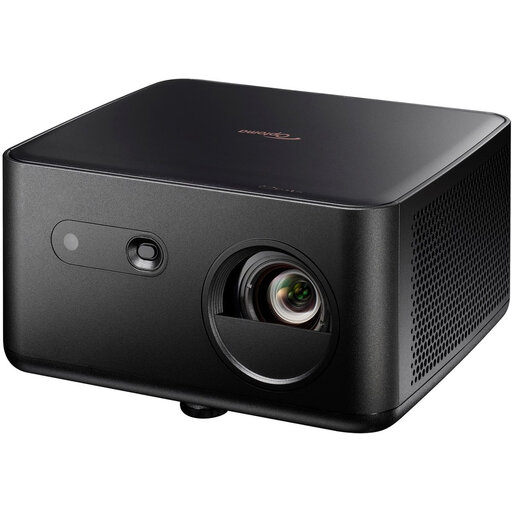
The HORIZON S Pro is a 4K home projector with an integrated stand and automatic picture adjustment.
The UHZ58LV is a 4K UHD dual-laser projector for home entertainment, with optical zoom and lens shift.
This selection of Joybuy products includes projectors for home cinema use, with both fixed and portable setups. Compare native resolution, light output, connections and each model’s placement options.
 No image available
The adjustable gimbal is useful if you want the flexibility to change the projection direction.
The product information lists 4K UHD, 3,000 ANSI lumens and automatic image correction. Don’t look into the laser light source, and keep the ventilation openings clear.
 No image available
The connections and throw ratio make this model worth considering if you want to match your player and sound system to the available lens distance.
The product information lists 1,100 ISO lumens, a throw ratio of 1.12:1–1.46:1 and HDMI with eARC. The right image size depends on the lens distance.
 No image available
The zoom can be useful if you need some optical flexibility when positioning the projector.
The product title lists 3,200 ANSI lumens and 4K UHD; the product information mentions 1.3× zoom and automatic vertical keystone correction. Keystone correction is not the same as lens shift.
 No image available
The listed streaming and audio features may be useful if you want to play programmes through the projector.
The product title lists 2,450 ISO lumens, HDR10+ and two 12 W speakers. The product information also mentions Netflix licensing; check that the other connections suit your sound setup.
 No image available
The portable design and automatic picture adjustment are useful if you want to move the projector around.
The product information lists 1,200 ISO lumens and native 1080p Full HD. The model supports 4K HDR input, but this isn’t native 4K resolution; it has no built-in battery and needs to be connected to mains power.
No. Epson describes 4K PRO-UHD as pixel-shift image enhancement; ProjectorCentral describes the BenQ W2720i as using pixel shifting from a native 1080p chip. For the exact model, check the native resolution as well as the supported signal resolution.
Measure the distance from the lens to the screen and decide on your preferred image width. Compare both with the throw ratio, zoom and lens shift of the exact model. For example, BenQ quotes a throw ratio of 1.0–1.3:1 and ±5% vertical lens shift for the W2720i.
Keep the ventilation openings clear and follow the manual for your model when positioning and cleaning it. Epson warns against blocked openings in its safety instructions; the distances stated in those instructions don’t automatically apply to other models.
According to ACM ConsuWijzer, the seller is responsible if a product doesn’t meet your reasonable expectations during normal use; a manufacturer’s warranty doesn’t remove this legal right. For a standard online product purchase, you’re generally entitled to a statutory cooling-off period of up to 14 days after delivery, subject to legal exceptions. Also check the terms of the specific seller.