What should you consider when buying?
Bright Full HD or presentation projector
Best for: a room where the lights will stay on, or where people need to watch from different positions.
Bear in mind: a high stated brightness doesn’t guarantee deep blacks. Also consider your preferred image size and video mode.
Film-focused 4K laser projector
Best for: a room that can be darkened effectively, where fine details in galaxies and nebulae matter.
Bear in mind: 4K resolution and a stated contrast ratio don’t prove that dark scenes will remain visible with the room lights on. Check the sound setup too.
Flexible model with media features
Best for: a setup where a fixed ceiling position isn’t practical, and the built-in connections or media features suit your equipment.
Bear in mind: check the image size and brightness in your own room; built-in apps don’t automatically grant screening rights.
ProjectorCentral points out that the distance to the screen limits the achievable image size, while ambient light affects how the picture looks. The points below will help you choose a projector that suits your room and programme.
| Consideration |
What should you check? |
Who is this important for? |
| A picture the whole group can see |
Map out the seating and image size, then assess the picture with the lighting that will stay on during the screening. |
If I want people at the back and sides to be able to watch too, I prioritise visibility; around 31% of consumers say this is their main buying concern. |
| Dark details and sharpness |
View dark scenes and small captions at your intended image size, using the source material you plan to show. |
If I can darken the room, I want to preserve details in dark space scenes; around 25% of consumers prioritise dark picture details. |
| Projection distance and positioning |
Measure the distance from the lens to the screen and the available screen width, then compare these with the exact model’s throw ratio. |
If there’s only one suitable place to set up in the room, the projector needs to achieve the desired image size from there; around 19% of consumers name positioning as their main buying concern. |
| Sound and programme source |
Check the video and audio connections on your source and projector, then test speech from the back row. |
If I’m providing commentary for the programme, I want it to be audible everywhere and my player or laptop to connect; around 13% of consumers prioritise sound and connectivity. |
| Running costs and service |
Compare the light source details, any additional equipment you may need and the service terms for your chosen model. |
If I use the projector regularly, I want to understand maintenance and support in advance; around 12% of consumers say running costs and service are their main buying concern. |
Projectors at Joybuy
This selection focuses on 4K projectors for astronomy programmes with fine image detail. Check that each model’s brightness, image size, setup and audio suit your room.
 No image available
Optoma UZ38X 4K UHD Dual-Laser Projector
A 4K projector to consider if fine details and connections for multiple sources matter; assess its brightness for your screen size and room lighting.
The product information lists 3,800 lumens, 1.3× zoom, two HDMI inputs and a built-in 15 W speaker.
View at Joybuy
 No image available
JMGO N1S Ultra 4K Triple Laser UHD Projector
This model is worth considering if flexible projector positioning matters; check that its image size and brightness suit the room.
The product information lists 4K UHD, 3,000 ANSI lumens, an adjustable gimbal and automatic keystone correction.
View at Joybuy
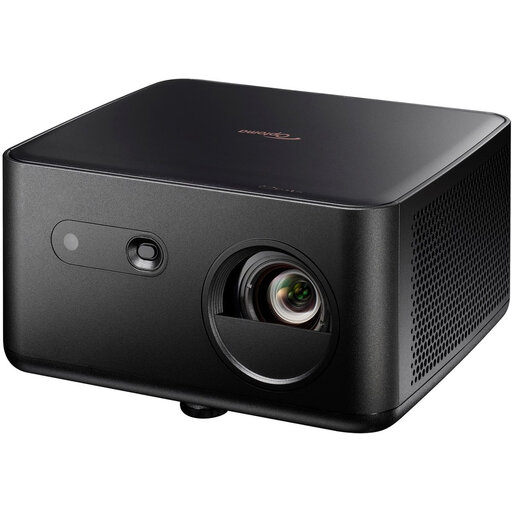 No image available
Optoma Photon Life PK32 4K UHD
A 4K model to consider if autofocus and multiple connection options would be useful; check that your preferred image size suits the room.
The product information lists 1,100 lumens, a projection size of 60 to 150 inches, two HDMI inputs and USB-C.
View at Joybuy
 No image available
BenQ TK700 4K
This model is worth considering for programmes with fine detail; check that its throw ratio and installation distance suit your room.
The product information lists 3,200 ANSI lumens, 1.3× zoom and automatic vertical keystone correction.
View at Joybuy
 No image available
Dangbei DBOX02 4K Laser Projector
A 4K projector to consider if integrated sound is part of the setup you want; test how clearly it carries in the room.
The product information lists 2,450 ISO lumens and two 12 W speakers.
View at Joybuy
Frequently asked questions
How can you tell whether the picture will be large and bright enough for the back row?
Start with the seating and available screen space, then measure the installation distance and assess the picture at your preferred image size and room lighting. A stated maximum lumen figure isn’t the same as the usable brightness in your chosen film mode.
Can you put the projector anywhere in the room?
No. The throw ratio and any zoom range limit the image width you can achieve from a particular distance. Measure the room and check the figures for the exact model before choosing a ceiling or table position.
What can you do if spoken commentary can’t be heard clearly at the back?
First, test the programme source and sound from the back row. If you’re using a separate sound system, check which audio output the model has; the wattage of a built-in speaker alone doesn’t prove that commentary will be clear in your room.
What guarantee applies if you buy a projector as a private customer in the Netherlands?
According to the Dutch government, as a consumer you’re entitled to a product that works properly, and the seller must provide a solution if it doesn’t. The Netherlands has no fixed statutory guarantee period; a manufacturer’s guarantee is an extra and doesn’t replace your statutory rights. For a business purchase, check the applicable terms separately.
Can you show an astronomy TV programme to a large group without permission?
The answer doesn’t depend on group size alone. Videma explains that permission is required for certain business screenings of TV programmes to groups, and notes that an event screening may need an event licence. Establish whether the screening is private, business or event-related, then check the rights for the specific programme and service you’re using.


