
Arcade player who prefers a joystick
You want a joystick with separate buttons for arcade games and need to check whether the stick works with your console or PC.


First, choose a controller that works with the device you use to play your retro games. Support for PC doesn’t automatically mean it will work with a Switch or PlayStation. An arcade stick is a good choice if you want a joystick and separate arcade buttons, while a gamepad is easier to handle across different types of games. Before you buy, check the exact model, connection type and space available in your gaming area.
You want a joystick with separate buttons for arcade games and need to check whether the stick works with your console or PC.
You play on a big screen from your seat and are mainly looking for a suitable wireless connection and a controller with the right power supply.
You also play games where a handy gamepad with a four-way directional pad and extra buttons may be more practical than a large stick.
Start with the device you play on. Then choose the controls that suit your games, and check that the connection and power supply work for your gaming set-up.
| What to consider | What should you check? | Who is this important for? |
|---|---|---|
| Compatibility | Check the exact model, the device you play on and any firmware or input-mode requirements. | If I want to make sure the controller works with my console or PC before anything else, compatibility comes first; around 36% of consumers say compatibility with their gaming device is their main concern when buying. |
| Controls and button layout | Compare the actions you need in games and menus with the joystick, buttons and button-mapping options. | I want a joystick with separate arcade buttons to recreate the layout of an arcade cabinet; around 29% of consumers give the joystick and button layout top priority. |
| Distance and power supply | Check the available connection, whether a receiver is needed, the cable length and whether the model uses batteries or a rechargeable battery. | If I play from the sofa, I want to know whether a cable will reach my set-up and how the controller is powered; around 21% of consumers say playing distance, cables or power supply matter most. |
| Controls for other retro games | Check whether the controller has enough buttons for the games and menus you want to use. | I play different types of retro games and don’t want to use a different controller for every game; around 14% of consumers put versatile, straightforward controls ahead of other buying considerations. |
Platform support doesn’t necessarily tell you how the controller connects to your specific console. For the F500 V2, MAYFLASH describes an additional connection option for PS5.
Check the full model name, console version, any firmware requirements and the manufacturer’s connection instructions.
Power options vary by model. The PowerA manual specifies two AA batteries, while 8BitDo lists a rechargeable battery for the Arcade Stick.
Check the power supply for the exact version and which accessories are included.
Speedlink lists four fire buttons for the COMPETITION PRO EXTRA USB. Make sure that’s enough for the actions and menus in your games.
Compare the actions you need with the available buttons and check what configuration options the game offers.
HORI sells separate Fighting Stick Mini versions for Nintendo Switch and PlayStation 5/4.
Match the full product version to the device you play on, not just the product family name.
Offers arcade sticks, gamepads and leverless controllers for different styles of play.
The F500 V2 is a wired arcade stick with several system and input modes listed by the manufacturer.
The FUSION Wireless Arcade Stick is a wireless arcade stick option for Nintendo Switch.
The Fighting Stick Mini is available in separate versions for Nintendo Switch and PlayStation.
The COMPETITION PRO EXTRA USB is a classic joystick for use with Windows or configurable RetroPie.
These product picks are gamepads for PS4, PC, Xbox and Switch set-ups, among others. Check whether each model works with the device you use to play your retro games.
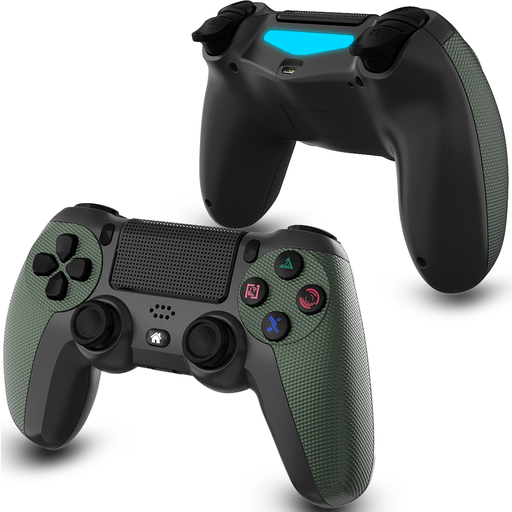 No image available
Suitable for a PS4 set-up and anyone looking for a wireless gamepad with directional controls.
Bluetooth; 600 mAh battery; two vibration motors.
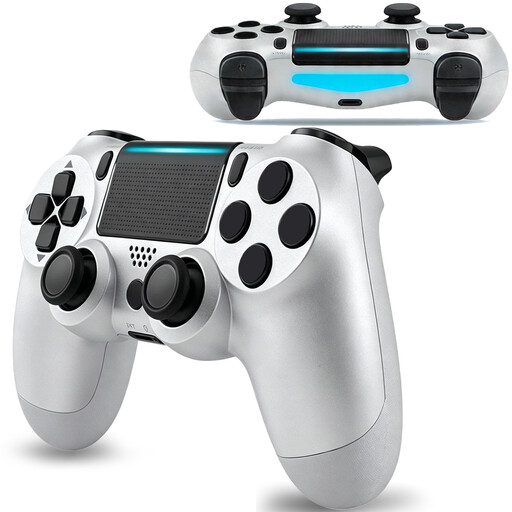 No image available
Suitable for anyone looking for a wireless PS4 gamepad with a rechargeable battery.
Bluetooth; 600 mAh battery; rechargeable; 6-axis.
 No image available
Suitable for anyone looking for a gamepad for a Switch or PC set-up.
TMR sticks; 1000 Hz polling rate; 2-in-1 Hall effect and micro-switch triggers; charging dock.
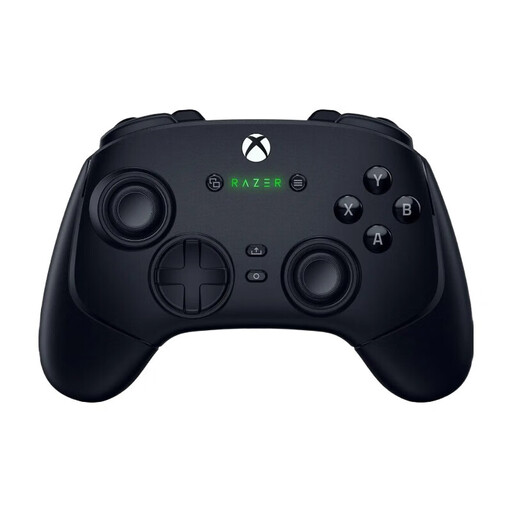 No image available
Suitable for anyone looking for a gamepad for a PC or Xbox Series set-up who values customisable controls.
First, check which device runs the game: the controllers mentioned are designed for consoles or PCs, not just any TV. For playing Switch games on a TV, Nintendo Netherlands describes using a dock connected to the television via HDMI. Then choose a controller that suits your version of the Switch.
Follow the instructions for your exact stick. The PowerA manual explains how to pair it wirelessly with a Nintendo Switch and specifies the USB port on the Switch dock for a wired connection. These instructions don’t automatically apply to other models.
No. Windows support doesn’t prove that the stick will work directly with PS5. For the F500 V2, MAYFLASH describes specific connection options that require additional equipment, while HORI offers a separate Fighting Stick Mini for PlayStation 5/4. Check the requirements for the exact version.
Check whether the model uses batteries or a rechargeable battery. The PowerA manual specifies two AA batteries for the FUSION when using battery power; 8BitDo lists a rechargeable battery for the Arcade Stick. The connection option described for the MAYFLASH F500 V2 on PS5 may require additional equipment.
According to ACM ConsuWijzer, when you buy online from a business you generally have 14 days after delivery to change your mind, subject to legal exceptions. The seller is also responsible for the legal guarantee if the product doesn’t meet what you could reasonably expect with normal use. In the Netherlands, there isn’t a fixed two-year period for every product.