
Switch motion sports players
You want to play a sports game with swinging or striking movements. Nintendo explains that the Joy-Con combination you need depends on the game and sport.


Start with the exact game and system you play on: Nintendo Switch Sports requires Joy-Con controllers, while a sports game controlled with buttons needs a compatible gamepad. If you want to use motion controls, clear enough space first and wear the wrist straps. For a button-controlled game, check that the controller works with both your platform and the game.
You want to play a sports game with swinging or striking movements. Nintendo explains that the Joy-Con combination you need depends on the game and sport.
You want to move around without hitting furniture or the screen, or you’d rather choose a sports game you can play sitting down using buttons. Nintendo recommends leaving enough space around the player.
You play on Xbox, PS5 or PC and want to check that the controller works with both your platform and the game you’ve chosen. Microsoft and Sony describe compatibility for each controller and device.
First, check that the game, console or PC and your preferred controls are compatible. Nintendo’s Joy-Con requirements depend on the specific game and sport. For motion-controlled play, Nintendo recommends leaving enough clear space and wearing the wrist straps.
| What to consider | What should you check? | Who is this more important to? |
|---|---|---|
| Motion controls | Check the exact game and console, and the required number and type of Joy-Con for each sport. | If I’m playing a sports game with swinging or striking movements, the controller needs to support that game. Around 36% of consumers put motion controls first. |
| Space in the bedroom | Clear enough room to move and secure the appropriate Joy-Con wrist straps. | When playing in a small room, I want to avoid hitting furniture or other people. Around 29% of consumers focus mainly on having safe space to move. |
| Button controls and platform | Compare the full controller model, connection type and game compatibility. | If I’m playing a button-controlled sports game, I want a controller that works with both my console or PC and the game. Around 21% of consumers make compatibility their top priority. |
| Local multiplayer | Check how many players the game supports and which controller combination is required. | When someone joins in locally, I want to know whether we can share controllers or need an extra one. Around 14% of consumers first check the controls needed for an additional player. |
Having sensors doesn’t guarantee that a controller will work with the game you want to play. Nintendo says Pro Controllers aren’t compatible with Nintendo Switch Sports.
Before choosing, check which controller combinations are supported for the specific game and sport.
Joy-Con 2 is designed for Switch 2. Joy-Con 2 isn’t compatible with the leg strap feature in the original Nintendo Switch Sports.
Check the console, game, sport and any leg strap requirements separately.
A cable could run across a walkway in a small room. PowerA lists a 3-metre cable for the Enhanced Wired Controller for Nintendo Switch; this model doesn’t support motion controls.
Decide where you’ll sit or move around, and first check whether the game works with button controls.
8BitDo lists Windows and Android for the Ultimate 2C Wireless, and Switch for the separate Ultimate 2C Bluetooth.
Check the full model name, platform and stated connection type.
These brands offer different controller options. Suitability depends on the version, game and platform.
Joy-Con and Joy-Con 2 are relevant for motion sports games on the corresponding Switch systems.
The Xbox Wireless Controller is a button-controlled option for compatible Xbox consoles and Windows PCs.
DualSense is designed for button-controlled PS5 games and compatible PC games.
The Ultimate 2C range includes separate versions for different platforms.
The Enhanced Wired Controller for Nintendo Switch is a wired gamepad for compatible Switch games.
This selection includes button-controlled controllers for the Xbox, PC and Switch platforms listed, as well as a Joy-Con 2 pair for compatible motion games on Switch 2. Check which controllers and connections each game supports.
 Image unavailable
A button-controlled option for a compatible sports game on Xbox Series or PC; check that it’s compatible with the game too.
Product information lists Xbox Wireless and Bluetooth.
The product description mentions textured grips, a headset jack and included AA batteries.
 Image unavailable
An option for compatible sports games on Switch or PC; the listed platforms don’t guarantee compatibility with every game.
Product information lists Bluetooth, a cable and a wireless dongle as connection options.
The description mentions a 6-axis gyroscope; this alone doesn’t confirm support for a specific motion game.
 Image unavailable
For button-controlled games on Xbox, PC or mobile, provided the game and chosen connection are supported.
The product title lists wired use for Xbox and wireless use for PC and mobile.
The product description lists Xbox Series, Xbox One, PC and Android.
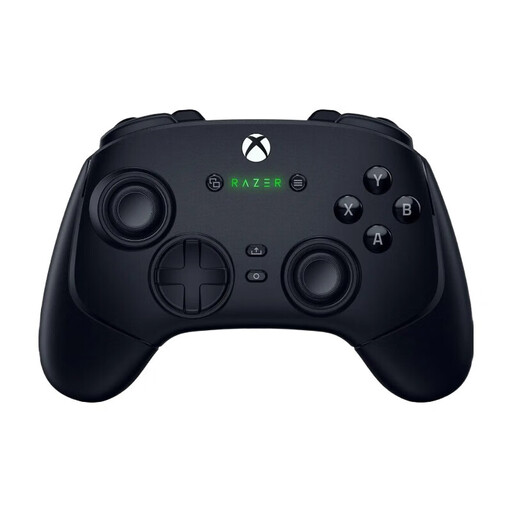 Image unavailable
A button-controlled option for compatible PC and Xbox games; check that the connection suits your device.
The product description lists wireless and USB-C wired connections for the stated platforms.
The description mentions customisable buttons and profiles.
 Image unavailable
For motion sports games on Switch 2 that support Joy-Con 2. Nintendo lists these controllers for Nintendo Switch Sports Resort.
The set includes one left and one right Joy-Con 2, plus two wrist straps.
Wear the wrist straps and leave plenty of clear space when playing motion games. Check the requirements for the specific game and sport.
No. Nintendo says that Switch Pro Controllers and Switch 2 Pro Controllers aren’t compatible, and that the game doesn’t support handheld mode. The Joy-Con combination you need varies by sport.
Leave plenty of clear space around you and use the appropriate Joy-Con wrist straps. Nintendo doesn’t specify a set distance in metres on the relevant page.
Not necessarily. For this game, Nintendo lists Joy-Con combinations and rules out Pro Controllers. PowerA also says that its Enhanced Wired Controller has no motion controls and isn’t designed for games that only work with Joy-Con.
According to Nintendo, you need an active Nintendo Switch Online membership to play online. Without a membership, the ‘Worldwide’ option only offers a trial competition against computer-controlled opponents.