
Platform game player looking to practise arcade controls
You want to practise directional inputs with a stick or separate movement buttons. First, check which inputs your game accepts.


Start by checking the input your game requires: an arcade stick or button controller may suit digital directions, while a gamepad with analogue sticks makes more sense if the game needs that type of input. Then check compatibility with your PC or console, the space available on your desk and any extra connection equipment you might need. The models mentioned have not been independently tested for your specific platform game.
You want to practise directional inputs with a stick or separate movement buttons. First, check which inputs your game accepts.
You want to know whether the controller works with your systems and whether connecting it requires extra equipment.
You want to clear some space after playing. Size, cables and storage may therefore affect your choice.
Start with the inputs the game requires, then check compatibility, desk space and your complete connection set-up.
| What to consider | What should you check? | Who is this important for? |
|---|---|---|
| Compatibility and connection | Check the exact model, your system and how it connects. Find out whether you need an additional controller or converter. | I want to know in advance whether the controller will work with my PC or console and in my game. Around 36% of consumers prioritise compatibility and connection. |
| Inputs for the game | Check whether the game supports digital directions, a stick, movement buttons or analogue sticks. | I want to practise with the inputs my game actually requires, not just use a controller that seems suited to the genre. Around 29% of consumers choose mainly according to their preferred control layout. |
| Space and storage | Compare the dimensions with the space available on your desk, and allow for cables or a wireless receiver. | I also use my desk for work and want to be able to put the controller away after playing. Around 21% of consumers prioritise desk space and storage. |
| Requirements and service | Factor in any extra equipment you need, and check who the seller is and what return terms have been provided in advance. | I want to know what my complete set-up requires and who to contact if something goes wrong. Around 14% of consumers focus mainly on requirements and after-sales support. |
For certain console connections with the MAYFLASH F500 FLAT, the manufacturer specifies additional connection requirements. Your set-up may therefore need more than just the controller.
Read the instructions for your specific console and check which additional controller or converter you need before buying.
The switchable input mode on the MAYFLASH F300 does not prove that a game will receive proportional analogue control.
Check which inputs the game supports and which mode the controller uses with your system.
HORI has separate versions for Nintendo Switch and for PlayStation 5/4 and Windows. Platform information for one version does not automatically apply to the other.
Compare the full product name and platform list for the version you want to buy.
Return postage terms may differ from your statutory rights if a product does not work properly.
Check the seller’s return terms in advance and find out who pays the postage. ACM ConsuWijzer explains the cooling-off period for online purchases.
According to 8BitDo, the Arcade Stick is designed for Switch and Windows and offers Bluetooth, 2.4 GHz and USB-C. The Ultimate 2C Wired is a separate product range with analogue sticks for Windows.
The F300 has a stick and a switchable input mode; the F500 FLAT uses movement buttons instead of a stick.
According to HORI, the Fighting Stick Mini for Nintendo Switch is a compact wired stick controller for Switch and PC. There is also a separate version for PlayStation 5/4 and Windows.
According to Razer, the Kitsune is a leverless controller for PS5 and PC, with four movement buttons and a detachable USB-C cable.
Qanba lists the Drone 2 as a stick controller for PS5, PS4 and PC, with a platform switch.
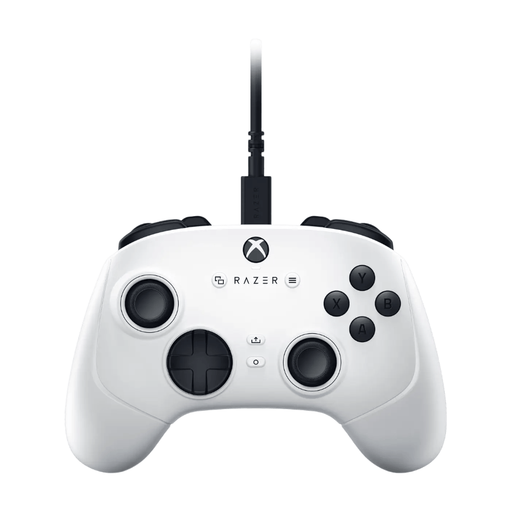
These gamepads suit players looking for a controller with joysticks or analogue sticks. Check that the exact model matches the inputs and system your game requires.
 No image available
An option if you’re looking for a gamepad with joysticks; check that the game and your chosen system support the controller.
The product name lists wireless control, adjustable joysticks and six programmable buttons.
The listed systems are PC, NS, NS2, iOS and Android.
 No image available
A gamepad to compare if you’re looking for analogue sticks; check that the listed systems suit your game and set-up.
The product name lists analogue controls and a USB connection.
The listed platforms are PC, Xbox Series S and Xbox Series X.
No, the genre alone doesn’t determine that. Check which directional inputs your game supports and whether it recognises the controller in the right mode. According to the manufacturer, the MAYFLASH F300 can switch between D-pad and joystick modes; this does not prove that it provides proportional analogue control.
It depends on the console. MAYFLASH specifies a connected wired controller for PS4 and certain Xbox consoles, and a separately available converter for PS5. Check the instructions for your exact system before choosing.
Measure the available space and allow for cables or a receiver. According to the manufacturer, the 8BitDo Arcade Stick has three connection options and measures 303 × 203 × 111,5 mm; HORI lists the Switch version of the Fighting Stick Mini as approximately 8 × 6 inches. Follow the chosen model’s instructions for cleaning and care.
Online purchases generally come with a cooling-off period of up to 14 days after delivery, subject to applicable exceptions. ACM ConsuWijzer explains this cooling-off period. If a product does not do what you could reasonably expect during normal use, the seller is responsible for providing an appropriate solution under the statutory guarantee. This is not the same as a fixed two-year guarantee period.
Not automatically for every product: according to the European Commission, CE marking is compulsory when the applicable EU rules require it. Radio equipment is also covered by the European radio equipment framework. Check the product information and conformity details for the exact model, especially if it’s a wireless version.