
Vandaag of morgen in huis

Kwaliteit gegarandeerd

Welkomstaanbiedingen ontgrendelen: GRATIS bezorging | Tot 80% korting | Gratis 30 dagen JoyPlus-proefperiode
Download de app
As a Joybuy Product Recommendation Officer, I often see that purchasing an accessory is just as crucial as the main device itself. You've just invested in a new iPad Pro with the M4 chip or an iPad Air with the M2 chip. Now, you're looking for the right tool to elevate your creativity or productivity. However, the stylus market is saturated with marketing claims and technical specifications that often confuse more than they clarify.
Before you make a decision, it's important to understand the most common pitfalls:
This guide will help you sidestep these pitfalls by focusing on the specifications that truly matter.
To make an informed choice, it's essential to check three core parameters. These will determine whether a stylus is a sound investment for your specific needs.
This is the most critical factor. The Apple Pencil Pro (introduced in 2024) is specifically designed for the latest generation of iPads. Check if your model is on this list:
If you own one of these models, the Apple Pencil Pro is the only stylus that guarantees full functionality. A stylus for iPad Pro M4 or a drawing pen for iPad Air M2 must have this specific compatibility to use advanced features. Older Apple Pencils or third-party pens will not support all the new capabilities.
The 'Pro' designation isn't just a marketing label. It refers to a set of concrete features that significantly enhance the user experience, especially for creative and professional tasks.
These features justify the Apple Pencil Pro price for users who depend on a fast and precise workflow.
A great stylus should fit seamlessly into your daily routine. The Apple Pencil Pro excels in this area:
Based on these core parameters, we have selected a few products that suit different user profiles.
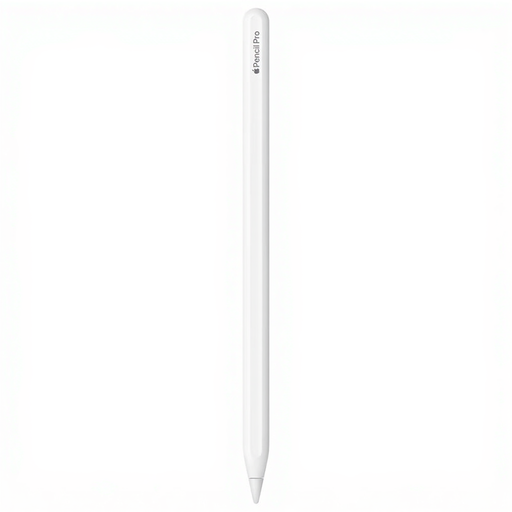
Why This Fits Their Persona: For graphic designers, illustrators, and digital artists in the UK working on a new iPad Pro (M4) or Air (M2). Precision, low latency, and an intuitive workflow aren't luxuries—they are requirements for professional work.
This model guarantees 100% compatibility and unlocks all advanced features like haptic feedback and hover. You'll avoid the disappointment of a limited stylus.
The combination of squeeze, barrel roll, and haptic feedback provides unparalleled control and a tangible, fast interaction. The Find My integration offers extra peace of mind.

Why This Fits Their Persona: For students and professionals who use their iPad not just for drawing, but also for writing reports, emails, and presentations. This accessory transforms the iPad into a fully-fledged workstation.
This keyboard avoids the frustration of separate Bluetooth keyboards. It pairs instantly via the Smart Connector, requires no separate battery, and provides a stable typing experience.
The integrated trackpad and the USB-C port for pass-through charging make this a highly efficient addition. You keep the iPad's USB-C port free for other accessories.
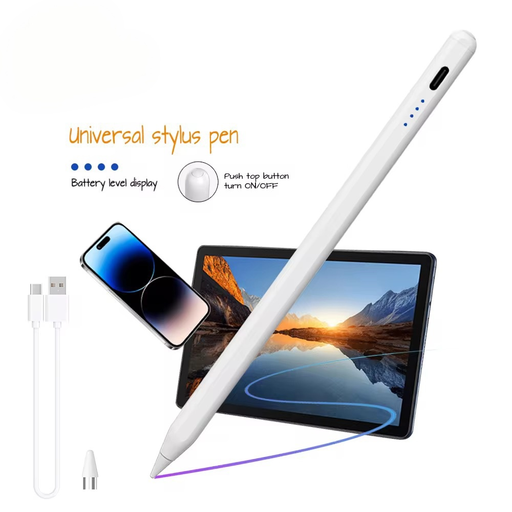
Why This Fits Their Persona: For users seeking a simple stylus for basic notes or navigation, or for those who want a pen that also works with other tablets (iOS and Android). The focus is on functionality at a lower price point.
This model avoids the pitfall of overpaying for features you don't need. It's a straightforward, functional product without the advanced (and expensive) extras of the Pro version.
Its universal compatibility with capacitive screens (both iOS and Android) and significantly lower price make it a practical choice for general use or as a backup pen.
We have compiled a complete, real-time list of products that fully satisfy these strict selection criteria and UK safety regulations.
No, the Apple Pencil Pro is exclusively designed for the iPad Pro models with the M4 chip and the iPad Air models with the M2 chip (both from 2024). For older iPad models, you will need the Apple Pencil (2nd generation), Apple Pencil (USB-C), or Apple Pencil (1st generation), depending on your specific iPad model. Always check your iPad's compatibility before making a purchase.
Apple does not specify battery life in hours, as it heavily depends on usage. However, experience shows that the battery is more than sufficient for a full day of intensive use. Charging is extremely simple: you magnetically attach the Pencil Pro to the side of your compatible iPad, and it begins charging automatically. A few minutes of charging is often enough for an hour of use.
Although they look similar, the Apple Pencil Pro has several key new features. The main differences are:
The Apple Pencil (2nd generation) does not have these features, but it does support double-tap to switch tools. The choice depends on your iPad model and whether you need the new Pro features for your work.
