
Vandaag of morgen in huis

Kwaliteit gegarandeerd

Welkomstaanbiedingen ontgrendelen: GRATIS bezorging | Tot 80% korting | Gratis 30 dagen JoyPlus-proefperiode
Download de app
If you own a compatible iPad, you're likely considering buying an Apple Pencil 2. This stylus can transform your tablet into a digital notebook, an artist's canvas, or a precision tool for documents. But the market for tablet accessories is flooded with options and marketing promises that don't always deliver. The wrong choice can quickly lead to frustration and unnecessary expense.
Before you make a purchase, it's important to recognise the most common pitfalls. This will help you avoid wasting money on a product that doesn't meet your expectations.
To make an informed decision, it's crucial to understand a few technical specifications. These will determine if a stylus is the right fit for your iPad.
This is the most important step. The Apple Pencil (2nd generation) is designed for iPad models that have a flat edge for magnetic attachment. Check if your model is on this list:
You can find your iPad model number via Settings > General > About. A quick check will prevent a definite bad purchase.
One of the core advantages of the Apple Pencil (2nd generation) is how it pairs and charges. You magnetically attach the pencil to the side of your compatible iPad. It immediately begins to charge and pairs automatically. This is a significant improvement over the first generation, which had to be charged via the Lightning port. This seamless integration ensures your pencil is always charged and ready to use.
The Apple Pencil 2 offers a range of features that, according to Apple, provide an intuitive experience:
Not everyone has the same needs. Below is a selection of products tailored to different user profiles.
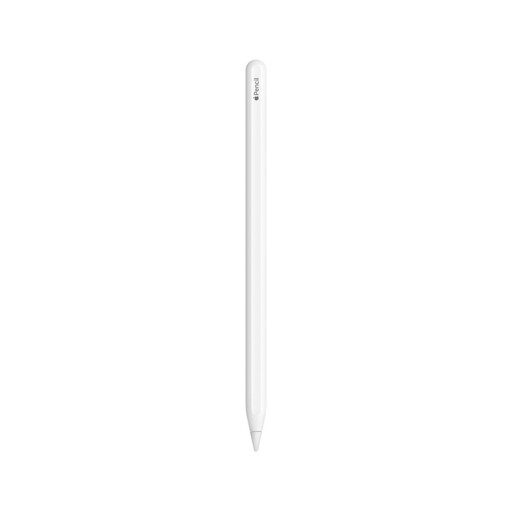
Why This Fits Their Persona: For graphic designers, illustrators, and anyone who relies on precision and a seamless workflow for their work or studies. This is the stylus that is fully integrated with your iPad's hardware and software.
This product guarantees 100% compatibility with supported iPad models and offers all advanced features like pressure sensitivity and magnetic charging. It helps you avoid the 'almost-but-not-quite' experience of alternatives.
Seamless integration with iPadOS; magnetic pairing, charging, and storage; double-tap gesture for quick tool switching.
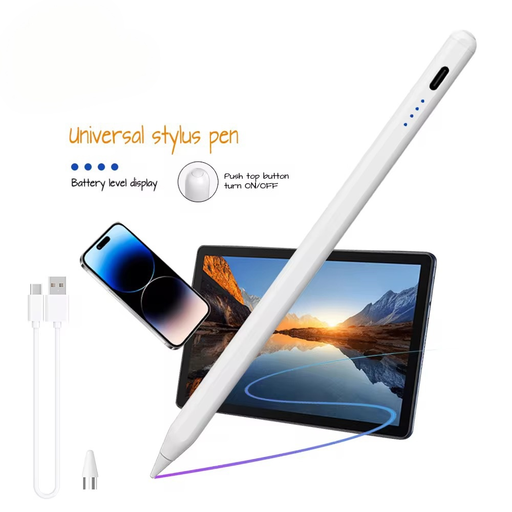
Why This Fits Their Persona: Ideal for students or users looking for an active stylus for note-taking and annotating documents, but who don't have the full budget for an Apple Pencil.
This pen offers an active stylus experience at a lower price point. While it lacks the deep integration of the Apple Pencil, it's a functional alternative for basic tasks, helping you avoid the pitfall of a completely passive, unusable stylus.
Broad compatibility with capacitive screens (iOS and Android); significantly lower purchase price. Does require charging via a cable.
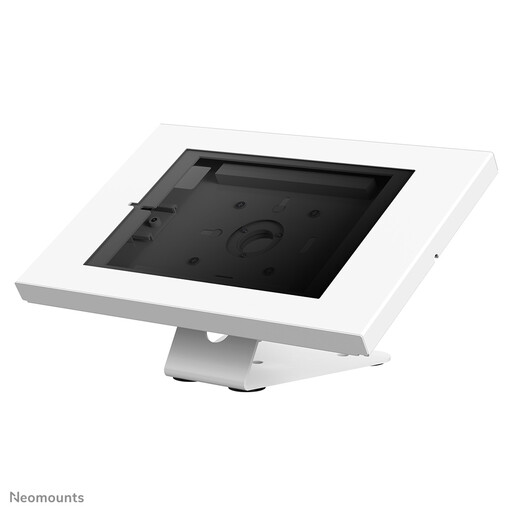
Why This Fits Their Persona: For the user who uses their iPad in a fixed location, such as at a desk. A good stand significantly improves ergonomics and provides a stable base for drawing or writing with an iPad stylus.
This accessory addresses a related problem: poor posture. Instead of hunching over a tablet lying flat, this stand provides a comfortable viewing and drawing angle, which enhances the stylus user experience.
Sturdy steel construction with an anti-theft lock; rotatable for portrait and landscape modes; neat cable management system.
We have compiled a complete, up-to-date list of products that fully meet these strict selection criteria.
The easiest way is to look at your iPad's design. Models with a flat, magnetic edge are generally compatible. These include the iPad Pro, iPad Air, and iPad mini models released after 2018. For absolute certainty, check the model number in Settings > General > About and compare it with Apple's official compatibility list.
The two biggest differences are the design and the charging method. The 1st generation is round and charges via a clunky Lightning connector. The 2nd generation has a flat side, charges wirelessly via magnetic attachment to the iPad, and features the double-tap gesture for quickly switching tools.
You charge the Apple Pencil 2 wirelessly by magnetically attaching it to the side of your compatible iPad. As soon as it clicks into place, it will start charging, and a notification briefly appears on the screen showing the battery status. This ensures your pencil is almost always ready for use.
