
Vandaag of morgen in huis

Kwaliteit gegarandeerd

Welkomstaanbiedingen ontgrendelen: GRATIS bezorging | Tot 80% korting | Gratis 30 dagen JoyPlus-proefperiode
Download de app
The new Apple MacBook Neo is on the market, and its fresh colours and promise of AI power make it an attractive option. But before you decide to buy an Apple MacBook Neo, it's important to look beyond the marketing. As a Product Recommendation Officer at Joybuy, I'll help you separate fact from fiction, so you can choose a laptop that truly suits you, without paying for features you don't need.
The laptop market is filled with technical jargon and clever marketing. Students and everyday users, in particular, often fall into the same traps. Here are the three most common ones.
You don't need to be a tech expert to make a good choice. Pay attention to these three concrete points when considering the new Apple laptop.
The A18 Pro chip in the MacBook Neo is specifically designed for efficiency. This not only means your tasks run smoothly, but also that the battery lasts an exceptionally long time. According to Apple, the chip is built for AI, which in practice translates to useful features within macOS, such as summarising notes or improving your writing. It's AI that helps you daily, without the complexity or price of a professional machine.
The choice between a MacBook Neo 256GB and a MacBook Neo 512GB depends entirely on your usage.
The MacBook Neo 13-inch offers an excellent balance between workspace and portability. The size is compact enough to take anywhere, while the Liquid Retina display is sharp and bright. Text is easy to read and colours are vibrant, making it a pleasant screen for both productivity and entertainment.
Not every user is the same. That's why we've highlighted a few models that fit different profiles, based on their specifications and how they avoid the pitfalls mentioned earlier.

Why it's a match: This model is an excellent fit for the typical MacBook for students. It combines a striking design with the performance needed for studying, a long battery life for long lecture days, and a portable size.
It offers practical AI features without the high price of a pro model, focuses on an extremely long battery life, and has a durable aluminium chassis.
Seamless integration with your iPhone and iPad. According to Apple, the battery lasts up to 16 hours, ideal for a full day without charging.

Why it's a match: For those who do a bit more: light photo editing, keeping many tabs open, or simply not wanting to worry about storage. The 512GB of storage provides room for now and the future.
This is a sensible storage upgrade without paying for a more expensive processor you won't fully utilise. The balance between performance and battery life is maintained.
Double the storage capacity for all your files and media. The bright Liquid Retina display makes it ideal for watching films and series.
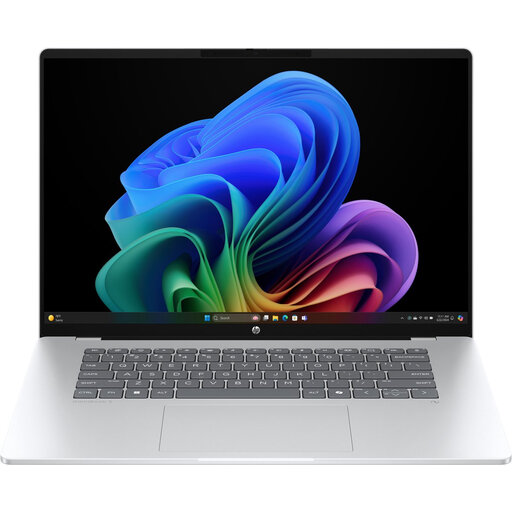
Why it's a match: For those not tied to the Apple ecosystem but who still want the latest AI features. This is a Copilot+ PC with a processor specially designed for AI tasks in Windows.
The "AI-ready" claim is substantiated here with a dedicated NPU (Neural Processing Unit) and concrete Copilot+ features, such as live captions. You're paying for AI you can use immediately.
A stunning OLED screen for deep blacks and vibrant colours, combined with the latest AI capabilities within the familiar Windows platform.
We have compiled a complete, up-to-date list of products that fully meet these strict selection criteria and UK regulations.
A MacBook Neo review is only complete with answers to the most pressing questions.
For the MacBook Neo's target audience – students and everyday users – 8GB of RAM combined with an Apple chip is typically more than sufficient. The macOS operating system is highly efficient at managing memory. For daily tasks like browsing, word processing, emailing, and streaming media, you won't experience any slowdowns. Only if you plan to constantly run heavy professional software (like video editing or 3D rendering) is more memory worth considering.
The MacBook Neo is positioned as the colourful, ultra-portable entry-level model, perfect for daily tasks and maximum mobility. The MacBook Air, with a more powerful chip like the M5 (according to product information), is a step up, aimed at users who need a bit more performance for heavier multitasking or creative hobbies. Think of the Neo as the ideal laptop for study and everyday use, and the Air as the choice for the more ambitious user who desires more processing power.
The MacBook Neo comes with a USB-C charging cable but, like many Apple products, without a power adapter in the box. You will need a USB-C adapter that supports USB Power Delivery (PD) with a power output of at least 20 watts. There's a good chance you already have such a charger at home for your smartphone or tablet. If not, they are widely available.
