Keyboards at Joybuy
These Joybuy product picks are relevant if you write at a shared desk. For each model, compare the listed layout, dimensions and connection type with your work computer.
 No image available
Trust GXT 833 Thado TKL QWERTY keyboard
A compact keyboard option if you’re looking for a QWERTY layout and don’t need a full-size model.
Wired; tenkeyless (TKL); QWERTY; black.
The product name specifies a wired connection. Check that it suits your workstation.
View at Joybuy
 No image available
AULA WIN60HE 60% mechanical keyboard
A compact option if you want to save desk space and a 60% layout suits the way you work.
Wired; 60% size; US layout; Hall effect switches; Rapid Trigger.
Check that the compact layout includes the navigation and punctuation keys you need for documentation.
View at Joybuy
 No image available
Redragon M68 mechanical keyboard
A compact option if you’re considering a model with 68 keys and a US layout.
68 keys; US layout; magnetic switches; metal top plate.
Check that the compact layout includes the keys you regularly use for coding and navigation.
View at Joybuy
 No image available
ET Silent Wireless full-size keyboard and mouse
A full-size option if you want to keep the US QWERTY layout and number pad.
Wireless; 104 keys; US QWERTY; keyboard and mouse.
The product name describes the keyboard as quiet; check that the physical layout suits your work.
View at Joybuy
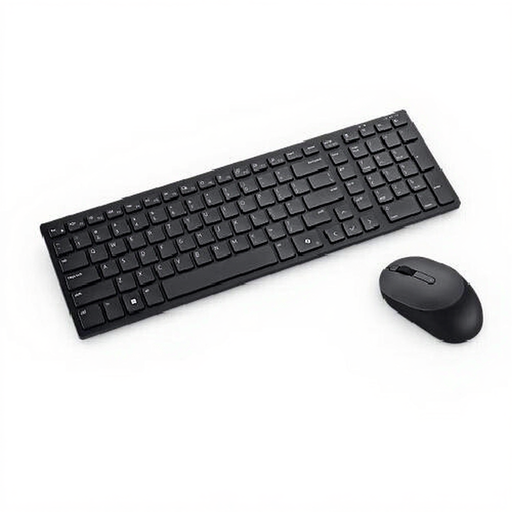 No image available
DELL Pro Compact Silent keyboard and mouse
This set may suit you if you’re looking for a Belgian AZERTY layout.
Belgian AZERTY; keyboard and mouse.
The layout may not suit you as well if you’re used to a different physical keyboard layout.
View at Joybuy
Frequently asked questions
Should I use a separate keyboard for extended laptop work?
For employees who work at a screen for more than two hours a day, Arboportaal states that the screen and keyboard must not be attached to each other. When using a laptop, it must be possible to use a separate screen or keyboard; this doesn’t specify a particular keyboard model.
How do I connect a keyboard to different work computers?
Choose a connection that’s available and permitted under your IT policy. Trust lists a stowable USB receiver for the Ody II, while CHERRY describes the STREAM KEYBOARD as wired. Logitech’s Smart Actions require the Logi Options+ app.
Will an ergonomic keyboard prevent strain from prolonged use?
No, a keyboard alone won’t eliminate the strain associated with working at a screen. Arboportaal describes repetitive actions and static strain, and recommends varying your tasks and taking microbreaks, among other measures.
What are my rights if I buy online or receive a faulty product?
According to the Dutch Government, when you buy online from a business you usually have 14 days to change your mind, although there are exceptions. If a product is faulty, contact the seller to resolve the issue; a manufacturer’s or seller’s guarantee is in addition to your statutory rights. Before ordering, check who the seller is and which terms and conditions apply.


