
Vandaag of morgen in huis

Kwaliteit gegarandeerd

Welkomstaanbiedingen ontgrendelen: GRATIS bezorging | Tot 80% korting | Gratis 30 dagen JoyPlus-proefperiode
Download de app
A large screen with QD-OLED, 175 Hz and HDR sounds appealing. However, a premium gaming monitor isn’t automatically right for every PC or workspace. With a 34-inch ultrawide gaming monitor in particular, connectivity, graphics demands and ergonomics can all affect your experience.
The AOC AGON AG346UCD is aimed at gamers and creators looking for a wide 21:9 screen with a fast refresh rate and strong contrast. Read on to find out which specifications really matter, which marketing claims are worth checking and who this monitor could suit.
A monitor may be advertised as 175 Hz, but that refresh rate might only be available via DisplayPort. The AOC AG346UCD’s product details specify 175 Hz via DisplayPort and 100 Hz via HDMI. If you’re using a laptop, docking station or older graphics card, check which output you’ll need before buying.
Don’t overlook the cable, either. For WQHD at a high refresh rate, DisplayPort 1.4 is the relevant connection in the listed product specifications. The information doesn’t consistently state which HDMI version is used. Before ordering, check the latest specifications and the cables included on the product page.
A QD-OLED monitor uses self-illuminating pixels. According to the product description, this produces very deep blacks and vibrant colours. That’s appealing for games with dark scenes and for films, but a glossy or less bright screen may look different from what you expect in a sunny room.
OLED also calls for care when displaying static elements for long periods, such as a taskbar or fixed interface. Use the available screen protection and pixel maintenance features as described in the manual. Treat any claims about lifespan or protection as manufacturer information, not as a guarantee for every situation.
A resolution of 3440 × 1440 pixels displays more than a traditional 16:9 screen, but it also demands more graphics processing power. You may need a powerful graphics card to achieve high frame rates at WQHD in competitive games. Remember to measure your desk, too: according to the listing, the AOC AG346UCD is about 81 cm wide and weighs approximately 10.82 kg with the stand.
Quantum Dot and OLED technology work together to deliver a wide colour volume and high contrast. The AOC AG346UCD has a 34-inch curved OLED panel, a 21:9 aspect ratio and a resolution of 3440 × 1440. This makes it an interesting option for:
The product details state that sRGB coverage is over 100 per cent and AdobeRGB coverage is under 99 per cent. For professional colour-critical work, it’s also worth checking which colour modes, factory calibration and software support are available.
The stated 175Hz gaming monitor refresh rate is most relevant for fast-paced games. A higher refresh rate displays more frames per second, but the benefit depends on your PC’s frame rate. According to the product information, AdaptiveSync can help synchronise the graphics card and monitor more effectively.
Check that:
The stated 0.03 ms response time shouldn’t be compared directly with measurements from other brands. Manufacturers may use different testing methods, so consider the panel type, refresh rate and independent user reviews together.
The HDR True Black 400 designation refers to a VESA certification for OLED screens. According to the product description, the monitor also has a stated peak brightness of up to 400 nits. However, HDR performance also depends on the game, operating system and settings.
The listing mentions:
Some technical details in the source information don’t fully match, including the HDMI and USB-C references. It’s worth checking the latest product page before you buy.
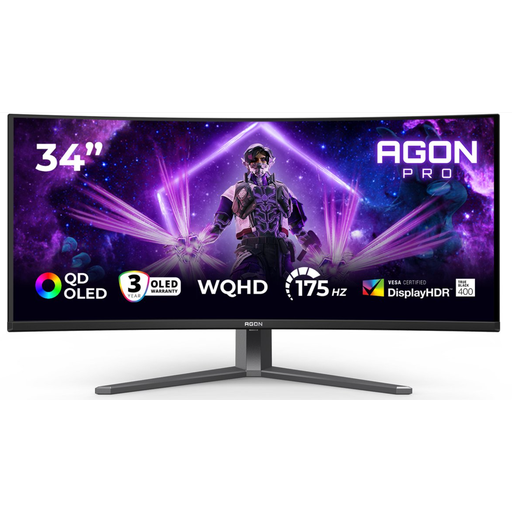
Why it suits this type of user: This AOC combines a 34-inch screen, 3440 × 1440 resolution, QD-OLED and 175 Hz via DisplayPort with an adjustable stand, making it a good fit for gaming and creative work.
The product specifications clearly explain the difference between DisplayPort and HDMI. Height, swivel and tilt adjustment also help you find a comfortable viewing position.
QD-OLED panel, WQHD resolution, HDR True Black 400, AdaptiveSync, USB hub and ergonomic stand.
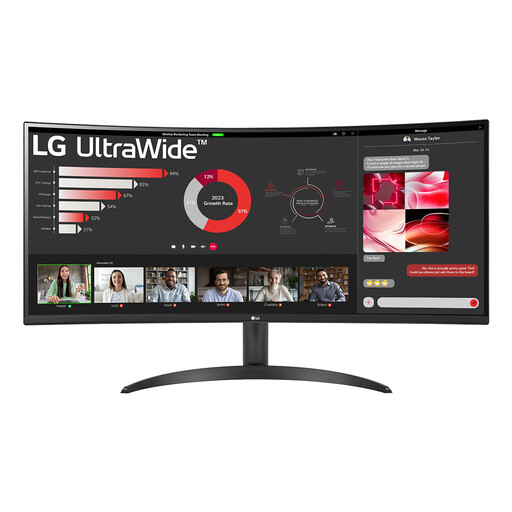
Why it suits this type of user: This 34-inch VA monitor offers a 3440 × 1440 resolution and 100 Hz refresh rate for a wide workspace and gaming view, without requiring you to go straight to OLED.
The resolution and refresh rate are clearly stated. The lower demands of the panel may also suit a less powerful PC.
3440 × 1440, 100 Hz, FreeSync, HDR10 and Picture-by-Picture.
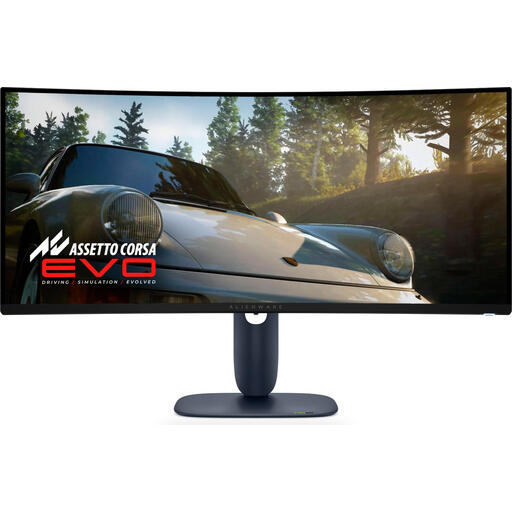
Why it suits this type of user: For gamers who mainly play competitive games, this 34-inch QD-OLED model offers 240 Hz and 3440 × 1440, according to the listing.
The high refresh rate is clearly stated. Check, though, whether your graphics card can run 240 Hz at this resolution.
QD-OLED, 240 Hz, stated 0.03 ms response time, HDMI 2.1 and an ergonomically adjustable stand.
We’ve put together a complete, up-to-date list of products that meet these strict selection criteria and comply with current European safety regulations.
That depends on your laptop’s video output and docking station. According to the product specifications, you’ll need to use DisplayPort to get the stated 175 Hz. The maximum refresh rate stated for HDMI is 100 Hz. Also check whether your laptop can output 3440 × 1440.
It can be, especially if you value plenty of workspace and high contrast. If you use static windows for long periods, follow the manual’s guidance on OLED maintenance features, screen protection and power saving. An LCD monitor may be more practical and affordable if you’ll only be using it for office work.
Power consumption depends on brightness, HDR, content and settings. The AOC listing states a power consumption of 100 W and an energy rating of F under the new energy label. Before buying, compare the energy label with how you expect to use the monitor each day, particularly if it’ll be switched on for many hours.
