
Vandaag of morgen in huis

Kwaliteit gegarandeerd

Welkomstaanbiedingen ontgrendelen: GRATIS bezorging | Tot 80% korting | Gratis 30 dagen JoyPlus-proefperiode
Download de app
An Anycubic resin 3D printer can produce fine details, smooth surfaces and accurate models. However, it’s easy to pay more for features you’ll rarely use in practice. For professional applications, prototypes, miniatures and production runs, the results depend not only on the K count, but also on build volume, resin settings and post-processing.
A high resolution sounds appealing, but it doesn’t tell you everything about the finished print. Check the X/Y resolution, the evenness of the light source, Z-axis stability and layer height too. A 14K screen can offer very fine pixels, but a poorly aligned build plate or unstable movement can still result in visible layer lines or dimensional inaccuracies.
Manufacturers often quote a maximum speed measured at a specific layer height using high-speed resin. According to Anycubic’s product specifications, for example, the Photon Mono M7 can reach up to 150 mm/h with High-Speed Resin 2.0, while speeds are lower with standard resin. So always check:
Standard UV resin is suitable for models, figurines and many prototypes. For parts that need greater toughness, ABS-like resin is a better option. Water-washable resin can make cleaning easier, but check compatibility and the recommended print settings first.
Liquid resin is a chemical product. Wear nitrile gloves and safety glasses, and make sure the area is well ventilated. Collect any residue and let liquid resin cure fully before disposing of it in accordance with local waste regulations.
An LCD 3D printer uses a monochrome LCD screen and UV light. X/Y resolution determines how small details can be displayed in a single layer. Layer height determines vertical accuracy and how visible the transitions between layers are.
For detailed miniatures and small technical parts, values around 0.01 to 0.05 mm are worth considering. For larger prototypes, 0.1 mm can be more efficient. High resolution is most useful when the model itself contains fine details.
Measure the model you need to print, including supports. According to the product specifications, the Photon Mono M7 and M7 Pro have a build volume of 223 × 126 × 230 mm. The Photon Mono M7 Max increases this to 298 × 164 × 300 mm, giving a stated volume of 14.7 litres.
A larger build volume is useful for:
Bear in mind that a larger machine needs more workspace, resin and cleaning capacity. Measure the space on your workbench before you buy.
Check whether the printer is compatible with 405 nm resin and which materials are officially listed. Depending on the model, the printers in this selection support standard, ABS-like, high-speed, water-washable and plant-based resin.
Temperature affects resin viscosity and print settings. The product specifications generally recommend an ambient temperature of around 20–35 °C for various Anycubic resins. If your workspace gets cold, a printer with temperature control may therefore be more practical than one without it.
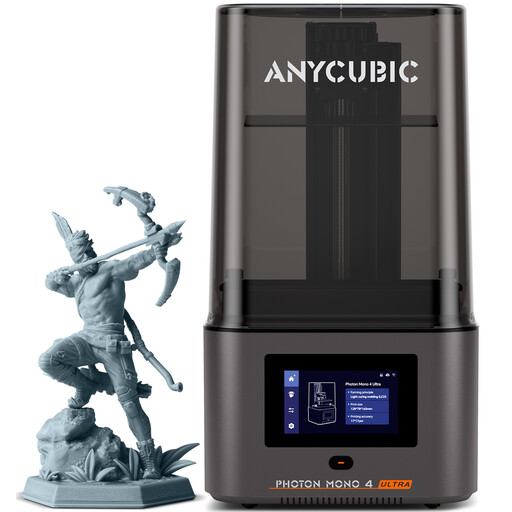
Why it suits this user: Its compact size and 153.4 × 87 × 165 mm build volume make it a good fit for makers who mainly produce miniatures, models and small prototypes.
The specifications list a 10K monochrome LCD, so you’re not choosing based solely on marketing claims about 14K.
10K resolution, 17 × 17 μm X/Y resolution, and support for standard, ABS-like and high-speed resin.
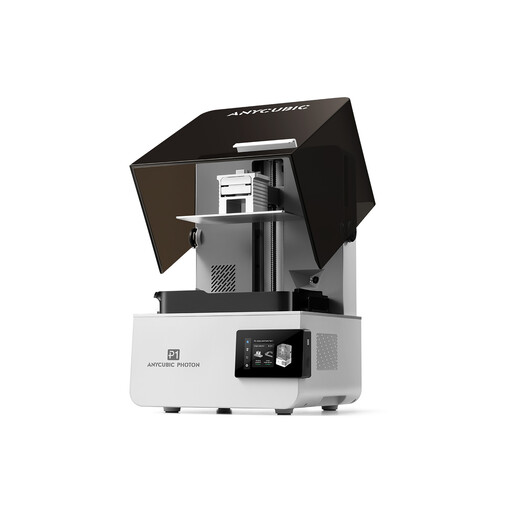
Why it suits this user: A good choice for designers, engineers and prototyping businesses that value automatic levelling and broad material compatibility.
Feedback-assisted automatic levelling reduces the need for manual adjustment; the quoted speed is still linked to layer height and resin.
14K LCD, dual-rail Z-axis with ball screw, and support for resin with a stated viscosity of up to 8000 cps.
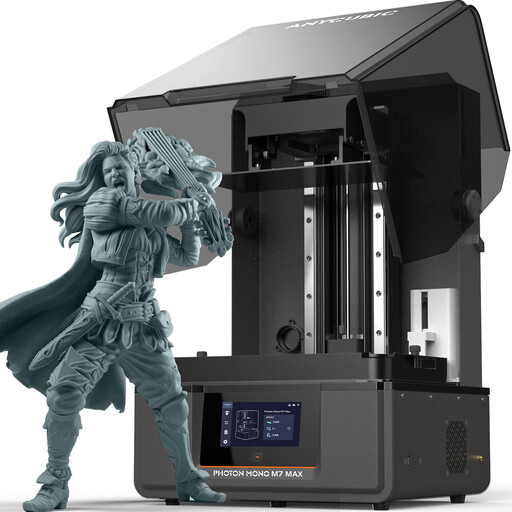
Why it suits this user: A good fit for manufacturing businesses, dental laboratories, model-makers and print services handling large models or high volumes of parts.
Its large build volume means large models don’t have to be printed in several parts as standard.
298 × 164 × 300 mm build volume, 13.6-inch monochrome LCD and resin heating from 20–40 °C, according to the product specifications.
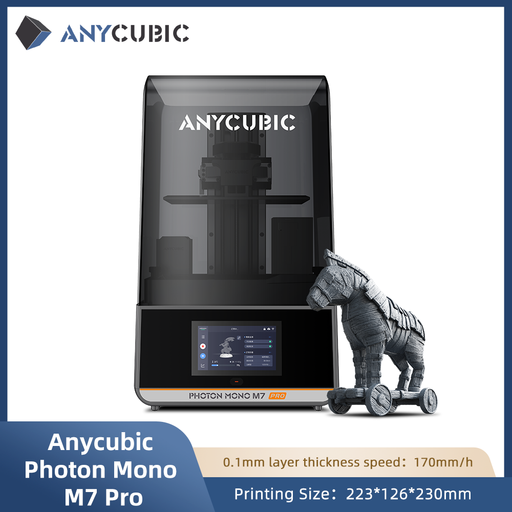
Why it suits this user: Designed for commercial print environments where speed, temperature control and automatic resin feeding matter.
The product specifications distinguish between standard and high-speed resin, and list automatic temperature control and resin replenishment.
14K LCD, 223 × 126 × 230 mm build volume and a stated maximum speed of 170 mm/h with high-speed resin.
Anycubic Standard Resin 405 nm is a practical option for figurines, visual prototypes and general models. Its stated wavelength is 365–405 nm, and the recommended cleaning method uses IPA of at least 95%. The manufacturer lists a hardness of 84–86 HD and a recommended printing environment of 20–40 °C.
For more functional parts, Anycubic ABS-Like Resin 2.0 is worth considering. According to the product specifications, this resin has a stated elongation at break of 20–25 per cent and a volumetric shrinkage of 3.9–4.9 per cent. These figures are material properties measured under specific test conditions; results also depend on the printer, exposure, washing and post-processing.
For both materials, use the settings for the relevant printer as a starting point. Print a test model before starting a full production run.
We’ve put together a complete, up-to-date list of products that meet these strict selection criteria and the applicable European safety regulations.
Standard UV resin is a good starting point for general models. Choose ABS-like resin when toughness and reduced brittleness are more important. Always check the resin’s wavelength, recommended temperature and exposure time.
Lifespan depends on usage, maintenance and components such as the LCD screen, release film and protective film. Clean the build plate, keep cured resin off the screen and replace damaged film straight away. Keep the printer out of direct sunlight and within the temperature and humidity limits in the manual.
As well as the purchase price, you’ll need to budget for resin, IPA or a suitable cleaning agent, gloves, filters, release film and possibly a Wash & Cure machine. If you print frequently, LCD replacement and waste disposal may also add to the cost. Work out the cost per usable model, not just the price per kilogram of resin.
