
Vandaag of morgen in huis

Kwaliteit gegarandeerd

Welkomstaanbiedingen ontgrendelen: GRATIS bezorging | Tot 80% korting | Gratis 30 dagen JoyPlus-proefperiode
Download de app
Buying an Anycubic 3D printer seems straightforward until you start comparing the specifications. Resolutions of 10K or 14K, print speeds of up to hundreds of millimetres per second and features such as automatic levelling can all sound appealing. But these figures don’t tell you everything about what it’s like to use the printer.
For professional makers, designers, engineers, model builders and small manufacturing businesses, build volume, material compatibility, post-processing and working conditions matter most. Below, we cover the key things to consider, followed by some models for different types of user.
A fast 3D printer will usually only reach its stated speed under specific conditions. For the Photon Mono M7 Pro, for example, the product information lists a maximum of 130 mm/h with standard resin and 170 mm/h with high-speed resin at a layer height of 0.1 mm. The speed may vary with a different layer height or material, or if you adjust the exposure settings.
Always check:
A 14K LCD 3D printer can reproduce very fine details, but high resolution doesn’t automatically mean you can print large parts. For that, you need to check the build volume.
The Photon Mono 4 Ultra has a build volume of 153.4 × 87 × 165 mm. That’s suitable for miniatures, jewellery prototypes and smaller models. The Photon Mono M7 and M7 Pro offer 223 × 126 × 230 mm, while the Photon Mono M7 Max provides considerably more room, with a build volume of 298 × 164 × 300 mm.
So if you’re looking for a large resin 3D printer, don’t just focus on 10K or 14K. Pay particular attention to the actual dimensions of the print platform.
Standard resin works well for models, prototypes and decorative parts. For parts that will be handled more often or exposed to some impact, ABS-like resin may be a better choice. According to the product information for Anycubic ABS-Like Resin 2.0, the stated elongation at break is 20–25%, compared with 12–16% for the standard resin mentioned. These are product specifications and may vary depending on printer settings, post-processing and measurement method.
Pay attention to the wavelength too. Both the standard resin and ABS-like resin in this selection are suitable for UV exposure at around 365–405 nm. Always check this before using UV resin for a 3D printer.
Choose a build volume based on the largest item you print regularly, not an occasional project. A compact model may be more practical for small figures. Extra space is useful for printing several parts at once, larger prototypes or dental models.
The X/Y resolution indicates how small the pixels on the LCD screen are. The Photon Mono M7 Pro lists 16.8 × 24.8 μm and a 10.1-inch 14K screen. The Mono 4 Ultra lists 17 × 17 μm with a 10K screen. Compare these figures alongside the layer height, which ranges from 0.01 to 0.15 mm across various models.
A 3D printer with automatic levelling can make setup easier. According to its product description, the Photon P1 uses Auto-Leveling 3.0 with feedback. The Photon Mono M7 and M7 Pro, by contrast, are described as levelling-free. The Mono 4 Ultra uses manual four-point levelling.
Also check the Z-axis. Dual linear rails and 10 μm accuracy are listed for the M7 models. For tall, narrow models, a stable Z-axis may matter more than a high LCD resolution alone.
An Anycubic resin 3D printer uses liquid photopolymer resin. Check that the printer is suitable for:
The resins mentioned generally require an ambient temperature of around 20–35 °C, or the conditions stated on the specific product label. After printing, you’ll need gloves, protective eyewear, good ventilation, washing with at least 95% IPA and UV post-curing. Liquid resin shouldn’t go in general waste. Allow leftover material to cure fully and follow your local waste disposal rules.
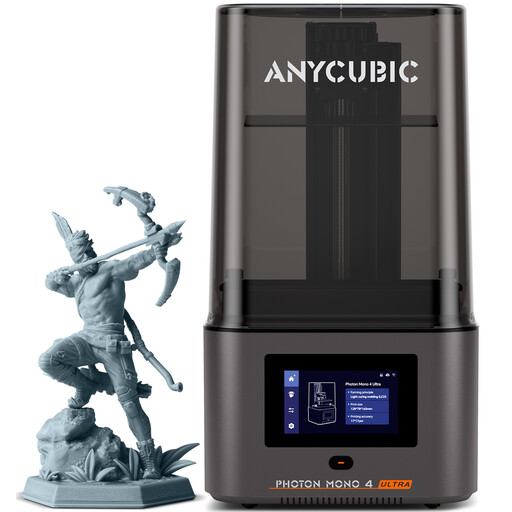
Why it suits this type of user: Its compact 2.2-litre build volume makes it a manageable choice for miniatures, models and smaller prototypes.
The product information lists the 10K resolution alongside the actual build volume and manual four-point levelling.
10K LCD, 17 × 17 μm X/Y resolution, and support for standard, ABS-like, water-washable and high-speed resin.
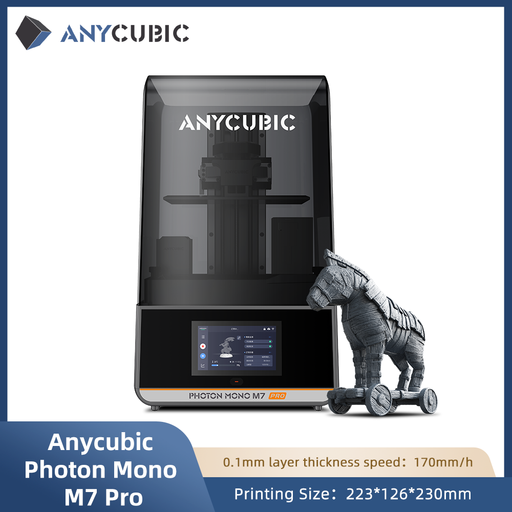
Why it suits this type of user: The combination of a 14K LCD, temperature control and automatic resin replenishment suits demanding prototyping workflows and professional model production.
The stated speeds are broken down by standard and high-speed resin, rather than presented as a single general speed claim.
14K resolution, 223 × 126 × 230 mm build volume, a levelling-free design and automatic resin replenishment as a supported feature.
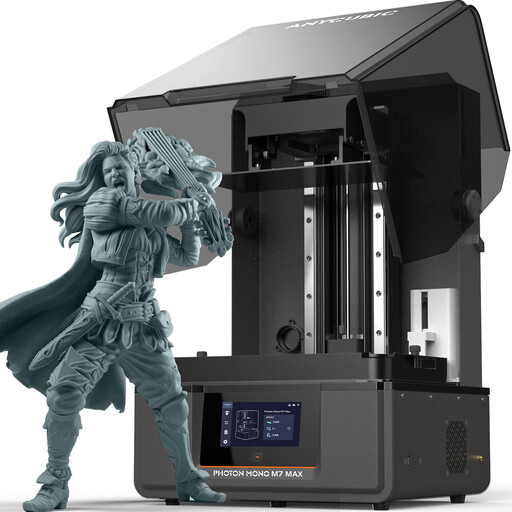
Why it suits this type of user: Its 298 × 164 × 300 mm build volume is designed for larger models, multiple parts and bigger production batches.
Alongside its 7K LCD, the product information lists the generous build volume, layer thickness and maximum vat capacity of around 1.3 litres.
14.7-litre build volume, dual linear Z-axis rails with 10 μm precision, and support for standard, ABS-like, water-washable and plant-based resin.
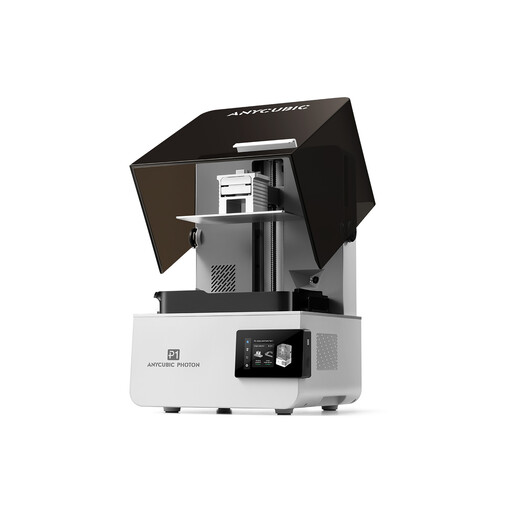
Why it suits this type of user: Automatic levelling and temperature control are ideal if you’d like to spend less time on manual preparation.
The product description distinguishes between automatic levelling, build volume and the print speed of 25–35 mm/h with standard resin.
14K LCD, Auto-Leveling 3.0 with feedback, dynamic temperature control, and support for Chitubox and Lychee according to the product information.
As well as the printer, you’ll need resin, IPA or a suitable cleaning solution, gloves, filters, protective film and possibly a Wash & Cure device. A 1 kg bottle of 405 nm standard resin is suitable for general applications. For functional prototypes, ABS-like resin 2.0 may be a more practical option, but you’ll need to adjust the material settings for each printer and environment.
Allow for wastage from supports, failed prints and resin that may deposit pigment after long-term storage. Shake the bottle according to the product instructions, and store UV resin sealed at room temperature and out of direct sunlight.
We’ve put together a complete, up-to-date list of products that meet these strict selection criteria and the applicable European safety regulations.
It can be, provided you work in a well-ventilated space and handle liquid resin carefully. Wear nitrile gloves and eye protection, avoid direct exposure to UV light, and keep resin out of reach of children and pets. Always check the safety information for the specific material.
Its lifespan depends on use, maintenance and replaceable parts. The protective film, release film and LCD screen can wear out due to cured resin or incorrect cleaning. Check the film regularly, carefully remove any cured residue and follow the model’s maintenance instructions.
As well as the purchase price, your main costs will be resin and post-processing. You should also budget for IPA, gloves, filters, supports and possibly replacement parts. The cost per model depends on the print’s weight, the number of supports and how much material is lost during cleaning.
