
Vandaag of morgen in huis

Kwaliteit gegarandeerd

Welkomstaanbiedingen ontgrendelen: GRATIS bezorging | Tot 80% korting | Gratis 30 dagen JoyPlus-proefperiode
Download de app
Buying an Anycubic 3D printer might seem straightforward, until you start comparing the specifications. For example, a high print speed means little if the material isn’t suitable, the build volume is too small or the printer needs a lot of manual adjustment. Claims about print quality and reliability aren’t always measured in the same way, either.
So, keep an eye out for these three common pitfalls:
A resin 3D printer uses liquid resin, which is cured layer by layer using light. This technology is a good choice for miniatures, decorative models and parts with fine details. Post-processing does require care: wear suitable protective equipment, follow the instructions and make sure the area is well ventilated.
An FDM 3D printer melts filament, such as PLA or PETG filament 1.75 mm, and builds the object up layer by layer. The JOYBUY x ANYCUBIC spool product information describes PETG as a material for parts where strength, layer adhesion and some flexibility are desirable. However, the final results also depend on factors such as nozzle temperature, print speed, cooling and how the filament is stored.
For resin printers, screen resolution, pixel size and layer height are important points to check. According to the product specifications, the Anycubic Photon Mono M7 has a 10.1-inch monochrome screen with 14K resolution, an X/Y resolution of 16.8 × 24.8 μm and a build volume of 223 × 126 × 230 mm.
A larger build volume doesn’t automatically mean you can print every model in one go. Always check your design’s dimensions, the support it needs and the space available on your workbench.
For FDM printers, build volume, nozzle temperature and the heated print bed matter more than maximum speed alone. According to the supplied product information, the Kobra S1 series has a build volume of 250 × 250 × 250 mm, a maximum nozzle temperature of 320 °C and a heated bed that reaches up to 120 °C.
A fast 3D printer needs a stable mechanical design. According to the product specifications, the Kobra S1 Combo has an enclosed CoreXY 3D printer design. The recommended print speed is 300 mm/s, while the stated maximum is 600 mm/s. Treat these figures as technical limits, not a guarantee for every model or material.
A 3D printer with automatic levelling can make preparation easier. According to the product information, Kobra S1 models feature LeviQ 3.0 automatic levelling with Z-offset compensation. Also check whether features such as filament detection, power-loss recovery and flow calibration are available.
Moisture management is another consideration when printing in multiple colours. According to the product description, the ACE 2 Pro module included with the Kobra S1 ACE 2 Pro Combo supports active drying at up to 65 °C, as well as drying during printing. TPU 95A must be fed directly into the printer and, according to the specifications, isn’t suitable for multicolour feeding through the ACE 2 Pro.
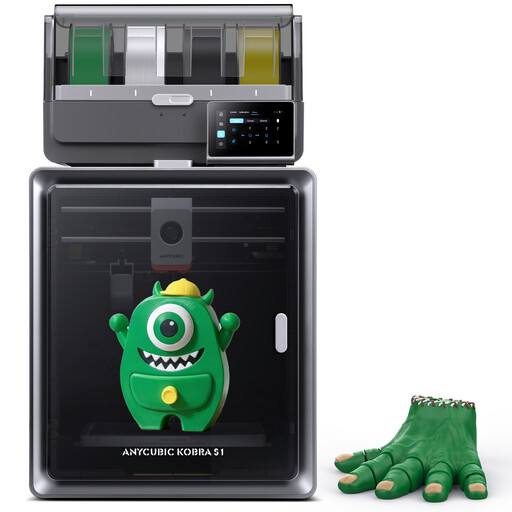
Why it suits this profile: For beginners keen to get started with multicolour printing, this model combines an enclosed design with automatic levelling and support for four or eight colours, according to the product information.
Automatic levelling and filament detection reduce the amount of manual preparation needed. Be sure to check which ACE Pro configuration is included with the offer.
Build volume of 250 × 250 × 250 mm; supports PLA, PETG, TPU, ABS and ASA; recommended speed of 300 mm/s.
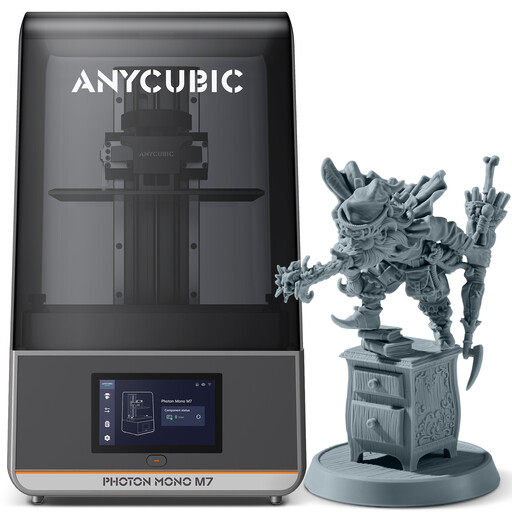
Why it suits this profile: Modellers, designers and makers who value fine detail can compare this 14K resin printer’s specifications with the dimensions of their own models.
The product information lists resolution, layer height and build volume separately. This means you can compare the relevant specifications rather than relying on the 14K label alone.
10.1-inch 14K monochrome screen; layer height of 0.01–0.15 mm; build volume of 223 × 126 × 230 mm.
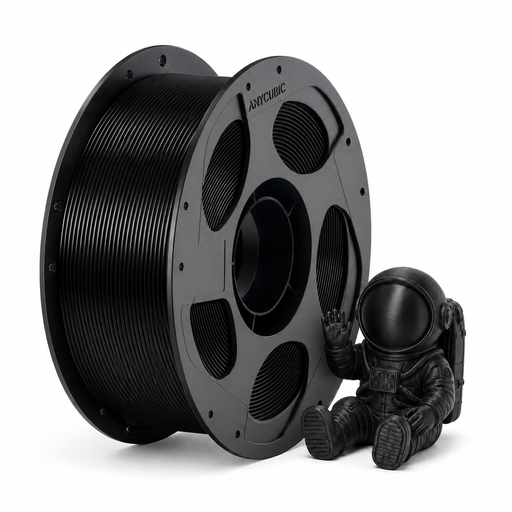
Why it suits this profile: PETG is a practical material choice for functional prototypes, mechanical parts and regular printing, provided your printer supports it and you use the right settings.
The spool has a diameter of 1.75 mm and is designed for FDM/FFF printers. Before ordering, check the feed size, temperature profile and recommended storage conditions.
1 kg spool; PETG material; suitable for many FDM/FFF printers, according to the product description.
We’ve put together a complete, up-to-date list of products that meet these strict selection criteria and current European safety regulations.
It can be, especially if you want to make small models with fine details. Bear in mind that extra steps, such as cleaning and post-curing your prints, are involved. Wear gloves and eye protection in line with the safety instructions, and use the printer in a well-ventilated area.
There’s more to the cost than the purchase price. Factor in filament or resin, electricity, any replacement parts and post-processing. With resin, you may also need cleaning fluid, gloves and extra resin. For FDM printing, the weight of the model and any support material used are important factors.
Its lifespan depends on how often you print, how well you maintain it, your choice of materials and the working environment. Clean the print platform, keep the printer free of dust and replace worn parts in line with the instructions. On resin printers, pay particular attention to the protective film, LCD screen and release film. For FDM printers, check the nozzle, print bed and filament feed, among other parts.
