What should you consider when choosing?
Start with the issue you want to address while working, then compare brightness, colour and connections on the same basis. The percentages shown indicate the primary need for consumers in this animation-work scenario.
| Consideration |
What should you check? |
Who is this important for? |
| Readability in daylight |
Check the screen position, blinds or curtains, coating and typical brightness of the exact model. |
If I want to keep seeing dark frames clearly beside a bright window, I’ll start by arranging my workspace. Around 36% of consumers prioritise tackling glare first. |
| Colour for your final work |
Check that the colour mode matches the agreed colour space, such as sRGB, Rec.709 or P3. |
When colour assessment is part of my project, I want to be able to set the right mode for the agreed deliverable. Around 29% of consumers prioritise colour accuracy. |
| Timeline and preview |
Compare screen size and resolution; if you’re considering a higher refresh rate, also check that your computer and connection support it. |
If I want to see layers, tools and the preview at the same time, I need enough workspace without confusing a higher refresh rate with faster exporting. Around 21% of consumers put room for the timeline and preview first. |
| Connection and setup |
Check video output via your chosen port, any charging power required, the cable and adjustment options. |
When I want to connect my laptop using a suitable connection and adjust the monitor on my desk, I check both devices and the cable supplied. Around 14% of consumers prioritise connection and setup. |
Monitors at Joybuy for timelines, colour and your workspace
These models are suited to animation work where workspace, colour settings or an adjustable setup are important. Check the listed features and connection against the specifications for the exact model.
 No image available
INNOCN 40C1U 40-inch 5K monitor
The wide screen layout may suit a workflow with the timeline and preview side by side; check that it fits your desk.
5120 × 2160 pixels, 100 Hz, 65 W USB-C Power Delivery and 400 nits, according to the product information.
View at Joybuy
 No image available
CRUA 49-inch curved ultrawide gaming monitor
The wide 32:9 layout may offer room for a timeline and preview; bear in mind how much desk space you’ll need.
5120 × 1440 pixels, 165 Hz, 1500R curvature and height-adjustable stand, according to the product information. The safety instructions specify a desk or mounting bracket that can support at least 15 kg and installation by two people.
View at Joybuy
 No image available
INNOCN 2751S PLUS 27-inch Mini LED monitor
The quoted colour coverage and AG screen surface may be relevant for visual work; check that the resolution and colour mode suit your project.
QHD, 275 Hz, 450 nits and quoted coverage of 99% Adobe RGB and 99% sRGB. The product information lists height adjustment, tilt and swivel. QHD has fewer pixels than a 27-inch 4K layout with 2160 vertical pixels.
View at Joybuy
 No image available
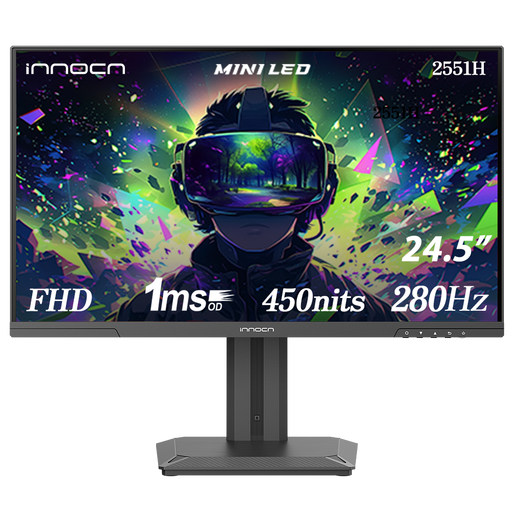
INNOCN 2551H 24.5-inch Mini LED monitor
The quoted colour spaces may suit a workflow where colour modes matter; bear in mind that the screen offers less workspace than a larger 4K layout.
FHD 1080p, 280 Hz, 450 nits and quoted coverage of 94% DCI-P3 and 99% sRGB. The product information states that the stand is height-adjustable.
View at Joybuy
 No image available
ASUS ProArt PA248CNV monitor
The listed sRGB and Rec.709 settings are relevant if they match your final work; check the resolution and available connections for your workflow.
24.1 inches, 1920 × 1200 pixels, 100% sRGB, 100% Rec.709 and factory calibration, according to the product information. The description lists USB-C with 90 W Power Delivery and a matt anti-glare screen. The WUXGA layout offers less screen and pixel space than 27-inch 4K.
View at Joybuy
Frequently asked questions about monitors for animation beside a window
How should you position a screen when a window lets in a lot of daylight?
Position your line of sight parallel to the window and use blinds or curtains if needed. Arboportaal recommends this approach for screen-based work; it doesn’t guarantee that a particular monitor will be glare-free in every workspace.
Should you automatically choose the widest colour space for animation?
No, choose the colour mode that matches the agreed final work. The BenQ PD2706U and ASUS ProArt PA279CRV list several colour settings; then check the settings in your own software and monitor.
Can a single USB-C cable carry video and charge a laptop?
Only if the computer can output video through that connection and the charging power is sufficient. BenQ specifies USB-C with DisplayPort Alt Mode and 90 W Power Delivery for the PD2706U; ASUS specifies USB-C with DP Alt Mode and 96 W for the PA279CRV. Also check which cable is included with the version you’re buying.
What rights apply when you buy a monitor online?
According to ACM ConsuWijzer, the statutory cooling-off period for an online purchase generally ends 14 days after delivery; check the applicable exceptions and returns policy. You’re also covered by the statutory guarantee if, under normal use, the product doesn’t do what you could reasonably expect. The seller must then provide an appropriate solution free of charge.
What information about workspaces and energy is relevant?
Employers have obligations concerning healthy screen-based work; Arboportaal covers topics including lighting, reflections and workspace setup. These requirements don’t necessarily amount to product specifications for every individual buyer. The European Commission states that computer monitors are covered by the energy label for electronic displays, with classes from A to G.


