
Vandaag of morgen in huis

Kwaliteit gegarandeerd

Welkomstaanbiedingen ontgrendelen: GRATIS bezorging | Tot 80% korting | Gratis 30 dagen JoyPlus-proefperiode
Download de app
An Android tablet can look appealing on paper: plenty of RAM, a large screen and a high-capacity battery. But a long list of specifications doesn’t automatically mean a tablet will work well for you. If you’re searching for the “best Android tablet”, it’s worth comparing the practical features first.
The most common buying mistakes are:
For studying, streaming and documents, a screen of 10 to 11 inches is often a practical choice. A 12.7- to 14-inch screen gives you more room to use two apps side by side, but makes the tablet less convenient to carry around.
As well as screen size, look at:
A high refresh rate doesn’t make up for a poor resolution. For a tablet used for streaming, it’s also important to check that it supports the streaming quality you want. Check whether services such as Netflix work in your preferred HD quality, too.
Don’t just look at the number of processor cores. The processor series, physical RAM capacity and storage type all affect how quickly apps open and how smoothly you can switch between them.
An entry-level processor is usually sufficient for simple tasks such as browsing, email and watching videos. For photo editing, multitasking or more demanding games, a more powerful chip makes sense. Also consider storage:
Virtual RAM uses some of the storage as temporary memory. Think of it as an extra feature, not a direct replacement for physical RAM.
A tablet with long battery life is especially useful for travelling, lectures and train journeys. A capacity of, for example, 8,000 to 10,000mAh gives you an indication, but actual battery life depends on screen brightness, Wi-Fi, mobile data and the apps you use.
If you want a tablet with 4G or dual SIM, check that:
A tablet without mobile connectivity may be cheaper and lighter. But for travellers, delivery drivers or students who often work on the move, 4G can be more practical than constantly searching for public Wi-Fi.
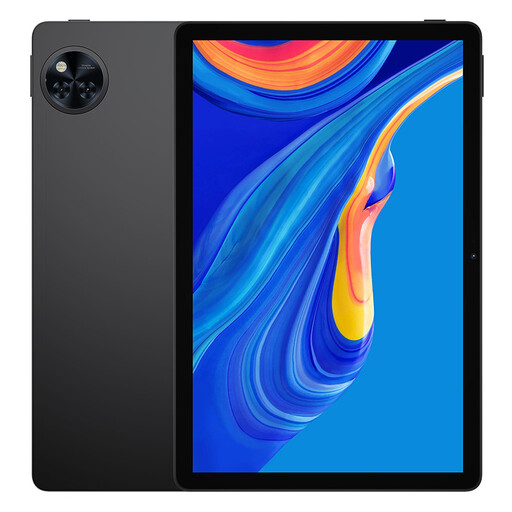
Why it suits this type of user: With an 11-inch IPS screen, 128GB of storage and support for expansion up to 2TB, this is a practical choice for browsing, studying, streaming and family use.
The product specifications list physical and expanded RAM separately. It also has a microSD slot, headphone socket and USB-C port.
90Hz screen, 8580mAh battery, Widevine L1 according to the product information, and storage expansion up to 2TB.
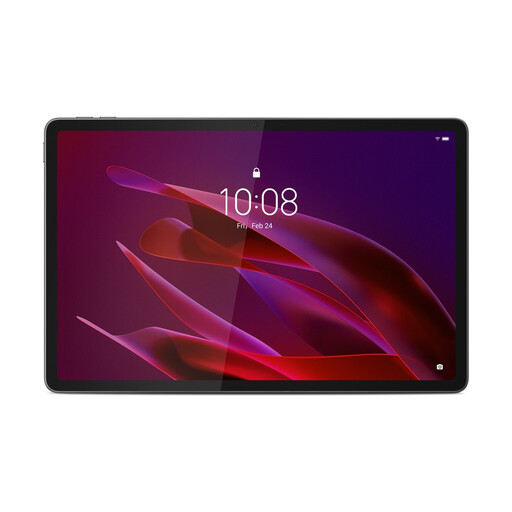
Why it suits this type of user: If you’re looking for an Android tablet for work, creative projects and entertainment, this model combines a sharp screen with powerful hardware and an included Tab Pen Pro.
The specifications clearly state 12GB LPDDR5X RAM and 256GB UFS 4.0 storage, making the physical memory and storage standard easier to identify.
11.1-inch 3.2K screen, 144Hz, Snapdragon 8 Gen 3, Wi-Fi 7 and Tab Pen Pro, according to the product specifications.
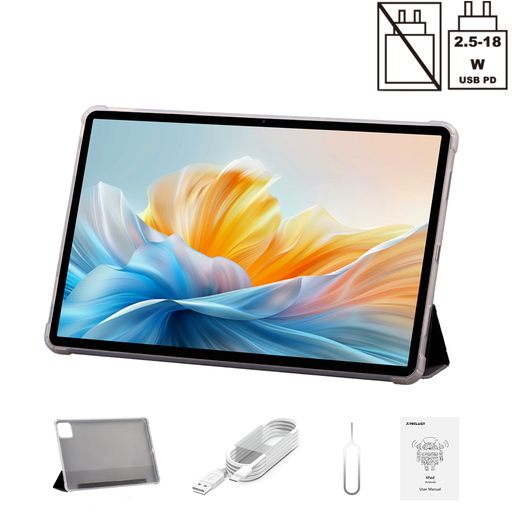
Why it suits this type of user: The 14-inch 2.2K screen and dual 4G support are designed for users who need plenty of screen space and mobile internet.
The product name and specifications separately state the screen resolution, dual 4G, 128GB ROM and 8GB of physical RAM with virtual expansion.
14-inch 2.2K display, Helio G100, 10,000mAh battery, 18W PD charging and a folio case, according to the product information.
We’ve put together a full, up-to-date list of products that meet these strict selection criteria and the applicable European safety regulations.
Yes, as long as the screen is comfortable to read, the battery has enough capacity and the tablet supports a suitable keyboard or stylus. Check in advance whether a keyboard is included or available separately. For taking notes, a tablet with a stylus may be more convenient than typing on the screen.
Its physical lifespan depends on battery use, storage space and how well you look after it. Software support varies by brand and product range. Check the manufacturer’s update policy, and don’t buy a model based only on a high RAM figure. Use a certified charger, don’t charge the tablet in a damp or very hot environment, and protect the screen from heavy pressure.
On top of the purchase price, a case, stylus, keyboard, memory card and charger may all add to the cost. A Wi-Fi-only model doesn’t need a mobile plan. With a 4G or dual-SIM tablet, you may also need a SIM card and a data plan from your network provider. Factor these ongoing costs into your comparison before buying a tablet.
