
Vandaag of morgen in huis

Kwaliteit gegarandeerd

Welkomstaanbiedingen ontgrendelen: GRATIS bezorging | Tot 80% korting | Gratis 30 dagen JoyPlus-proefperiode
Download de app
Buying an Android tablet may seem simple, until you start comparing specifications. Manufacturers use terms such as “lots of RAM”, “large storage capacity” and “long battery life”, but these descriptions do not always tell the full story. A tablet for streaming also has different requirements from a tablet for studying, mobile work or children.
Pay particular attention to these common pitfalls:
For reading, email and light study, an 11-inch tablet is often practical. It remains portable while offering more working space than a smartphone. A 13-inch tablet or larger is appealing for films, viewing documents side by side and creative tasks, but takes up more room in your bag.
As well as the size, look at the resolution and refresh rate. An IPS screen with, for example, 90Hz or 120Hz can display movement more smoothly. Support for higher playback quality is also relevant for streaming. Check the product details for Widevine L1 if you want to use streaming services at a higher resolution.
Together with the physical RAM, the processor determines how smoothly apps respond. For browsing, watching videos and using simple apps, an entry-level or mid-range chip is usually sufficient. For multitasking, photo editing or more demanding games, a more powerful processor makes more sense.
Pay attention to these points:
A tablet with a large battery is practical for travel, studying or long film sessions. However, the capacity in mAh does not provide an exact indication of battery life. Screen brightness, the processor, mobile data and background apps all have a significant impact.
For use at home, a tablet with Wi-Fi is usually sufficient. If you use your tablet on the go without a reliable hotspot, it is better to look for a model with 4G and dual SIM. Do check that the tablet supports SIM cards and is not Wi-Fi only.
Accessories can also influence your decision. A tablet with a pen is suitable for taking notes and sketching when active stylus support is specified. A tablet with a keyboard is more convenient for longer texts, but check whether the keyboard is included or needs to be purchased separately.
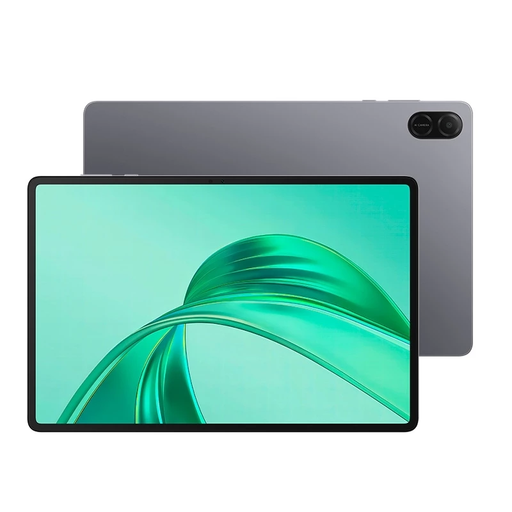
Why it suits this profile: This Wi-Fi model is designed for everyday browsing, watching videos and using simple apps. The 11-inch screen is suitable for use at home or on the go.
The product information clearly states 64GB storage and Wi-Fi connectivity. This means you will not buy a mobile model assuming that 4G is included.
11-inch screen, Wi-Fi connection and USB-C port for everyday use.
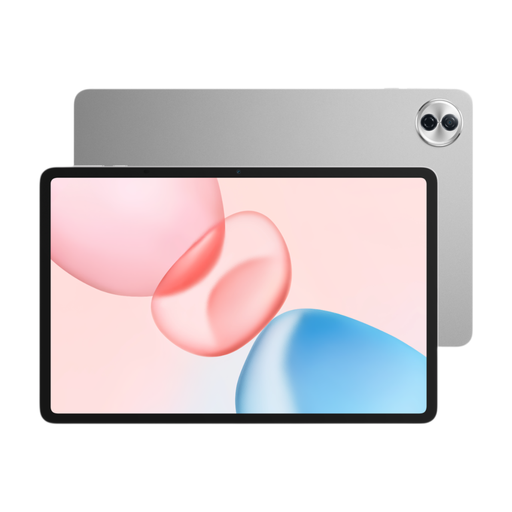
Why it suits this profile: The combination of a 12.1-inch display, 256GB storage, 8GB RAM and a 2.5K screen is well suited to streaming, multitasking and home entertainment.
The storage and RAM capacities are listed separately. This makes it easier to assess how much space and physical memory are available.
2.5K resolution, 120Hz refresh rate, 10,100mAh battery and six speakers according to the product information.
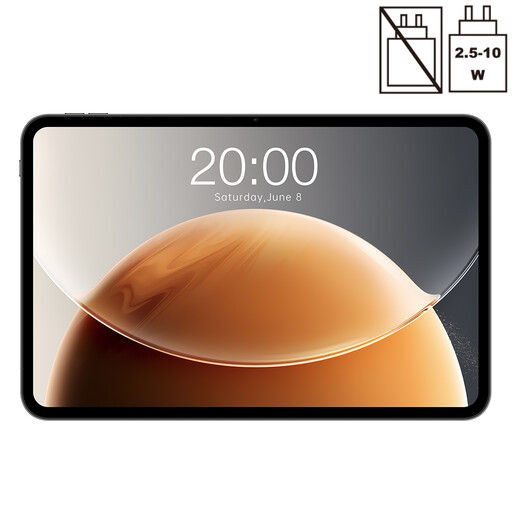
Why it suits this profile: This large model is designed for users who want to combine a spacious screen with mobile internet for streaming, documents and working on the go.
Dual SIM 4G and 5G Wi-Fi are listed separately in the specifications. This makes the difference between mobile internet and Wi-Fi clearer.
13.4-inch screen, 120Hz, 128GB storage, dual-SIM 4G and GPS according to the product listing.
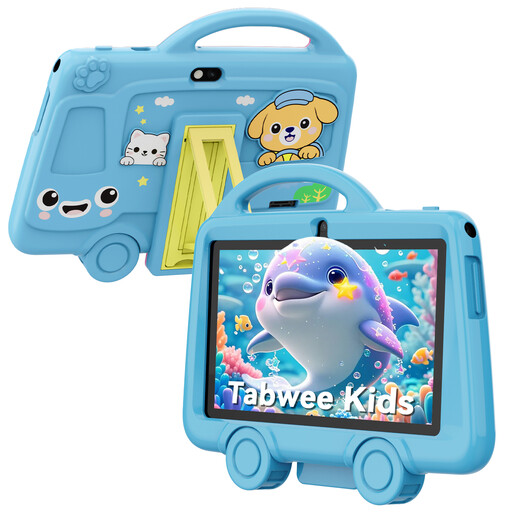
Why it suits this profile: Its compact size, low weight and included protective case make this model practical for supervised use by children.
The product information states 2GB RAM, 32GB storage, 2.4GHz Wi-Fi and a 7-inch screen. This keeps expectations appropriate for basic use.
285 grams, 3,000mAh battery, headphone socket and protective case according to the specifications.
We have put together a complete, up-to-date list of products that fully meet these strict selection criteria and the applicable European safety regulations.
Yes. If you use a reliable Wi-Fi network at home, school or the office, a Wi-Fi model is usually sufficient. For train journeys, holidays or working in locations without Wi-Fi, a tablet with 4G is more practical. You will need a SIM card and mobile data plan for this.
Its lifespan depends on the battery, build quality, software support and how intensively it is used. A tablet may remain technically usable for longer than the period during which new system and security updates are available. Before buying, therefore, check the brand’s information about updates. Also use a suitable USB-C charger and do not charge the tablet in a hot or damp environment.
With a Wi-Fi tablet, there are usually no fixed costs after purchase, apart from accessories and any cloud storage. A 4G model may require an additional mobile plan or data bundle. Streaming services may also charge a subscription fee. Make sure you distinguish between the purchase price, accessories, mobile internet and software subscriptions.
