
Vandaag of morgen in huis

Kwaliteit gegarandeerd

Welkomstaanbiedingen ontgrendelen: GRATIS bezorging | Tot 80% korting | Gratis 30 dagen JoyPlus-proefperiode
Download de app
An Android tablet can be useful for streaming, studying, video calls, work and using on the go. However, it’s not wise to focus only on RAM, screen size or a low price. Marketing terms such as “lots of memory”, for example, may refer to virtual RAM, while a large screen doesn’t automatically mean a sharp picture.
This practical checklist will help you quickly see which specifications matter and which models suit different needs.
Product pages sometimes state, for example, 20 GB RAM, some of which is virtual memory. This virtual portion uses storage space and doesn’t work in the same way as physical RAM. For simple apps and streaming, 3 or 4 GB of physical RAM may be enough. If you often switch between several apps, 8 GB of physical RAM is a better choice.
A 10-inch tablet is usually lightweight and easy to hold. An 11-inch tablet gives you more room for documents and split-screen use. Models measuring 12, 13 or 14 inches are great for films, drawing and productivity, but are less compact. As well as the size, check the resolution, brightness and refresh rate.
128 GB may seem like plenty, but apps, downloads and videos take up space quickly. So check whether the tablet supports a microSD card. If you need internet access on the go, choose a 4G LTE tablet or a tablet with a SIM card. A Wi-Fi model can’t connect to a mobile network on its own, even if your phone is usually nearby.
For reading, studying and standard streaming, an IPS screen with at least 1,920 × 1,200 pixels is a practical starting point. A 2K or 2.5K screen shows finer detail, particularly on an 11-inch tablet or larger.
A refresh rate of 90Hz or 120Hz generally makes scrolling and animations smoother than 60Hz. It doesn’t automatically mean better picture quality. Always consider the combination of resolution, brightness and panel type.
An octa-core processor is just one part of a tablet’s performance. Also consider the chip series, the amount of physical RAM and the type of storage. For studying, video calls and streaming, a mid-range chip is often enough. For heavier multitasking, larger documents or demanding games, a more powerful processor with 8 GB of physical RAM makes more sense.
A higher battery capacity can help you use your tablet for longer, but actual battery life depends on brightness, apps, network and volume. So don’t compare mAh alone. Also check for USB-C charging, fast charging, a headphone jack and an included charger.
If you’re considering a tablet with a pen, check whether the stylus is included or needs to be bought separately. The same applies to a tablet with a keyboard. An included case, stand or Bluetooth accessory can affect the overall cost.
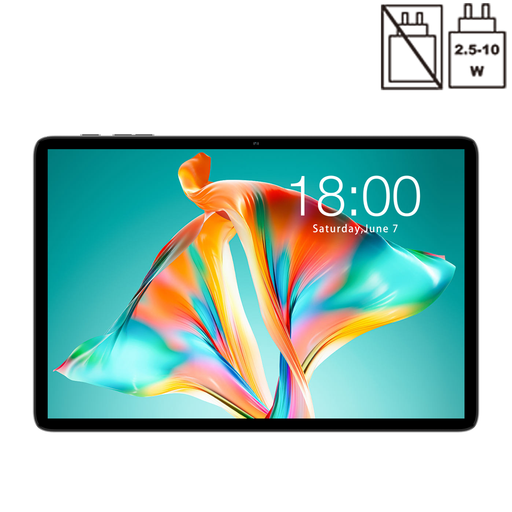
Why it suits this type of user: This 10.1-inch model is designed for everyday basics such as browsing, watching videos and making simple video calls.
The product details list 128 GB of storage and microSD support. This means you don’t have to rely solely on a high RAM figure in the marketing.
10.1-inch IPS screen, 128 GB of storage, 120Hz refresh rate and USB-C connection.
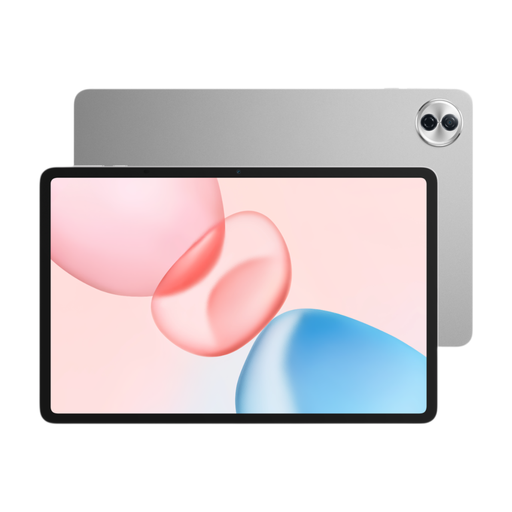
Why it suits this type of user: The combination of a 12.1-inch screen, 8 GB of RAM and 256 GB of storage is well suited to intensive multitasking and streaming.
The 2.5K screen resolution and 120Hz refresh rate are listed separately. This makes it easier to assess sharpness and smoothness than if you looked at screen size alone.
Snapdragon 7 Gen 3, 256 GB of storage, a 10100mAh battery according to the product information, and six speakers.
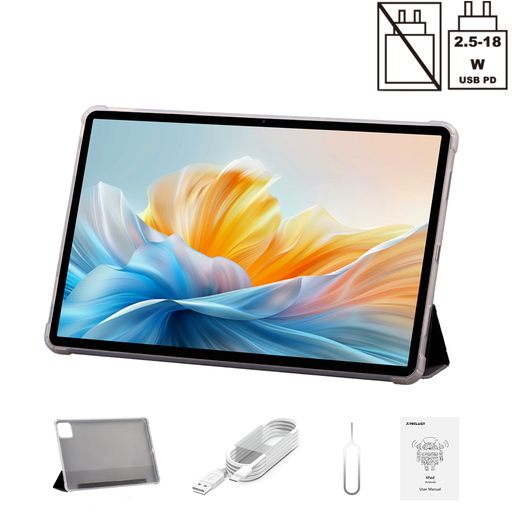
Why it suits this type of user: The large 14-inch screen and dual 4G functionality are designed for users who need plenty of screen space and mobile connectivity.
The product listing specifies both the 2.2K screen and Dual SIM 4G and 5G Wi-Fi. This lets you check whether the device suits your mobile connectivity needs.
14-inch 2.2K screen, 10,000mAh battery, 128 GB of storage and an included folio case according to the product details.
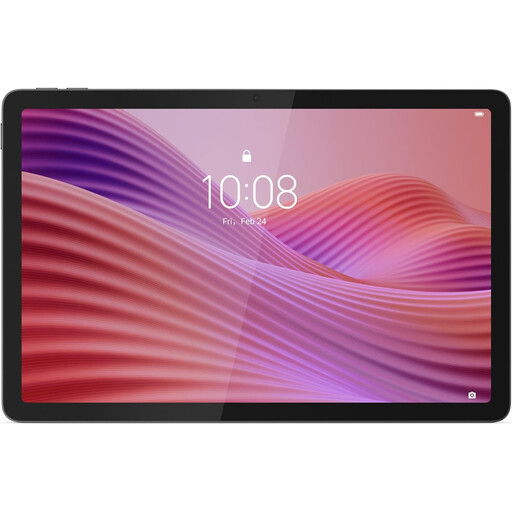
Why it suits this type of user: This model combines a compact size with 4G LTE and a Nano-SIM slot, so you can use it away from Wi-Fi networks.
The mobile connection is clearly specified as 4G LTE with Nano-SIM. This avoids confusion with a tablet that only connects over Wi-Fi.
10.1-inch WUXGA screen, 128 GB of storage, microSD expansion and an included protective case.
We’ve put together a complete, up-to-date list of products that meet these strict selection criteria and the applicable European safety regulations.
Yes, an Android tablet can be suitable for online lessons, PDFs, note-taking and word processing. Ideally, choose a 10- or 11-inch screen, at least 128 GB of storage and pen support if you want to make handwritten notes. Also check whether a keyboard accessory is compatible.
How long it lasts depends on software updates, battery use, storage and build quality. A tablet with expandable storage remains practical as your files build up. Use a suitable USB-C charger, don’t charge it in a hot or damp environment, and keep the device up to date in line with the manufacturer’s instructions.
As well as the purchase price, you’ll need a mobile data plan or an additional SIM card. Costs depend on your provider and data allowance. Before buying, check that the model supports the LTE bands you need and that your SIM card size, such as Nano-SIM, is compatible.
