
Vandaag of morgen in huis

Kwaliteit gegarandeerd

Welkomstaanbiedingen ontgrendelen: GRATIS bezorging | Tot 80% korting | Gratis 30 dagen JoyPlus-proefperiode
Download de app
By: Joybuy Product Recommendation OfficerDate: 07-04-2026
Finding the right Android tablet can be a challenge. The market is saturated with options, specifications, and marketing jargon. Are you looking for a functional tablet for entertainment, school, or light work without overspending? Then this guide is for you. As a Joybuy Product Recommendation Officer, I'll help you cut through the noise and make a choice that fits your needs and budget. We focus on specifications and practical usability, not brand recognition.
Before we get to the recommendations, here are a few key considerations to help you make an informed decision.
The screen size largely defines the user experience. A 10-inch tablet is a popular sweet spot: compact enough to carry, yet large enough for movies and documents. For those who want more screen real estate for multitasking or an immersive movie experience, an 11-inch tablet or larger is a better option. Also, pay attention to the refresh rate (expressed in Hz). A screen with 90Hz or higher provides smoother visuals when scrolling and in videos, which is easier on the eyes.
Don't be intimidated by technical jargon. For a smooth experience, two things are important: RAM (Random Access Memory) and storage.
Are you thinking about using the tablet for productivity as well? A tablet with a keyboard can replace a laptop for light tasks. Some models come as a complete set, including a keyboard, mouse, and stylus. This is often a cost-effective choice for a tablet for school or working from home. Also, check whether the tablet only supports Wi-Fi or also has a SIM card slot (4G/5G) for internet on the go.
Based on specifications, functionality, and price-to-performance ratio, we have selected a few compelling models.
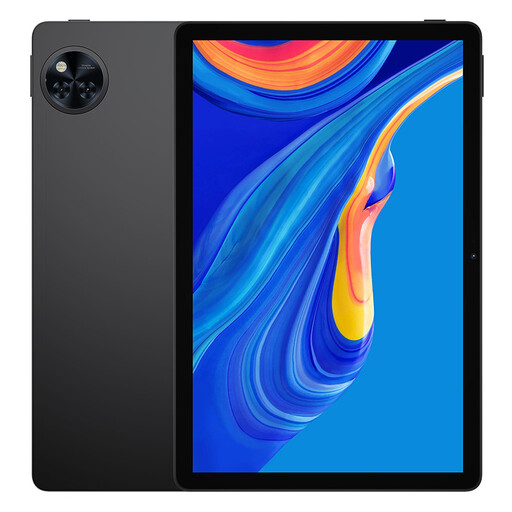
Why It Stands Out: The DOOGEE U11 combines a modern Android 15 operating system with a smooth 11-inch 90Hz display. This creates a pleasant viewing and user experience not often found in this price range. Support for Widevine L1 means you can watch content from streaming services in HD quality.
Advantages:
Who is this tablet for? Ideal for families and students looking for an all-around tablet for entertainment, online classes, and daily tasks. An excellent choice if you're looking for a smooth 11 inch tablet at a competitive price.
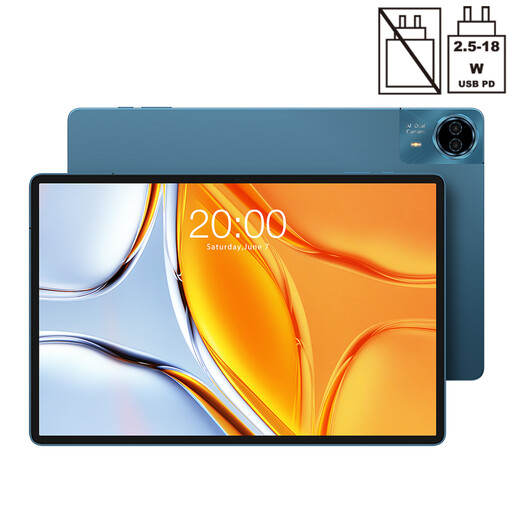
Why It Stands Out: With its massive 14-inch screen, the Teclast T70 is a standout device. This size, combined with a powerful Helio G99 processor and 4G/5G connectivity, makes it a compelling alternative to a small laptop, especially for media consumption and productivity.
Advantages:
Who is this tablet for? For the user who prioritizes screen real estate above all else. Perfect for those who watch a lot of movies, read digital magazines, or want to use the tablet as a portable second screen. A Teclast tablet that targets the power user.
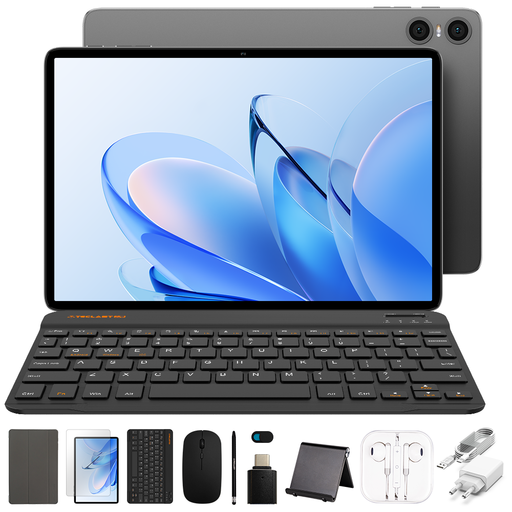
Why It Stands Out: The Teclast P30T is a complete productivity solution in one package. This 10.1-inch tablet comes with a Bluetooth keyboard, mouse, and stylus. This makes it exceptionally good value for students or remote workers who want to get started right away.
Advantages:
Who is this tablet for? The perfect tablet for school or for anyone looking for an affordable and complete tablet with keyboard. If you need a light, portable machine for typing and browsing, this is a smart choice.
These recommendations represent a selection of what's available. Everyone has different needs. Are you looking for a different size, specific features, or do you just want to compare more options?
Then check out our full range and find the affordable tablet that's right for you.
For basic use like web browsing, emailing, and watching videos, 4GB of RAM is generally sufficient. If you plan to multitask heavily (multiple apps open at once), play lighter games, or use the tablet for work, we recommend choosing a model with 6GB or 8GB of RAM for a noticeably smoother experience.
That depends on your usage. For tasks like email, word processing, online banking, and attending online lectures, an Android tablet with a keyboard can be an excellent replacement. They are lighter and often have longer battery life. For demanding software like video editing, graphic design, or programming, a laptop remains the better choice due to its processing power and specialized software.
The Teclast brand focuses on offering tablets with competitive specifications at an accessible price. You'll often find features in a Teclast tablet like a large battery, ample RAM and storage, or an included accessory set, which gives them a strong price-to-performance ratio for price-conscious consumers.
