
Vandaag of morgen in huis

Kwaliteit gegarandeerd

Welkomstaanbiedingen ontgrendelen: GRATIS bezorging | Tot 80% korting | Gratis 30 dagen JoyPlus-proefperiode
Download de app
Buying a new Android tablet can feel like navigating a maze of specifications and marketing promises. One tablet boasts a massive amount of RAM, while another has a rock-bottom price but lacks crucial accessories. As a Product Recommendation Specialist at Joybuy, I see where many people go wrong. This guide will help you recognise the pitfalls and choose a tablet that fits what you truly need.
Before you buy a tablet, it's crucial to know what to look for. Many deals seem too good to be true, and sometimes they are. These are the most common traps:
To make an informed choice, focus on the specifications that truly matter for your use case.
Don't be misled by virtual RAM. Look at the physical RAM for a realistic assessment of performance.
An octa-core (eight-core) processor is the standard today and offers a good balance between performance and power efficiency.
The ideal screen size depends on your purpose. A 10 or 11-inch tablet is a great all-rounder, while a 13 or 14-inch model is more suited for media consumption or as a laptop replacement. Pay attention to:
A battery capacity of 7,000 mAh or more will get you through the day without constantly needing to recharge. For connectivity, dual-band Wi-Fi (2.4GHz and 5GHz) is important for a stable and fast internet connection.
Below are some popular choices, matched to different user profiles. These aren't "winners," but practical options that score well on the criteria mentioned above.
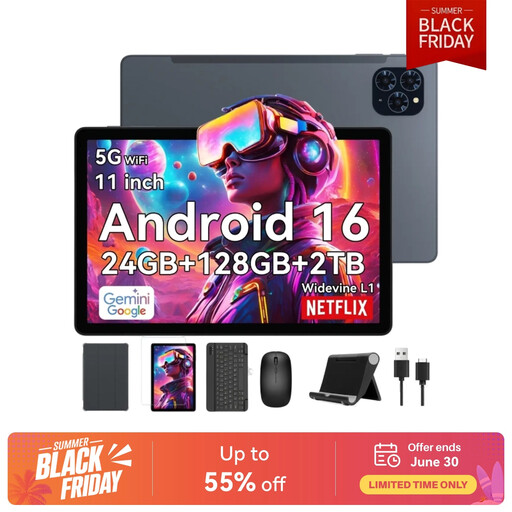
Why This Fits Their Persona: Ideal for students looking for a complete package without extra expenses. With a keyboard and stylus included, this tablet is ready for note-taking and writing papers right out of the box.
This bundle sidesteps the pitfall of hidden costs. All necessary accessories (keyboard, mouse, stylus) are included, making it a cost-effective entry point.
8 GB of physical RAM for smooth multitasking and Widevine L1 support for HD streaming after study sessions. The 8000mAh battery is more than enough for a long day on campus.
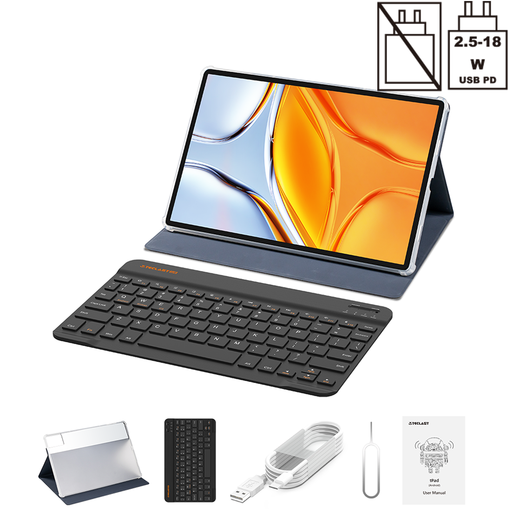
Why This Fits Their Persona: Perfect for those who love watching movies and series on a large screen. The 14-inch size offers an immersive experience, ideal for family entertainment.
This Teclast tablet combines a large screen with a high 2.2K resolution and Widevine L1. This ensures you can actually enjoy the HD quality offered by streaming services, without a pixelated image.
The massive 14-inch screen is its primary selling point. The 10,000mAh battery provides hours of viewing pleasure, and the included case and keyboard make it a versatile device.
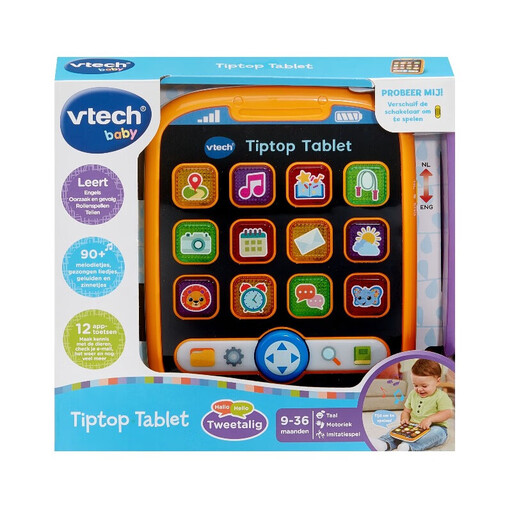
Why This Fits Their Persona: This isn't a standard Android tablet, but a specially designed kids' tablet for the little ones (from 9 months). It's focused on learning through play and is built to withstand bumps and drops.
This tablet avoids the complexity and fragility of a regular tablet. It's designed with child safety and durability as priorities, without complex settings or access to inappropriate content.
The focus is on educational content, with bilingual (NL/EN) games about counting, animals, and the weather. Its sturdy design and automatic shut-off feature make it a worry-free choice for parents.
For those seeking a tablet for more specialized tasks, we have compiled a complete, up-to-date list of products that meet our strict selection criteria.
For general use, such as browsing and watching videos, 4 to 6 GB of physical RAM is sufficient. For studying, multitasking, or light gaming, we recommend 8 GB of physical RAM for a future-proof and smooth experience. Pay close attention to the distinction between physical and virtual RAM in the specifications.
Widevine is a Digital Rights Management (DRM) technology used by streaming services. There are several levels, but Widevine L1 is the highest certification. Only devices with L1 can play content from services like Netflix, Amazon Prime Video, and Disney+ in Full HD (1080p) or higher resolutions. Without L1, you are limited to standard definition (usually 480p), which does not look sharp on a modern tablet screen.
For many academic tasks, yes. A tablet with a keyboard is ideal for taking notes, writing essays, attending online lectures, and conducting research. For heavy software like video editing or complex data analysis, a laptop is often still the better choice. However, for most students, a powerful Android tablet is a versatile and lighter alternative.
