
Vandaag of morgen in huis

Kwaliteit gegarandeerd

Welkomstaanbiedingen ontgrendelen: GRATIS bezorging | Tot 80% korting | Gratis 30 dagen JoyPlus-proefperiode
Download de app
Choosing a new AM5 motherboard for your AMD Ryzen processor can feel like navigating a minefield of marketing terms and technical specifications. Manufacturers promise the world, but in practice, many choices lead to unnecessary costs or disappointing performance. As a Joybuy Product Recommendation Officer, I'm here to help you see through the hype and select a board that truly fits your needs. Let's discuss the most common pitfalls for PC builders in the UK.
Before you buy a motherboard, it's crucial to know what to look for to avoid buyer's remorse. These are the three most common mistakes:
To make the right choice, let's focus on the specifications that truly matter. Don't be distracted by flashy RGB lighting; look at the technical foundation.
The VRM is responsible for delivering a stable and precise voltage to your CPU. For a high-end Ryzen 7 or 9 processor, a motherboard with a powerful VRM (e.g., 14+2 phases or more) and robust heatsinks is a requirement. This prevents performance loss under heavy loads, such as during gaming or video editing. An X870E motherboard often excels here, but many B850 motherboard models also offer excellent power delivery for most users.
The AM5 generation is all about speed. Pay attention to the following:
The form factor of your motherboard determines which case it fits into and how many expansion slots you have.
Below are some motherboards that score well on the above criteria, tailored to specific user profiles.
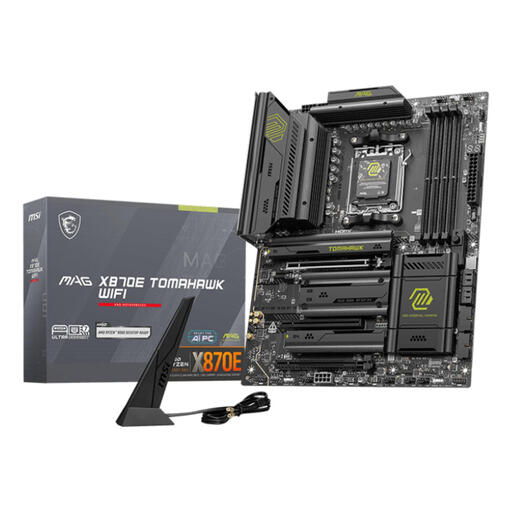
Why This Fits Their Persona: Ideal for the user who wants to get the absolute maximum out of a Ryzen 9000 series processor. This board is built for overclocking, heavy multitasking, and the very latest components.
The robust power delivery and cooling are designed for the most demanding CPUs, helping you avoid pitfall #2 (instability). The X870E chipset fully utilizes PCIe 5.0 bandwidth, which is a necessity, not a luxury, for this target audience.
Full support for PCIe 5.0 on both the x16 slot and M.2 slots. Equipped with Wi-Fi 7 and 5 Gigabit Ethernet for ultra-fast network connections.
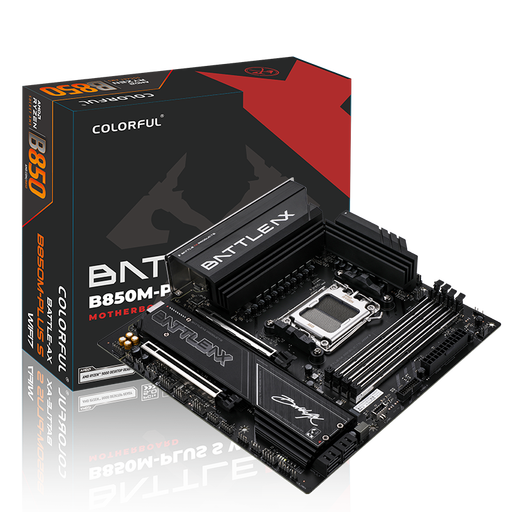
Why This Fits Their Persona: This user is looking for a strong price-to-performance ratio. It provides a solid foundation for a high-end gaming PC with a Ryzen 7 or 9, without paying for extreme overclocking features.
This B850 board offers key features like PCIe 5.0 for the GPU and Wi-Fi 7 but cuts back on extras that most gamers don't need. This helps you avoid pitfall #1 (paying too much for unused features).
An M-ATX board with Wi-Fi 7, 5G LAN, and a PCIe 5.0 x16 slot. The power delivery is more than sufficient for most gaming CPUs.
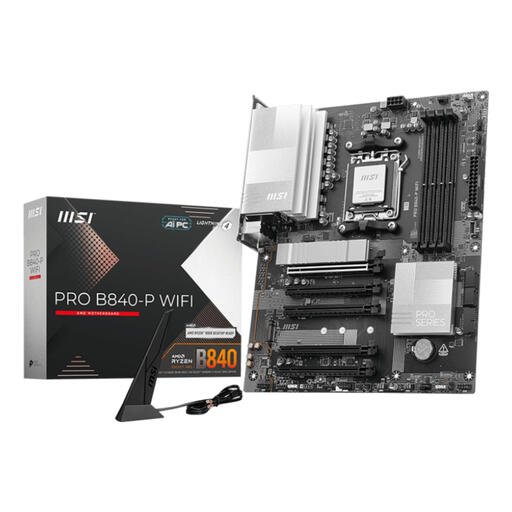
Why This Fits Their Persona: Perfect for those who want to build a reliable and modern AM5 system with a Ryzen 5 or 7 without breaking the bank. Focuses on essential features and stability.
This board focuses on what's truly necessary: a stable foundation with modern connectivity. MSI's user-friendly BIOS helps prevent pitfall #3 (complex setup). You don't pay for superfluous luxuries.
Offers modern standards like Wi-Fi 7 and DDR5 support on a cost-effective B840 platform. A reliable MSI motherboard at a competitive price.
We have compiled a complete, up-to-date list of products that fully meet these strict selection criteria and UK regulations.
Not necessarily. An X870E motherboard is primarily aimed at enthusiasts who want to get the absolute most out of their system with multiple PCIe 5.0 devices and extreme overclocking capabilities. For most users, including gamers with a high-end Ryzen 9000 processor, a high-quality B850 motherboard with a strong VRM provides all the necessary performance and features.
The newer 800-series chipsets (like B850) are specifically designed with the Ryzen 9000 series in mind. They mandate support for faster DDR5 memory (EXPO) and USB4. Although a B650 motherboard can also work with Ryzen 9000 CPUs after a BIOS update, B850 boards often provide a more streamlined out-of-the-box experience and more modern connectivity standards like Wi-Fi 7.
Very important. The VRM regulates the power supply to the processor. A weak or poorly cooled VRM can overheat under heavy load, causing the motherboard to reduce the CPU's clock speed (throttling) to prevent damage. This results in lower performance. Especially when pairing a powerful processor with an AM5 motherboard, a model with a robust VRM and good cooling is essential for stable and optimal performance.
