
Vandaag of morgen in huis

Kwaliteit gegarandeerd

Welkomstaanbiedingen ontgrendelen: GRATIS bezorging | Tot 80% korting | Gratis 30 dagen JoyPlus-proefperiode
Download de app
Building a new PC around AMD's latest processors is an exciting project. But the search for the perfect AM5 motherboard can quickly become overwhelming. Manufacturers bombard you with technical terms and marketing promises. How do you know what you really need and where you're paying for unnecessary extras?
As a Joybuy Product Recommendation Officer, I'm here to help you cut through the noise. We'll focus on the facts so you can make an informed decision. Let's look at two common pitfalls that PC builders fall into.
To avoid buyer's remorse, it's crucial to understand a few key specifications. These determine the performance, compatibility, and future-readiness of your system.
The chipset is the nerve center of your motherboard and largely defines its capabilities. For the AM5 platform, these are the main choices for the new motherboard for the Ryzen 9000 series:
The Voltage Regulator Module (VRM) ensures a stable power supply to your processor. Instead of just fixating on the number of phases, pay attention to these two factors:
A modern AM5 system is built on high-speed connections.
Based on these criteria, we have selected a few motherboards that suit different user profiles.
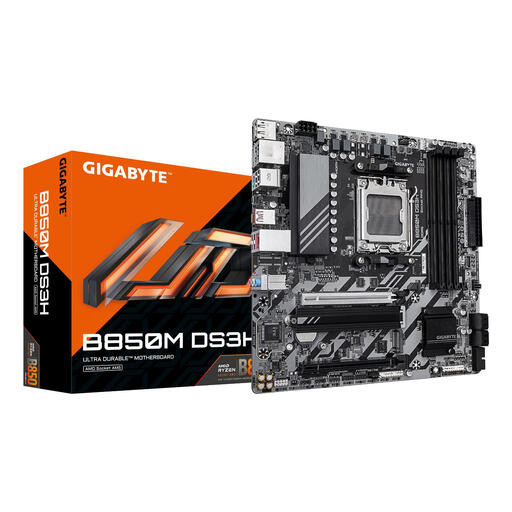
Why This Fits Their Persona: Ideal for those who want to build a powerful yet affordable system. This board focuses on the essentials for a modern PC, perfect for a Ryzen 5 or 7 processor and a solid gaming experience without paying a premium.
This board avoids costly extras like WiFi 7 or an excessive VRM. It smartly invests in a PCIe 5.0 M.2 slot, which offers a noticeable benefit for storage speed, without making you pay for a PCIe 5.0 GPU slot you likely don't need.
Features a B850 chipset with support for fast DDR5 memory and a 2.5Gbps LAN port. The 8+2+2 phase VRM is more than sufficient for the intended processors.
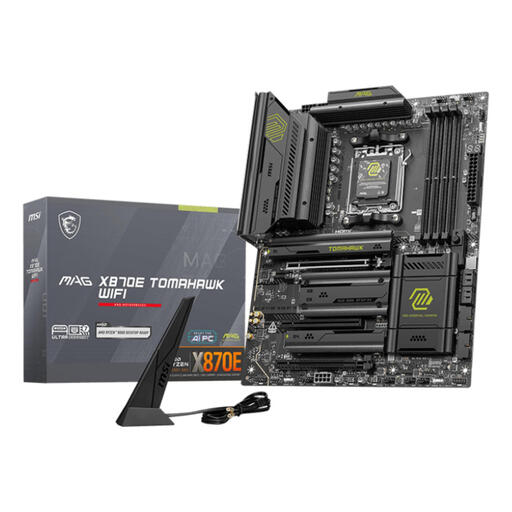
Why This Fits Their Persona: For the user who wants top-tier performance for gaming and content creation. This board is built to pair a Ryzen 7 or 9 processor with a fast graphics card and storage, without compromising on connectivity.
Although this is a high-end board, it offers a balanced package. The X870E chipset is a deliberate choice for those who want PCIe 5.0 on both the GPU and M.2. The VRM is powerful but not overkill, with a focus on good cooling for stable performance.
Completely future-proof with WiFi 7, 5Gbps Ethernet, and support for extremely fast DDR5 memory up to 8400 MHz (OC). The robust build quality and cooling are hallmarks of the TOMAHAWK series.
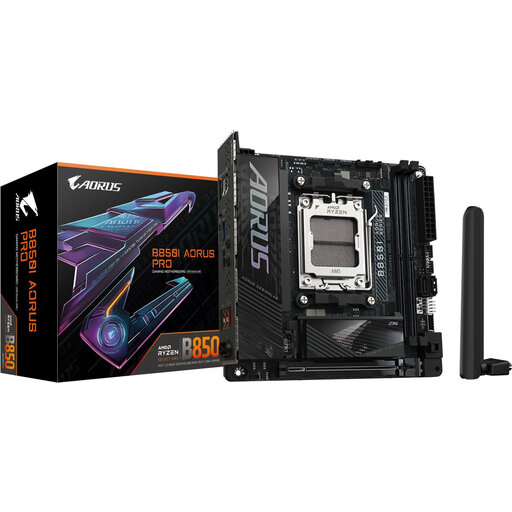
Why This Fits Their Persona: Perfect for those who want to build a small but extremely powerful Mini-ITX PC. This board proves you don't have to compromise on performance and features, even in a compact case.
This board is a model of efficiency. Despite its B850 chipset, it offers features normally found on more expensive boards, like PCIe 5.0 for both the GPU and an M.2 slot. You're not paying for a larger size, but for the high-end features you need.
The combination of a Mini-ITX form factor with a powerful 8+2+1 VRM (with 80A stages), WiFi 7, and 2.5Gbps LAN is rare. It provides the foundation for a top-tier SFF (Small Form Factor) build.
We have compiled a complete, real-time list of products that fully satisfy these strict selection criteria and UK safety regulations.
No, not necessarily. A Ryzen 9000 processor will also work perfectly well on a B850 or even an older B650/X670 motherboard, provided you update the BIOS. The choice depends on the features you're looking for. If you want PCIe 5.0 for both your graphics card and M.2 SSD and the most extensive overclocking capabilities, then an X870E is a good choice. For most users, including gamers, a B850 motherboard offers more than enough performance and features.
Yes, AMD has stated it will continue to support the AM5 platform until at least 2027. This means you will likely be able to upgrade your processor in the future without needing to buy a new motherboard. Furthermore, the inclusion of standards like DDR5 and PCIe 5.0 ensures your system will remain relevant for new components and software for years to come.
Look beyond just the number of phases. Quality is more important. Check the specifications for the amperage rating (in Amps, A) of the power stages and the size of the heatsinks on the VRM. A board with 8 high-quality 80A phases and a large heatsink can be more stable than a board with 12 cheaper 60A phases and minimal cooling, especially when putting a powerful processor under heavy load.
