Who is this choice relevant to?

Teacher using a shared school PC

You prepare lessons at a workstation that colleagues use too. If you handle pupil data there, check with the school which technical and organisational privacy measures apply. The Dutch Data Protection Authority explains schools’ accountability obligations.

Teacher who spends a long time reading source material

You switch between historical sources, notes and teaching materials, and want to be able to set up the screen properly before you start work. The Secondary Education Health and Safety Catalogue emphasises that the workstation set-up should be adjustable to suit each individual employee.

Teacher with an existing monitor

You want to check whether a compact computer can connect to your current monitor and peripherals. Lenovo states that the monitor and keyboard are sold separately for the ThinkCentre neo 50q Gen 4 Tiny 12LM006LEZ.

What should you consider when choosing?

All-in-one PC

A good fit if: you need a monitor for the shared desk and want the computer and screen together as one unit.

Check: screen positioning and connections vary by model. MSI lists a height-adjustable stand for the Modern AM242P 1M; check the exact version.

Compact desktop with a separate monitor

A good fit if: you already have a suitable monitor or want to choose the screen and computer separately.

Check: check the monitor, keyboard, mouse and connections separately. Lenovo states that the monitor and keyboard are not included with the 12LM006LEZ configuration reviewed.

What to consider What should you check? Who is this most relevant to?
Shared use and data protection Agree the operating system, accounts, storage and permitted applications with the school administrator. A PC name or Windows edition does not show that privacy measures are in place. If I share the computer with colleagues and may handle pupil data on it, I want to know what set-up the school allows. Around 33% of consumers prioritise shared use and data protection.
Screen adjustment and posture Check the adjustment options on the exact model and assess the screen position, lighting and any reflections at the workstation. The Dutch Working Conditions Portal outlines things to consider for employees who work with screens. If different colleagues spend a long time reading source material, I want to be able to adjust the screen to suit each user. Around 27% of consumers prioritise screen adjustment and posture.
Multiple lesson windows and files Compare the memory and storage with the programmes and files you actually use; don’t base your choice on the processor name alone. When I have sources, notes and teaching materials open at the same time, I want to check that the configuration is suitable for those tasks. Around 20% of consumers are most concerned with handling several lesson-related tasks at once.
Complete purchase and replacement Make a list of the accessories you already have and those included, and check that the monitor and input devices connect to the computer. Lenovo states that the monitor and keyboard are sold separately for the ThinkCentre neo 50q Gen 4 Tiny 12LM006LEZ configuration reviewed. If I want to reuse existing equipment or replace the computer separately later, I want to know what the order includes in advance. Around 20% of consumers prioritise a complete purchase and easy replacement.

Common purchasing mistakes

  • Comparing a mini PC with an all-in-one as if both were complete workstations

    The monitor and keyboard are sold separately with the Lenovo ThinkCentre neo 50q Gen 4 Tiny 12LM006LEZ configuration reviewed.

    Before buying, note which accessories you already have and check that the connections are compatible with your existing monitor.

  • Assuming every integrated screen is well positioned for every user

    The workstation set-up should suit the user. MSI specifies height adjustment for the Modern AM242P 1M; this does not automatically apply to every all-in-one.

    Check the adjustability of the exact model and try the set-up in the intended location.

  • Mistaking a security feature for a complete privacy policy

    When pupil data is processed, the school must be able to account for its technical and organisational measures, according to the Dutch Data Protection Authority.

    Discuss your computer choice and its set-up with the responsible school administrator before processing pupil data on it.

Brands to compare

MSI

The Modern AM242P 1M range is worth comparing if screen adjustment is important at a shared desk.

  • MSI specifies a 23.8-inch IPS screen, HDMI-in and HDMI-out, and a stand with 0–130 mm of height adjustment for this range.
  • The specifications cover several versions; check the memory, storage and connections on the exact model.

Lenovo

The ThinkCentre neo 50q Gen 4 Tiny is a compact desktop worth comparing if you want to use a separate monitor.

  • Lenovo lists Windows 11 Pro, 16 GB of memory and a 512 GB SSD for configuration 12LM006LEZ.
  • The monitor and keyboard are sold separately with this configuration; these features do not automatically apply to every ThinkCentre PC.

HP

The OmniStudio all-in-ones are an option to compare if you want a computer and screen together.

  • HP lists a 23.8-inch Full HD screen, 12 GB RAM, a 512 GB SSD, and an included wireless mouse and keyboard for the OmniStudio 24cu0612nd.
  • Don’t assume the screen is height-adjustable unless this is confirmed for the version you choose.

Dell

The Dell Pro Micro QCM1250 is a compact business desktop to consider for a workstation with a separate monitor.

  • Dell lists Windows 11 Pro, 16 GB of memory and a 512 GB SSD for the configuration shown.
  • The product page offers configuration options; check the version you choose and any required peripherals separately.

Joybuy products for this workstation

This selection includes all-in-one PCs and compact desktops for planning lessons at a desk, depending on whether you want an integrated or separate monitor.
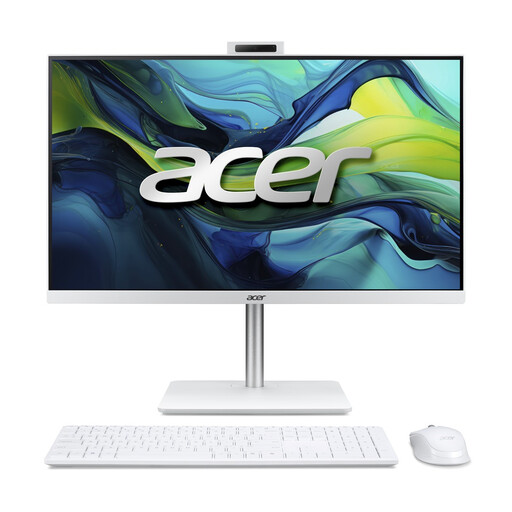
Acer Aspire C24-A WI5418 NL all-in-one PC

Acer Aspire C24-A WI5418 NL All-in-One PC

An all-in-one for a desk where you want the computer and screen together as one unit.

23.8-inch Full HD IPS screen; Intel Core 5 120U; 16 GB DDR5; 1 TB PCIe NVMe SSD; Intel Graphics; Windows 11 Home.

View at Joybuy
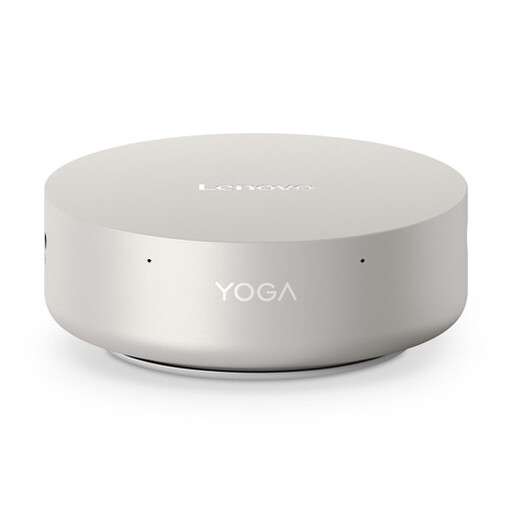
Lenovo Yoga Mini 01IPH11 Copilot+ PC

Lenovo Yoga Mini 01IPH11 Copilot+ PC

A mini desktop for a workstation where you want to use a separate monitor.

Intel Core Ultra 5 325; 16 GB LPDDR5X; 512 GB PCIe 4.0 SSD; Intel Graphics; Wi-Fi 7; Windows 11 Home.

View at Joybuy
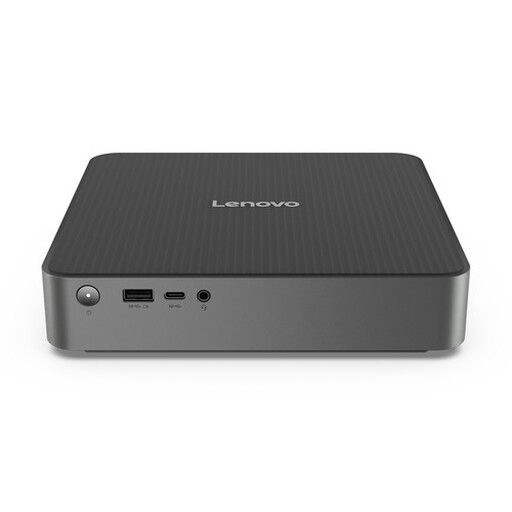
Lenovo IdeaCentre Mini PC

Lenovo IdeaCentre Mini PC

A compact desktop for a set-up with a monitor chosen separately.

View at Joybuy
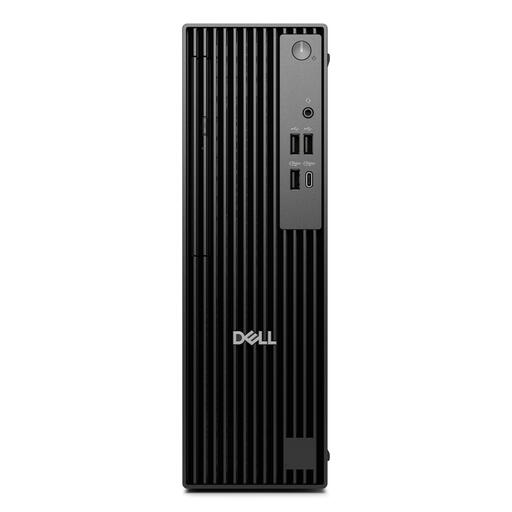
Dell Pro QCS1250 Intel Core Ultra 5 235 Slim PC

Dell Pro QCS1250 Intel Core Ultra 5 235 Slim PC

A desktop for a workstation with a separate monitor; bear in mind the specified power adapter.

Intel Core Ultra 5 235; 16 GB DDR5-SDRAM; 512 GB SSD; Windows 11 Pro.

View at Joybuy

MSI CUBI NUC AI 1UMG-005EU mini PC

MSI CUBI NUC AI 1UMG-005EU

A mini PC for a workstation where you choose the monitor separately.

Intel Core Ultra 7 155H; 16 GB DDR5-SDRAM; 1 TB SSD; Windows 11 Pro.

View at Joybuy

Frequently asked questions

How do you set up a screen when colleagues share the same workstation?

Adjust the workstation to suit the user, and check the screen height, reflections and lighting. The Dutch Working Conditions Portal outlines things to consider for employees who work with screens; what’s needed also depends on the workstation and how it is used.

Can you use a shared PC for pupil data?

Check with the school administrator before processing pupil data on the computer. The Dutch Data Protection Authority says schools must be able to account for the technical and organisational measures they take. Ask which accounts, storage and applications are permitted at this workstation.

Do you need a monitor with a mini PC?

A mini PC needs a separate monitor. Also check the connections and what’s included in the specific order: Lenovo states that the monitor and keyboard are sold separately for the ThinkCentre neo 50q Gen 4 Tiny 12LM006LEZ.

How do you check whether the operating system will continue to receive support?

Check which version is supplied and what update or replacement options are available for it. Microsoft ended support for Windows 10 on 14 October 2025. This doesn’t mean an existing PC will stop working immediately, but Microsoft’s usual security updates have ended.

Is there always a fixed statutory warranty period in the Netherlands?

No. The Dutch Government states that there is no fixed Dutch warranty period for statutory guarantees on consumer purchases: what you can expect from a product depends on the product and the circumstances. For a purchase made by a school, check the business purchase and service terms separately.
