First decide whether you want a built-in screen or would rather choose a screen yourself to go with a mini PC. Then test how your development environment and budgeting app work with enlarged text. An all-in-one combines the computer and screen, while a mini PC gives you more freedom to choose your screen but may require additional components.
Who is this choice relevant to?
Developer who needs larger text
You want to be able to read code and your budgeting app, and test the app with magnification. So consider your screen setup, magnification settings and how the app itself handles larger text. Microsoft Support, Apple Support and W3C provide relevant settings and guidance.
Developer with an existing monitor
You want to connect a compact computer to your own screen. Check the connections, which components are included with the configuration you choose, and whether your development software supports the operating system. This is in line with the specifications from Apple and Lenovo.
Developer setting up a complete workstation
You want to choose the computer and screen together and compare everything you need for the full setup. With an all-in-one, check which accessories are included; with a mini PC, factor in any components you need to buy separately. HP Netherlands lists the components supplied with the OmniStudio configuration mentioned here.
What should you consider when choosing?
All-in-one PC
Best suited to: Combining the computer and screen in one permanent workstation. The HP OmniStudio configuration reviewed has a built-in 27-inch QHD screen.
Consider: You choose the screen along with the computer, so check that its position, text magnification and included components suit your workspace.
Mini PC with a separate screen
Best suited to: If you already have a suitable screen or want to choose the screen size and position yourself. The Mac mini and Lenovo ThinkCentre Tiny are examples of this setup.
Consider: You’ll need to factor in the screen and possibly input devices or storage separately. Also check that your chosen development software is compatible with the operating system.
| Consideration |
What should you check? |
Who is this important for? |
| Readability when magnified |
Compare the screen setup and scaling settings. Also test text, input fields and summaries in your app. |
If I enlarge code and budgeting data, I want to be able to read them clearly while building and testing. Around 33% of consumers prioritise readability when magnified. |
| Development software |
Check the requirements of your own programming environment and its compatibility with the operating system and configuration. |
If I use my chosen development environment every day, I want to know in advance whether it will work on the computer. Around 27% of consumers prioritise their development workflow. |
| Complete workstation |
Factor in the screen, storage and input devices, and check what is actually included with each configuration. |
I want to be able to use the computer without later discovering that I’ve overlooked essential components. Around 20% of consumers prioritise having a complete setup. |
| Protecting budgeting data |
Decide whether the app will be used privately or shared with others. Consider access and backups. |
If I handle income or spending data, I want to carefully decide who can access it. Around 20% of consumers prioritise protecting household budgeting data. |
Pitfalls to avoid
-
Assuming a larger screen makes an app accessible
System magnification doesn’t automatically mean that custom input fields and content will reflow properly. Microsoft Learn covers points to consider when scaling text in Windows apps, while W3C guidance addresses text enlargement and reflow for web content.
Test the budgeting app with enlarged text and a narrower viewing area. Check forms and summaries too.
-
Assuming every mini PC is ready to use
A mini PC needs an external screen for this workstation. The Lenovo ThinkCentre configuration reviewed also doesn’t list a hard drive, keyboard or mouse.
Before comparing the complete setup, make a list of the components included and still needed for the exact configuration.
Depending on the configuration, you may still need to arrange a screen, input devices or storage.
-
Assuming the manufacturer’s warranty covers all your statutory rights
A commercial warranty period doesn’t replace your statutory rights if a product, under normal use, fails to meet what you could reasonably expect from it.
Keep your proof of purchase and contact the seller if the product is faulty. Consider any additional warranty separately from your statutory rights.
Brands to consider
HP
The HP OmniStudio 27-cy0670nd is an all-in-one configuration for anyone who wants to choose the computer and screen together. HP Netherlands lists a 27-inch QHD screen, Windows 11 Home, 16 GB RAM and a 512 GB SSD for this model.
- HP says a keyboard and mouse are included with this configuration.
- The screen is fixed as part of this setup; the specifications listed don’t necessarily apply to other OmniStudio models.
Apple
The Mac mini with M6 is a compact macOS computer that lets you choose an external screen separately. Apple lists 16 GB of memory and a 256 GB SSD for the base configuration.
- Apple describes external display connections and settings for larger text in the apps it lists.
- The screen must be chosen separately. How the text setting works depends on the app and the conditions specified by Apple.
Lenovo
The ThinkCentre M75q Gen 5 Tiny is a compact Windows computer designed for use with a separately chosen screen. Lenovo describes support for up to three screens and access to the memory and SSD.
- Choosing a separate screen gives you the flexibility to find a monitor that suits your workspace.
- Lenovo part number 12RQCTO1WWNL1 doesn’t list a hard drive, keyboard or mouse, so check the exact configuration.
Joybuy products for this setup
This selection includes mini PCs with a separately chosen screen and all-in-one PCs with a built-in screen, for building and testing a budgeting app with enlarged text.
 No image available
Apple Mac mini M6, 24 GB, 512 GB SSD
Suited to anyone who wants to choose an external screen separately.
M6 chip with 12-core CPU and 12-core GPU; 24 GB memory; 512 GB SSD.
Joybuy
 No image available
MSI CUBI NUC AI 1UMG-005EU
Suited to anyone looking for a compact Windows mini PC with a separate screen.
Intel Core Ultra 7 155H; 16 GB DDR5; 1 TB SSD; Windows 11 Pro. The description lists support for up to four displays and an HDMI connection; an external screen is required.
Joybuy
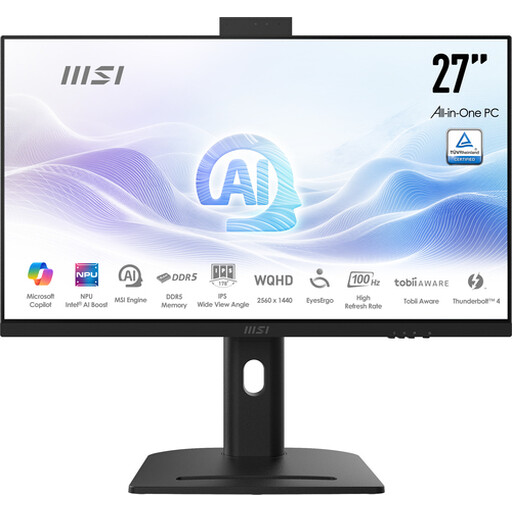 No image available
MSI Modern AM273QP AI 1UM-061EU
Suited to anyone looking for a permanent workstation with a built-in screen.
All-in-one PC with Intel Core Ultra 5 125H, 27-inch QHD screen, 16 GB DDR5 and 1 TB SSD.
Joybuy
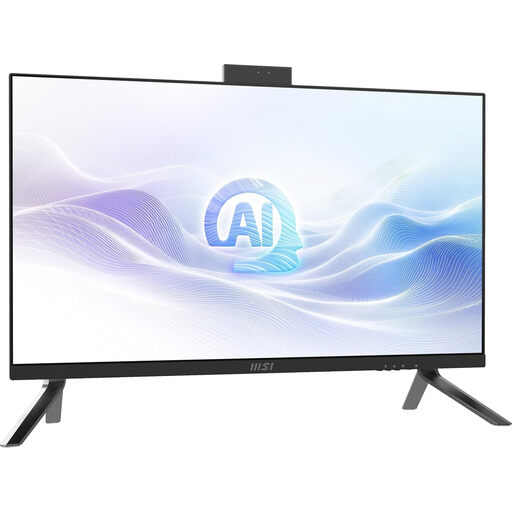 No image available
MSI Modern AM273Q AI 1UM-058EU
Suited to anyone who wants to combine the computer and screen in one workstation.
All-in-one PC with Intel Core Ultra 7 155H, 27-inch QHD screen, 32 GB DDR5, 1 TB SSD and Windows 11 Pro.
Joybuy
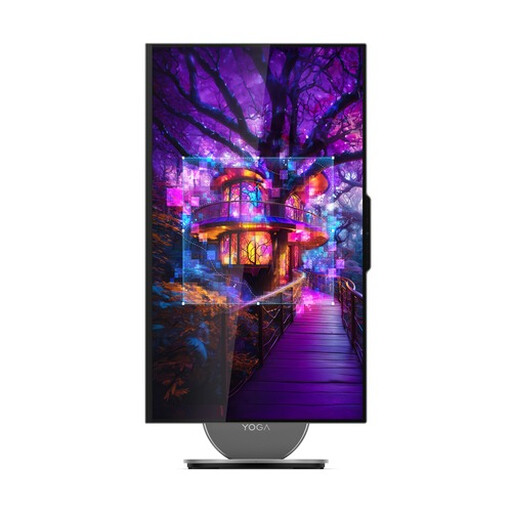 No image available
Lenovo Yoga AIO 27IAH10 F0J2001DNY
Suited to anyone looking for a permanent workstation with an integrated screen.
27-inch QHD screen; Intel Core Ultra 7 255H; 16 GB LPDDR5X; 1 TB SSD; Windows 11 Home. The description lists a wireless keyboard and mouse.
Joybuy
Frequently asked questions
Is a large screen enough to make your budgeting app usable with enlarged text?
No, a larger screen alone won’t automatically make an app easy to use with enlarged text. Enlarge the text while testing and check that labels, input fields and content remain visible and usable. For web content, W3C describes text enlargement up to 200% without loss of content or functionality, and reflow at a width of 320 CSS pixels, with exceptions for content that requires a two-dimensional layout. These are guidelines for the app, not features of a particular computer.
How do you set larger text after installation?
In Windows, you can adjust the text size under Settings and Accessibility; you can also change the scaling under Display. On a Mac, text size settings are under Accessibility and Display. Apple says the preferred size is used in the apps it lists, subject to certain conditions.
Which components should you check alongside a mini PC?
Check that you have a compatible screen and the right connections, as well as a keyboard, mouse and storage for the exact configuration. Lenovo doesn’t list a hard drive, keyboard or mouse for ThinkCentre part number 12RQCTO1WWNL1.
What are your rights when buying a desktop online in the Netherlands?
For a standard online consumer purchase, you’ll generally have 14 days from delivery to change your mind, subject to statutory exceptions. ACM ConsuWijzer also explains that the seller is responsible if a product, under normal use, fails to meet what you could reasonably expect from it; there isn’t simply one fixed statutory warranty period for every PC.
Is a home budgeting app you build yourself automatically covered by the GDPR?
No, building the app doesn’t automatically mean it is. The Dutch Data Protection Authority describes an exception for exclusively personal or household use. Consider who uses the app and how data is processed before sharing it more widely; don’t assume the exception will still apply.


