
Spreadsheet creator working beside a bright window
You want to view formulas and text clearly in daylight. First, think about where you can position the screen in relation to the window; Arboportaal recommends looking parallel to the window.


Start by considering where to position the screen: Arboportaal recommends placing it so that, where possible, you look parallel to the window. Distance and blinds can also help reduce glare. An all-in-one is a good fit if you want your computer and screen in one device, while a separate desktop gives you more freedom to choose and position the monitor independently. For both options, check the exact screen specification and whether the software you plan to use lets you create and edit formulas.
You want to view formulas and text clearly in daylight. First, think about where you can position the screen in relation to the window; Arboportaal recommends looking parallel to the window.
You create equations and want to be able to edit them later. Check that the specific document software and version you use supports this; features can vary between a web version and a desktop programme.
You want to use your computer and screen in one place without too many separate components. An all-in-one combines the computer and screen; with a separate desktop, you choose the screen independently.
A good fit if: you want your computer and screen set up as one integrated workstation.
Bear in mind: the screen is part of the configuration you choose. Also check whether a keyboard and mouse are included.
A good fit if: you want to choose the screen separately or position it independently.
Bear in mind: you’ll need to put the workstation together yourself, choosing a suitable screen and any input devices.
First choose a set-up that suits your desk, then check the screen and software you’ll need for working with formulas.
| Consideration | What to look for | Who is this most relevant to? |
|---|---|---|
| Readability in daylight | Check the screen specification and whether you can position it so that you look parallel to the window. Also consider whether you’ll need more distance or blinds. | I want to read formulas and text clearly beside a bright window, so I’m looking at where to place the screen first. Around 36% of consumers prioritise readability in daylight. |
| Editing formulas | Check the formula features in the specific software version you plan to use. | I want to be able to insert equations and edit them later, so I’m checking my document workflow in advance. Around 29% of consumers give formula editing top priority. |
| Space and set-up | Compare an integrated screen with a separate desktop, and check which components are included in the configuration you choose. | I’m looking for a fixed workstation that fits on my desk and want to know how many separate components it needs. Around 21% of consumers start by considering the space available. |
| Complete workstation | Make a note of the components you already have and check what else you need, such as a screen or input devices. | I want to know in advance which components make up my workstation, so I don’t overlook anything. Around 14% of consumers focus mainly on the complete set-up. |
Even with an anti-glare finish, the position of the window and the direction of the incoming light can affect where you sit to view the screen.
First, see where you can place the screen. Arboportaal recommends looking parallel to the window; also consider whether you’ll need more distance or blinds.
The computer alone doesn’t tell you what else you’ll need for a usable workstation.
Compare what’s included in each exact configuration with the equipment you already own. With a separate desktop, remember to choose a separate screen and any input devices you need.
A separate desktop needs a separate monitor; depending on the configuration, a keyboard or mouse may also be missing.
Microsoft distinguishes between viewing equations in Word for the web and writing new ones. This means your intended workflow may depend on which version you use.
Check whether you want to insert formulas and edit them later, then try that workflow in the software version you plan to use. Microsoft Support explains what Word can do; LibreOffice documents formula editing in Writer with Math.
Your spreadsheet workflow may require a different document programme or access to a desktop version.
The ThinkCentre range includes compact desktops and all-in-ones. The M70a Gen 6 configuration mentioned here is worth considering if you’re looking for an integrated screen.
The Pro Slim QCS1250 is a separate desktop for anyone who wants to choose their own monitor.
The OmniStudio all-in-ones provide an integrated workstation; HP lists configuration 24cu0612nd among its options.
The Veriton range includes all-in-ones for anyone looking for an integrated computer and screen.
This selection includes compact mini PCs for use with a separately chosen screen, as well as all-in-one thin clients with an integrated screen. For each configuration, check that the software and workflow listed suit the way you create and edit your spreadsheets.
 No image available
A mini PC for a set-up where you choose the screen separately.
The product name lists Windows 11, 8 GB DDR4, a 256 GB SATA SSD, BT5.2 and Wi-Fi 5.
 No image available
The product name describes this model as a mini PC; check whether DGX OS is compatible with the software you want to use for your spreadsheets.
The product name lists NVIDIA GB10, 128 GB RAM, a 4 TB SSD and NVIDIA DGX OS.
 No image available
A mini PC for a workstation with a separately chosen screen; check which screen set-up will suit your desk.
The product name lists 16 GB RAM, a 512 GB SSD, Wi-Fi 6 and 4K Triple Display.
 No image available
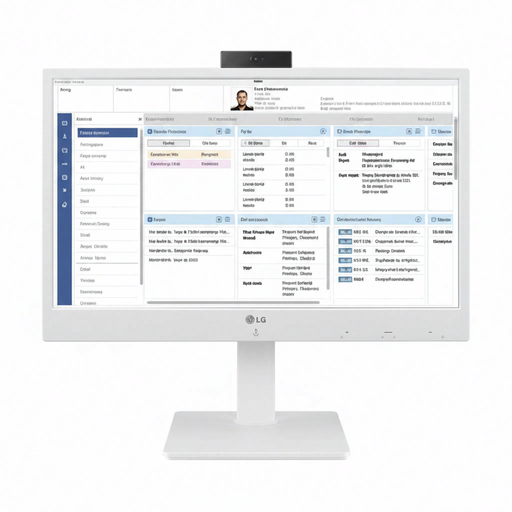
An all-in-one with an integrated screen. Check that a thin client is compatible with the software and workflow you need for your spreadsheets.
 No image available
An all-in-one with an integrated screen. Check in advance that a thin client is compatible with the programmes and workflow you plan to use.
Not always; where the screen is positioned in relation to the window still matters. Arboportaal recommends looking parallel to the window and suggests considering whether you’ll need more distance or blinds.
According to Microsoft Support, you can view existing equations in Word for the web, but you can’t write new ones; Microsoft recommends using the desktop version of Word for this. LibreOffice documents formula editing in Writer with Math. Check which workflow and software version you plan to use.
Where possible, position the screen so that you look parallel to the window, and break up screen-based work with other tasks. Specific rules apply to employees: according to Arboportaal, if you work at a screen for more than two hours a day, the screen and keyboard must not be attached to each other. This is not a general product specification for every private buyer.
For many purchases made remotely from a business, consumers have a 14-day cooling-off period, subject to exceptions; the Dutch government explains these rules. You’re also entitled to a product that is fit for purpose, and the Netherlands has no fixed general statutory warranty period. Check who the seller is and what additional manufacturer’s warranty applies.