
Lots of black-and-white forms
For printing clear text repeatedly without colour. Compare the cost of toner and any drum for the amount you expect to print.


If you mainly print text forms in black and white and expect to keep printing regularly after the project, compare all-in-one mono laser printers. For colour, look at cartridge inkjets or, if you expect to print more regularly in higher volumes, ink tank models. Check separately whether you need to scan stacks of completed forms: an automatic document feeder is not the same as automatic double-sided printing. Compare how often you expect to use the printer with the cost of the right ink or toner, not just the purchase price.
For printing clear text repeatedly without colour. Compare the cost of toner and any drum for the amount you expect to print.
For projects where coloured elements matter and you also want to scan or copy. Compare the ink consumption and paper handling of the models you’re considering.
If you need to scan or copy several returned forms, check whether the model has an automatic document feeder and whether it scans single-sided or double-sided.
| What to consider | What to look for | Who is this important for? |
|---|---|---|
| Black-and-white printing | Check whether you need colour and compare toner and any drum costs for the amount you expect to print. | If I need to print lots of clear text forms, I don’t want to pay for colour I don’t need; around 33% of consumers say black-and-white printing is their main requirement. |
| Colour on forms | Choose colour only if the forms need coloured elements; compare cartridges with refillable tanks for the amount you expect to print. | If coloured elements, such as a logo or colour coding, are needed, I want them to remain clear on the forms; around 25% of consumers say colour is their main requirement. |
| Processing completed sheets | Check how many sheets the automatic document feeder holds and whether it scans single-sided or double-sided. | When I get stacks of completed forms back, I want to process them without confusing one feature with another; around 25% of consumers prioritise scanning and copying in batches. |
| Costs for occasional use | Estimate how many pages you’ll print during and after the project; check the price of suitable refills and any subscription terms. | If I mainly need the printer for this project, I want to weigh the ongoing costs against my limited use; around 17% of consumers say one-off or occasional use is their main requirement. |
A printer may print automatically on both sides of the paper while its document feeder only scans one side at a time. Canon specifies a single-sided automatic document feeder for the PIXMA TS7750i.
Compare the printing and scanning specifications separately. If forms have writing on both sides, check how the model scans those pages.
With single-sided scanning, you may have to turn over double-sided forms yourself.
If you don’t use an inkjet much, it may use ink for cleaning. The Consumers’ Association notes that this can happen; running costs also depend on the right ink or toner and how often you print.
Estimate how many pages you expect to print during and after the project. Compare the cost of the relevant refills and check any subscription terms before choosing.
Replacement ink or toner, cleaning ink and any subscription fees may all add to the cost of using the printer.
HP says that dynamic security may limit compatibility with cartridges containing certain non-HP chips.
Before buying, check the terms for the exact model and any HP+ service.
This may limit your choice of replacement cartridges.
The DCP-L2627DWE is an example of an all-in-one mono laser printer for text forms.
The PIXMA TS7750i and TR4755i series are examples of colour inkjets with document feeders for handling multiple forms.
The EcoTank ET-2950 is an all-in-one colour model with refillable ink tanks.
The DeskJet 4222e is an example of a compact colour inkjet with an automatic document feeder.
These Joybuy models are options for printing school forms, including all-in-one models as well as models listed as printers. Before buying, check that the features meet your scanning and copying needs.
 No image available
A wireless all-in-one colour printer to consider if you want to print colour forms and scan or copy documents too.
The product name mentions double-sided printing. Check separately whether the scanning function suits the way you want to process completed forms.
 No image available
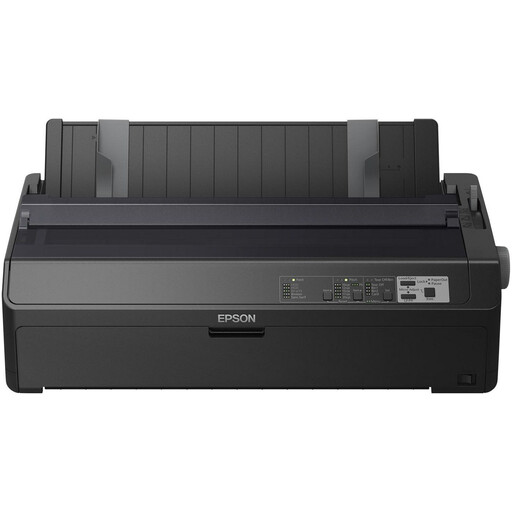
The product name identifies this model as a dot-matrix printer for printing documents. Check that it’s suitable for the type of forms you want to create.
The product name lists 240 x 144 DPI and 738 Cps. Also check whether you need scanning or copying functions for your project.
 No image available
An inkjet model to consider for A4 documents if you need scanning and copying functions as well as printing.
The product name lists A4 and 4800 x 600 DPI. Check that the connectivity options suit your computer and how you plan to print.
 No image available
A colour inkjet printer to consider if you want to print colour forms on A4 paper and scanning or copying isn’t a priority.
The product name lists A4, Wi-Fi and 4800 x 1200 DPI. Check whether the model also meets any scanning and copying needs.
 No image available
A wireless all-in-one colour printer to consider if you want to print colour forms and copy or scan documents too.
The product information lists a flatbed scanner without an automatic document feeder and no double-sided scanning. Bear this in mind if you need to process stacks of completed forms.
Only if forms have writing on both sides and you want to process them without turning them over by hand. Canon specifies a single-sided automatic document feeder for the PIXMA TS7750i; automatic double-sided printing is a different feature.
Compare the cost of suitable refills with the number of pages you expect to print. The Consumers’ Association explains that an inkjet may use ink for cleaning if it’s used infrequently. Also check any subscription and cartridge terms before choosing a model.
For an online consumer purchase, ACM ConsuWijzer says you generally have up to 14 days from delivery to change your mind, subject to exceptions. You’re also covered by the statutory guarantee: if a product used normally doesn’t meet the expectations you’re entitled to have, the seller must put things right under the applicable terms. These are your legal rights, not an additional manufacturer’s warranty.
If the project actually collects and processes personal data, there must be a valid legal basis under the GDPR; consent is one possible basis. The Dutch Data Protection Authority says organisations must not keep data for longer than necessary. If a school processes the data, it also has information and security obligations. Simply printing blank forms doesn’t mean that this kind of data processing is taking place.