
Vandaag of morgen in huis

Kwaliteit gegarandeerd

Welkomstaanbiedingen ontgrendelen: GRATIS bezorging | Tot 80% korting | Gratis 30 dagen JoyPlus-proefperiode
Download de app
Buying a printer can seem more complicated than it is. Whether you're a student submitting reports, working from home and needing to scan documents, or just want to print the occasional concert ticket, the options are overwhelming. An all-in-one printer for home, which can print, scan, and copy, is often the most practical solution.
This article is designed to be a clear guide. We'll explain what to look for and highlight several popular choices based on their specifications, helping you find a model that fits your needs and budget.
Before you make a choice, it's helpful to consider a few key features. These will determine how the printer fits into your daily life.
How you connect to the printer is a major factor.
The purchase price is one thing, but the cost per print is just as important. Here are the two main systems for an inkjet printer:
All the models here are all-in-one printers, meaning they include a printer with a scanner and a copy function. However, there are extras that can make a difference:
Based on the criteria above, we have selected a range of printers that cater to different needs and budgets.
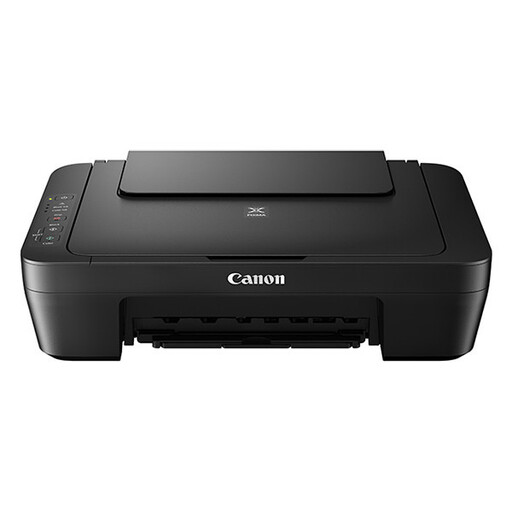
Why This Model Stands Out The Canon PIXMA MG2556S is a compact and affordable all-in-one that does what it's supposed to do: print, scan, and copy. Its strength lies in its simplicity and low purchase price, making it an accessible choice.
Key Specifications
Who is this printer for? This is a suitable printer for students or people who only need to print or scan occasionally. If you don't need wireless features and are looking for a reliable, budget-friendly device for basic use, this Canon printer is a logical choice.
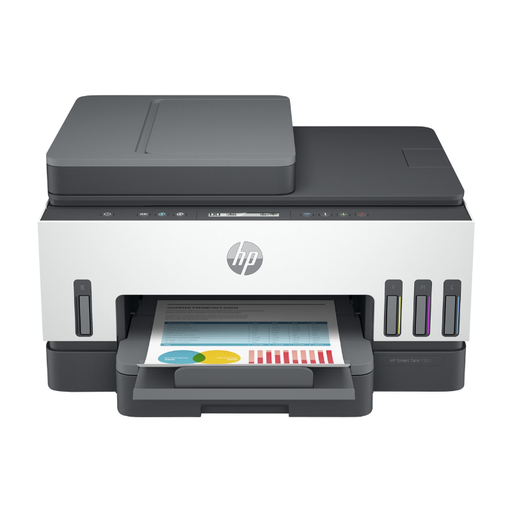
Why This Model Stands Out The HP Smart Tank 7305 is aimed at users who print a lot and want to keep printing costs low. The ink tank system is the star of the show here. According to HP, the included ink can print up to 12,000 black-and-white pages or 8,000 colour pages. This model is also equipped with features that make work more efficient.
Key Specifications
Who is this printer for? This HP printer is ideal for busy families, remote workers, and small offices. If you print regularly, want to save money in the long run, and value features like wireless and two-sided printing, this model's higher initial investment is worth considering.
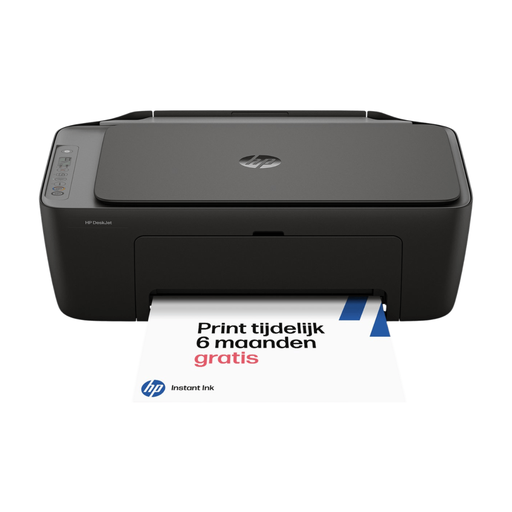
Why This Model Stands Out The HP DeskJet 2920 combines a modern, compact design with the convenience of wireless printing. This model is designed for simple home use and is compatible with HP Instant Ink, a subscription service that automatically sends new ink cartridges before your old ones run out.
Key Specifications
Who is this printer for? This printer is perfect for those who value convenience and a tidy desk. The wireless functionality and the HP Smart app make printing from your phone or tablet incredibly simple. It's a great choice for families and home users looking for a reliable, modern, and inexpensive printer for everyday tasks.
The all-in-one printers mentioned above are excellent for general home and office tasks. However, are you a photographer or a creative professional who needs the highest quality prints? In that case, a specialised model might be a better choice.
Check out our range of professional photo printers for models designed for superior colour reproduction and detail.
1. What is the difference between an inkjet and a laser printer? An inkjet printer sprays liquid ink onto paper and is typically better at printing images and colour photos. A laser printer uses toner (powder) and heat, and is often faster and more economical for printing large volumes of text in black and white. For general home use, an inkjet all-in-one is usually the most versatile choice.
2. How important is Wi-Fi on a printer for home? Wi-Fi is very important if you want to print from multiple devices, such as different laptops, smartphones, or tablets. It eliminates the need to physically connect a computer to the printer, which offers a lot of flexibility. However, if you only have one computer and the printer is right next to it, a model with only a USB connection can suffice.
3. Are ink tank printers worth the higher purchase price? That depends on how much you print. If you only print a few pages a month, a cheaper printer with cartridges is likely more economical. However, if you print documents, schoolwork, or other materials weekly, you'll save significantly on ink costs with an ink tank printer in the long run. The cost per page is much lower, allowing the higher purchase price to pay for itself over time.
