
Vandaag of morgen in huis

Kwaliteit gegarandeerd

Welkomstaanbiedingen ontgrendelen: GRATIS bezorging | Tot 80% korting | Gratis 30 dagen JoyPlus-proefperiode
Download de app
Choosing a printer can sometimes feel like an impossible task. You want a device that reliably prints, scans, and copies, without the ink running out after just a few pages. Whether you're a freelancer processing invoices, running a small office, or printing documents for school or work at home, a good all-in-one printer is indispensable.
However, the market is flooded with models that all promise the world. How do you find a printer that fits your needs and budget? As a Joybuy Product Recommendation Officer, I'm here to help you cut through the marketing jargon. In this article, I'll provide practical tips and a selection of popular models based on their specifications and features.
Before we dive into the models, here are a few key considerations to help you make an informed decision.
The purchase price is one thing, but the cost per page is often more important in the long run. Traditional printers use cartridges that you have to replace regularly. An ink tank printer, like the HP Smart Tank models, uses refillable reservoirs that you fill with bottles of ink. The initial investment is often slightly higher, but the cost per print is significantly lower, which really pays off if you print frequently.
Modern convenience is all in the details. A wireless printer (or Wi-Fi printer) is the standard today. It allows you to easily print from your laptop, tablet, or smartphone without the hassle of cables.
Another feature that saves a lot of time and paper is double-sided printing (duplex). The device automatically flips the paper for you. For those who frequently need to scan or copy multi-page documents, an automatic document feeder (ADF) is a game-changer. You simply place the stack of paper in the tray, and the printer scanner copier does the rest.
For most home users and offices, an A4 printer is sufficient. However, if you regularly print posters, architectural drawings, or large spreadsheets, an A3 printer is worth considering. These models are larger and more expensive, but they offer the flexibility that creative and technical professions require.
Below is a selection of all-in-one printers that stand out for their specifications and functionality, suitable for various users.
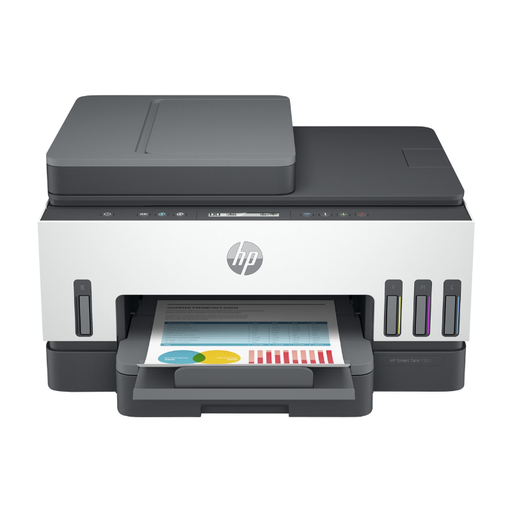
Why This Model Stands Out The HP Smart Tank 7305 is a versatile colour inkjet printer designed for productivity at home or in a small office. Its ink tank system ensures extremely low printing costs. According to HP, you can print up to 12,000 black-and-white pages or 8,000 colour pages with the included ink. The combination of automatic double-sided printing and a 35-sheet automatic document feeder (ADF) makes this an efficient workhorse.
Pros
Who is this printer for? Ideal for home users and freelancers who print, scan, and copy regularly and want to keep operating costs low. The ADF is a major plus for anyone handling administrative tasks.
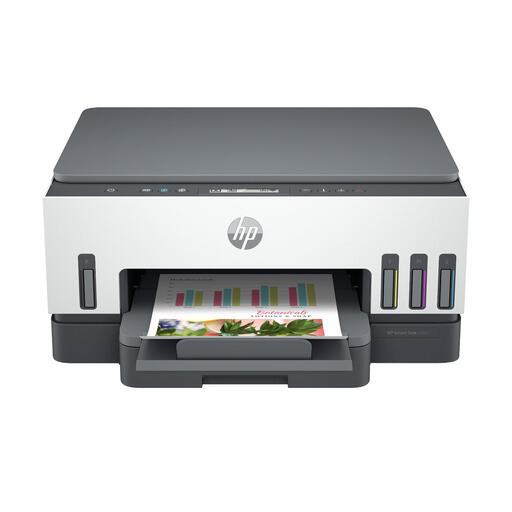
Why This Model Stands Out The Smart Tank 7005 shares many of the benefits of its bigger sibling, the 7305, including the cost-effective ink tank system and automatic double-sided printing. The main difference is the absence of an automatic document feeder (ADF). This makes the model more compact and slightly more affordable.
Pros
Who is this printer for? An excellent choice for families and home users who print a lot but don't often need to scan or copy multi-page documents. You get the low printing costs without paying for a feature you won't use.
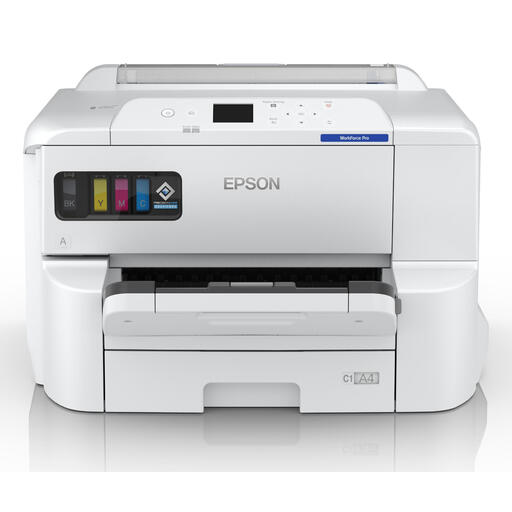
Why This Model Stands Out This Epson WorkForce is a powerhouse for those who need more than the standard A4 size. As an A3 printer, this model can print up to A3+ size, ideal for marketing materials, technical drawings, or large photos. With a print speed of 25 pages per minute (black) and multiple paper trays, this model is built for a demanding office environment.
Pros
Who is this printer for? Perfect for small to medium-sized offices, architects, designers, and marketers who need to print in large formats regularly and require high productivity.
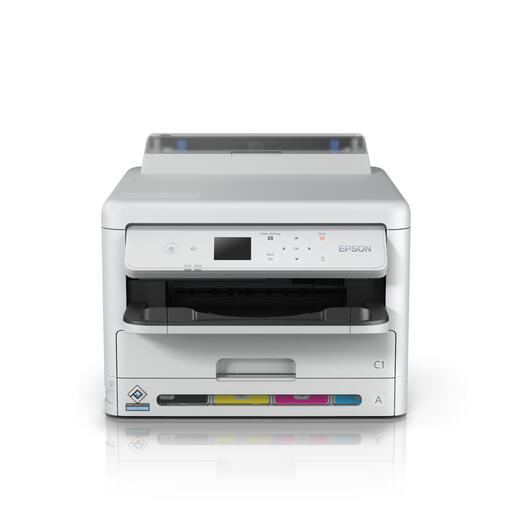
Why This Model Stands Out The WF-C5390DW is a pure printing machine, designed for speed and volume. Although it's an A4 model, it stands out with an impressive print speed of up to 34 pages per minute and a very high monthly duty cycle. This model is an office printer aimed at workgroups that need to print frequently and quickly, but where scanning and copying are not a priority.
Pros
Who is this printer for? Suitable for busy offices and workgroups that need a fast, reliable, and cost-effective A4 colour printer for high print volumes.
The right printer depends heavily on your specific needs. If the models above don't quite match what you're looking for, or if you want to compare more options, check out our full selection.
? Explore more options in the office colour printer category
1. What is the difference between an inkjet and a laser printer? An inkjet printer sprays liquid ink onto paper and is generally better at printing photos and colour images. A laser printer uses toner (powder) and heat, resulting in very sharp text and higher print speeds, and is often more economical for large volumes of black-and-white text. The models mentioned above are all inkjet printers.
2. How important is a Wi-Fi printer? A Wi-Fi printer offers a tremendous amount of flexibility. You can place the printer anywhere in your home or office where you have a good signal, without it needing to be directly connected to a computer. Moreover, with mobile printing apps like Apple AirPrint or the HP Smart app, you can print directly from your phone or tablet, which is incredibly convenient.
3. What is an ink tank printer and is it worth it? Instead of cartridges, an ink tank printer has large, refillable ink reservoirs. You refill them yourself with ink from bottles. The purchase price of the printer is usually higher, but the cost per page is drastically lower. If you print more than a few times a week, an ink tank printer is almost always the more economical choice in the long run.
