
Vandaag of morgen in huis

Kwaliteit gegarandeerd

Welkomstaanbiedingen ontgrendelen: GRATIS bezorging | Tot 80% korting | Gratis 30 dagen JoyPlus-proefperiode
Download de app
Need a new printer? The options are overwhelming, and the specifications can be confusing. Expensive ink cartridges, an unstable Wi-Fi connection, or features you never use—these are common frustrations. Whether you're a student, working from home, or just need to print the occasional ticket, you're looking for a reliable device that simply gets the job done.
This guide is here to help. We'll cut through the marketing jargon and focus on what really matters. We'll explain what to look for and provide a few concrete recommendations for a great all-in-one printer to suit different needs.
Before you make a choice, it's helpful to consider a few key points. This will help you find a model that fits your usage and budget.
A printer's biggest expense is often not the device itself, but the ink. There are two main systems:
An all-in-one printer can do more than just print. Consider which features are essential for you:
Based on specifications and functionality, we've selected a few popular models suitable for different types of users.
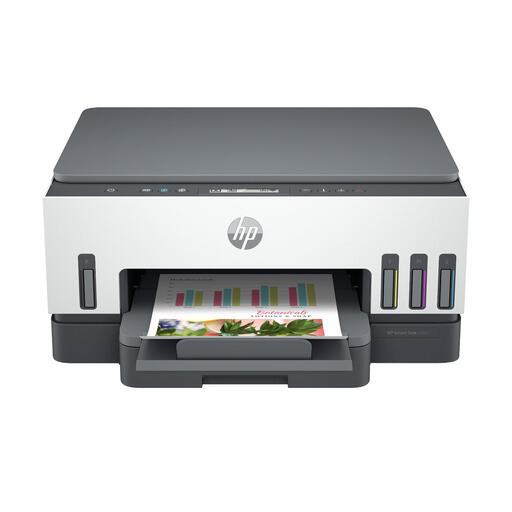
Why This Model Stands Out The HP Smart Tank 7005 is designed for users who print a lot and want to keep costs low. Its key feature is the ink tank system. According to HP, it comes with enough ink for up to 12,000 black-and-white pages or 8,000 colour pages. Features like automatic duplex printing and a 250-sheet paper tray make this an efficient device for a busy household or small office.
Pros
Who Is It For? For families and freelancers who regularly create documents and colour prints and want to save on long-term ink costs.
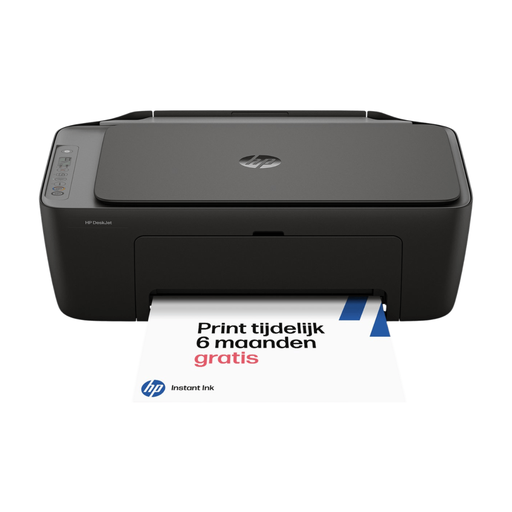
Why This Model Stands Out The HP DeskJet 2920 is a compact and affordable home printer. This model focuses on simplicity and ease of use. It's a traditional inkjet printer for those who don't print daily but still need a reliable device for printing, scanning, and copying. Setup and operation are straightforward via the HP Smart app on your phone.
Pros
Who Is It For? For students and home users who occasionally need to print a document, return label, or report and are looking for a budget-friendly, straightforward solution.
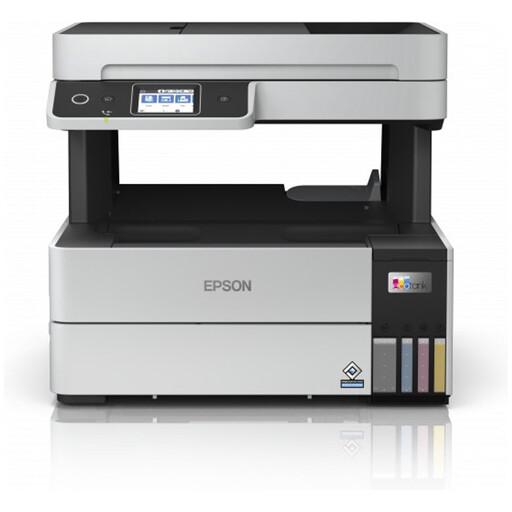
Why This Model Stands Out The Epson Ecotank ET-5185 is a powerful all-in-one for a productive home office. Like the HP Smart Tank, this model features an ink tank system for low printing costs. What sets this model apart is its Automatic Document Feeder (ADF), which lets you scan or copy stacks of paper in one go. In addition to Wi-Fi, the printer also includes an Ethernet port for an extra-stable network connection.
Pros
Who Is It For? For freelancers and small business owners who need a versatile and efficient printer with a scanner to process document workflows quickly.
The right printer depends heavily on your personal needs. You might be looking for a model with specific photo printing qualities or a high-speed black-and-white laser printer. Many more options are available.
Explore our full range of printers and find the model that's right for you.
An inkjet printer sprays liquid ink onto the paper and is generally better at printing colours and photos. A laser printer uses toner (a powder) that is fused onto the paper. Laser printers are often faster for printing large volumes of text and typically have a lower cost per page for black-and-white prints.
If you regularly print multi-page documents, automatic duplex printing is very convenient. It saves paper, which is good for your wallet and the environment. Plus, you don't have to manually flip the paper, which saves time and prevents errors.
Yes, virtually every modern all-in-one printer is a Wi-Fi printer. This allows you to easily print wirelessly from all your devices. Manufacturers often provide an app (like HP Smart or Epson iPrint) that lets you control the printer, check ink levels, and print documents or photos directly from your phone.
