
Vandaag of morgen in huis

Kwaliteit gegarandeerd

Welkomstaanbiedingen ontgrendelen: GRATIS bezorging | Tot 80% korting | Gratis 30 dagen JoyPlus-proefperiode
Download de app
By: Joybuy Product Recommendation OfficerDate: July 5, 2026
A stack of separate devices for printing, scanning, and copying clutters your desk unnecessarily. Whether you're running a home office, studying, or just need to print a document occasionally, an all-in-one printer offers a practical solution. But with so many models and specifications, the choice can be overwhelming.
This article is designed to help. We'll highlight the key factors to consider and present a selection of printers suited for various needs and budgets, from occasional home use to the demands of a small office.
Before we dive into specific models, here are a few practical considerations to help you find the right multifunction printer.
The printer's technology is a deciding factor for both cost and performance.
A printer with Wi-Fi is the standard today. A wireless printer allows you to easily print from various devices, such as your laptop, tablet, or smartphone, without the hassle of cables. Features like Wi-Fi Direct even make it possible to establish a direct connection to the printer without needing a network.
An all-in-one printer is, by definition, a printer, scanner, and copier. However, some features can significantly boost productivity:
Based on specifications and functionality, we have compiled a list of popular choices for you.
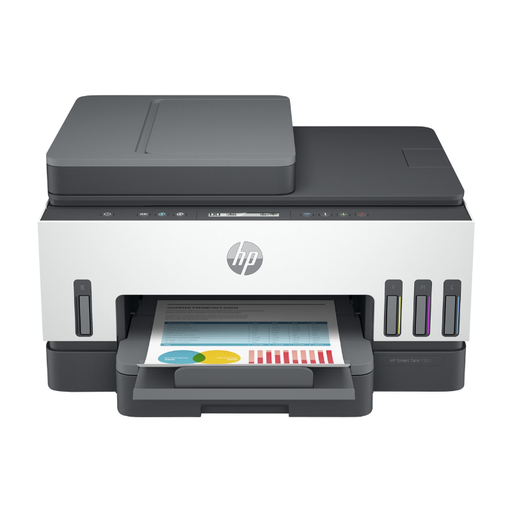
Why This Model Stands Out The HP Smart Tank 7305 is aimed at users who want to keep printing costs low without compromising on quality. Its most notable feature is the ink tank system. Instead of cartridges, this printer uses refillable tanks. According to HP, it comes with enough ink for up to 12,000 black-and-white pages or 8,000 colour pages. Features like automatic two-sided printing and a 35-page ADF make it an efficient choice for a busy household or small office.
Key Benefits
Who Is It For? Ideal for freelancers and small businesses that print regularly and are looking for a cost-effective, long-term solution. Also an excellent choice for families who print a lot for school or work.
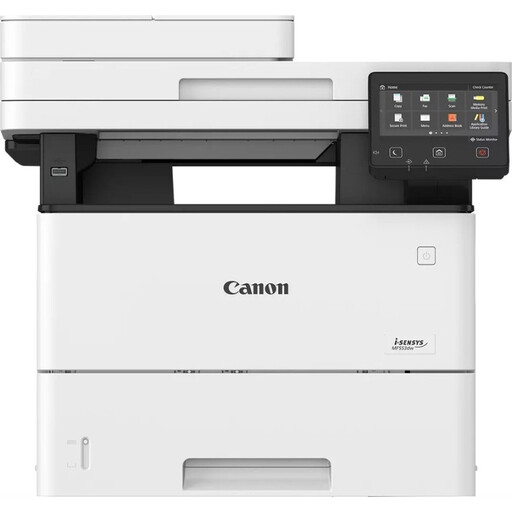
View the Canon i-SENSYS MF553DW
Why This Model Stands Out For those who prioritise speed and volume, the Canon i-SENSYS MF553DW is a serious contender. This monochrome laser printer is designed for a demanding office environment. With a print speed of 43 pages per minute and a recommended monthly volume of up to 150,000 pages, this is a true workhorse. The ability to perform single-pass duplex scanning is a significant time-saver when digitising documents.
Key Benefits
Who Is It For? Perfect for small to medium-sized offices that primarily process black-and-white documents and need a fast, reliable, and durable office printer.
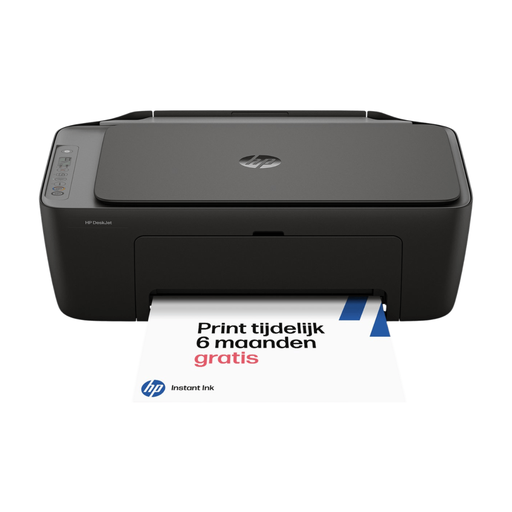
Why This Model Stands Out The HP DeskJet 2920 is a compact and affordable printer for home use. This model offers all the basic functions—printing, scanning, and copying—in a sleek, space-saving design. Setup is simple via the HP Smart app, which quickly connects the printer to your Wi-Fi network. Although two-sided printing is manual and an ADF is absent, it's an excellent choice for those who don't print daily but want a reliable device at home.
Key Benefits
Who Is It For? Students and home users looking for a simple, affordable, and compact all-in-one printer for occasional use, such as printing a return label, scanning a document, or copying an ID card.
These recommendations cover several common scenarios, but the market offers many more possibilities. If you're looking for a model with different specifications or simply want to compare more options, feel free to browse our full selection.
Discover more printers in our Printing category
1. What is the difference between an all-in-one and a multifunction printer? There is no difference. "All-in-one printer" and "multifunction printer" are two terms for the same type of device that can print, scan, and copy. Sometimes, a fax function is also included.
2. Is a laser printer cheaper in the long run? For users who print a lot, a laser printer is often cheaper in the long run. The initial purchase price of the printer and toner cartridges is higher, but the cost per printed page is significantly lower than with most inkjet printers. For those who only print occasionally, a more affordable inkjet printer may be a better financial choice.
