
Vandaag of morgen in huis

Kwaliteit gegarandeerd

Welkomstaanbiedingen ontgrendelen: GRATIS bezorging | Tot 80% korting | Gratis 30 dagen JoyPlus-proefperiode
Download de app
An all-in-one PC combines the computer and screen in a single case. This saves space and reduces the number of cables on your desk. However, not every model is suited to the same tasks. A basic office computer may struggle with demanding multitasking, while a more powerful system could be unnecessarily expensive for email and word processing.
As a Joybuy Product Recommendation Officer, I sift through product information to focus on practical specifications. Below, you’ll find what to look for, common marketing pitfalls to watch out for, and models suited to different needs.
A 24-inch all-in-one PC can be comfortable to use, but screen size doesn’t determine how fast the computer is. Always check the processor, amount of RAM and storage. A Full HD screen with 8 GB RAM and an entry-level processor is mainly intended for basic tasks. For lots of browser tabs, spreadsheets and video calls, a newer processor with expandable memory is more practical.
Online retailers also use the term all-in-one for liquid coolers and printers. A Corsair Nautilus or MSI MAG CORELIQUID, for example, is an all-in-one CPU cooler, not a desktop PC. The HP Smart Tank 7005 is an all-in-one printer. So check that the product category says PC type: All-in-one and that an operating system is included.
Some models state that a charger or power adapter isn’t included as standard. Check what’s in the box before you order. Also look at the memory upgrade options, number of USB ports and webcam position.
An all-in-one PC is less straightforward to upgrade than a traditional desktop PC. Some systems have onboard RAM that can’t be replaced. This could become a limitation after a few years.
For documents, video calls and everyday browsing, 8 GB RAM is a useful starting point. If you use lots of programmes at once, choose a model with 16 GB RAM or a system that can be upgraded.
Don’t just look at the number of processor cores or the maximum turbo frequency. Check the processor model, too, and consider what the PC is designed for. For example, according to the product specifications, the Intel Core 5 120U in the MSI Modern series has 10 cores and a maximum turbo frequency of 5 GHz. The Intel Core 3 100U is a more entry-level option, better suited to basic use.
An all-in-one PC with an SSD will generally start up faster than a system with a traditional hard drive. For office work, 256 GB is enough if you mainly work in the cloud. For local documents, photos and programmes, a 512 GB SSD gives you more room to work with.
Bear in mind that storage capacity isn’t the same as a back-up. Keep important files on an external drive or in secure cloud storage, too.
A 24-inch all-in-one PC with an IPS panel and Full HD resolution is well suited to documents, spreadsheets and video calls. A larger 27-inch QHD screen gives you more room to work, which is handy for graphic design and multitasking.
Also check for:
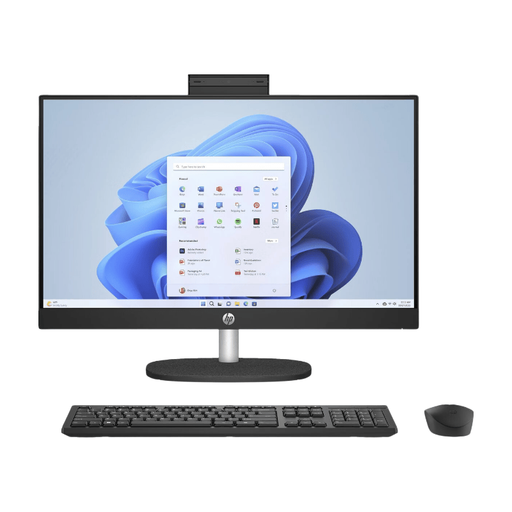
Why it suits this profile: This 23.8-inch all-in-one PC is designed for everyday office work, browsing, video calls and home use. The combination of Windows 11 Home, 8 GB RAM and a 512 GB SSD is well suited to basic tasks, without the need for a separate monitor.
The key components are clearly specified: a Full HD IPS screen, 512 GB SSD and built-in webcam. However, check the separately listed warranty and power accessories before you buy.
23.8-inch matte IPS screen, 512 GB SSD, webcam, microphone, Wi-Fi 6 and Bluetooth 5.3.
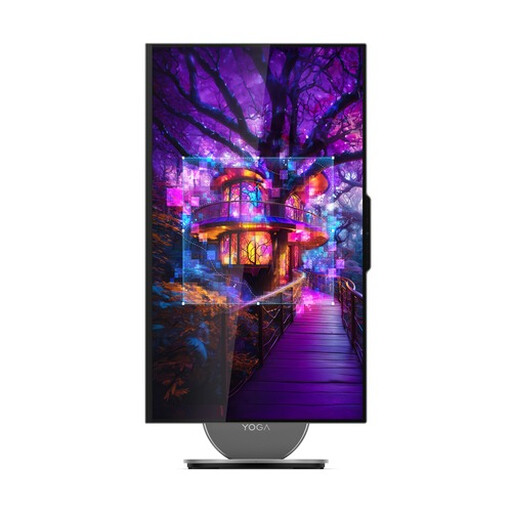
Why it suits this profile: The 27-inch QHD screen, Intel Core Ultra 7 255H, 16 GB LPDDR5X and 1 TB SSD are designed for intensive multitasking, multimedia and a more spacious workspace.
The product information details more than just the screen size: it also includes the QHD resolution, 120Hz refresh rate, storage and memory. This makes it easier to weigh up the higher price against specific features.
27-inch QHD IPS screen, 1 TB NVMe SSD, 5MP webcam, Wi-Fi 7 and HDMI 2.1 input.
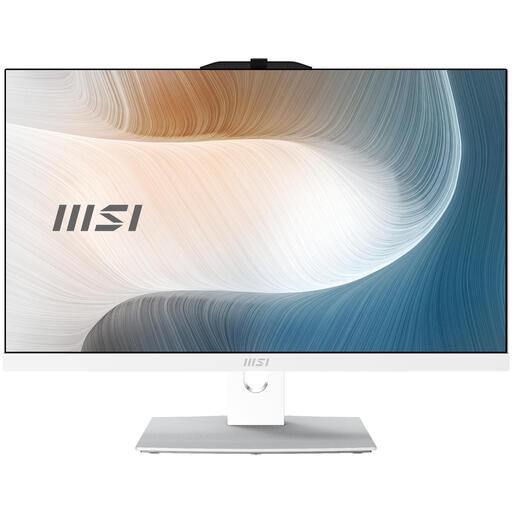
Why it suits this profile: This business all-in-one PC combines Windows 11 Pro, 8 GB DDR5, a 512 GB SSD and Wi-Fi 6E. It’s well suited to small businesses, home workers and administrative tasks.
The PC lists specific connections, a webcam and memory that can be upgraded to 64 GB. Before buying, check the note stating that the charger must be purchased separately.
Windows 11 Pro, 512 GB SSD, two USB-C ports, HDMI 2.1, webcam and Wi-Fi 6E.
We’ve put together a complete, up-to-date list of products that meet these strict selection criteria and the current European safety regulations.
Yes, especially if the model has a built-in webcam, microphone, speakers and SSD. Also check that the screen is at a comfortable height and that a keyboard and mouse are included.
Its lifespan depends on the processor, cooling, software updates and upgrade options. A model with 16 GB RAM and plenty of SSD storage will generally be better equipped for future applications than a basic system with limited onboard hardware.
Power consumption varies depending on the processor, screen and how long you use it. A system with integrated graphics will usually use less power for light tasks than a desktop PC with a separate graphics card. If you’re buying for a business, check the stated power consumption and enable sleep mode or automatic shut-down when the computer isn’t in use.
