
Vandaag of morgen in huis

Kwaliteit gegarandeerd

Welkomstaanbiedingen ontgrendelen: GRATIS bezorging | Tot 80% korting | Gratis 30 dagen JoyPlus-proefperiode
Download de app
An all-in-one PC combines the computer and screen in a single unit. This saves space and reduces the number of cables on your desk. However, not every desktop PC with a built-in screen is suited to the same tasks. A model for email and word processing needs different specifications from one for a business workstation, photo editing or intensive multitasking.
As a Joybuy Product Recommendation Officer, I focus on specifications you can verify. This helps you avoid giving more weight to an attractive design or a high clock speed than to the components you’ll use every day.
A brand name such as Intel Core or Apple M3 doesn’t tell you everything. Also look at the number of cores, RAM, storage and integrated graphics. An all-in-one computer with 8 GB RAM may be suitable for basic office software, but 16 GB is more practical if you use lots of browser tabs, make video calls and work with large files.
Check whether the memory can be upgraded, too. Some models have integrated memory that can’t be replaced later. For example, the Acer Aspire C24-A has 16 GB LPDDR5X memory, which the product specifications state cannot be upgraded.
A larger screen isn’t automatically sharper. A 24-inch all-in-one PC with Full HD has a different pixel density from a 27-inch model with QHD. For text, spreadsheets and image editing, resolution, panel type and brightness matter more than screen size alone.
A 23.8-inch all-in-one PC with an IPS panel and Full HD is often enough for working from home. If you spend a lot of time working with images, video or multiple windows, you may benefit from QHD or a higher resolution.
Check in advance that you have enough USB ports, a headphone socket and an HDMI or DisplayPort connection. Pay attention to how the HDMI port works, too. According to the product information, the HDMI 2.1 port on the Lenovo Yoga AIO 27IAH10 can be used as an input, so you can use the screen with another computer.
Also check what’s included in the box. Several MSI models are listed as no longer coming with a charger as standard, which must be bought separately. This affects the total cost.
For browsing, word processing, streaming and video calls, 8 GB RAM is a useful starting point. For more intensive multitasking, creative software or extended business use, 16 GB RAM is a more sensible starting point. Storage determines how many files and programmes you can keep on your computer:
An SSD usually opens programmes faster than a traditional hard drive. Check whether the storage can be upgraded, as this varies by model.
A 23.8-inch or 24-inch IPS screen fits well on an average UK desk. Full HD with 1920 × 1080 pixels is suitable for everyday tasks. A 27-inch QHD screen with 2560 × 1440 pixels gives you more room to work with spreadsheets, design software and multiple windows.
Also look out for:
Claims about viewing comfort or eye strain should be treated as product specifications, not medical guarantees. The Lenovo Yoga AIO is listed as having Eyesafe Certified 2.0 and TÜV Rheinland technology; these are features mentioned in the brand’s product information.
A Windows 11 Pro PC supports business features such as management within a company environment. Windows 11 Home is often enough for home users and students. An Apple iMac runs macOS, so check in advance that the programmes you need are available for that system.
Wi-Fi 6 and Wi-Fi 6E are common options for wireless connectivity. Wi-Fi 7 is available on newer compact systems, but you’ll only benefit if your router supports it, too. An Ethernet port is still useful for a stable connection at a fixed workstation.
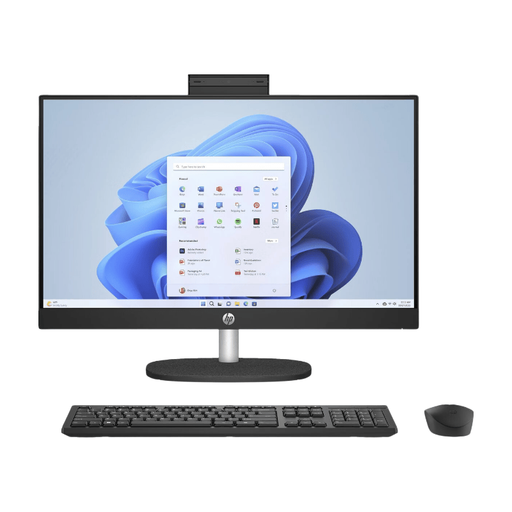
Why it suits this user: This model is designed for everyday use, study and basic office software. Its 23.8-inch Full HD IPS screen, 8 GB RAM and 512 GB SSD provide a simple setup without a separate monitor and computer.
The key specifications are clearly listed: Full HD, IPS, 512 GB SSD and Windows 11 Home. Do check the stated one-year warranty and note that the memory can’t be upgraded.
23.8-inch IPS screen, 512 GB SSD, built-in webcam and wireless keyboard, according to the product information.
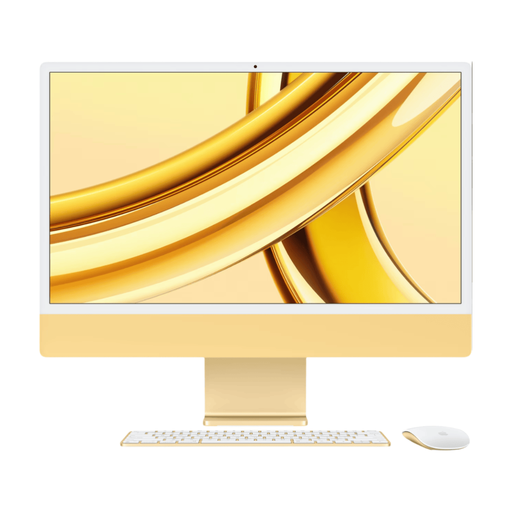
Why it suits this user: The iMac combines macOS with a 23.5-inch Retina screen at 4480 × 2520 pixels, 24 GB memory and 512 GB SSD storage. It’s a good fit for users who place a high value on screen resolution and a tidy workspace.
The screen resolution and memory capacity are clearly specified. Bear in mind that it runs macOS and has USB-C and Thunderbolt connections rather than standard USB-A ports.
4.5K Retina resolution, Apple M3 chip, 24 GB RAM and Wi-Fi 6E, according to the product specifications.
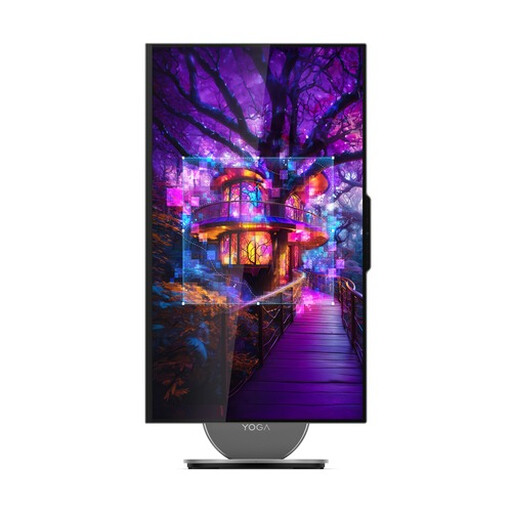
Why it suits this user: This 27-inch model combines QHD resolution, a 120 Hz refresh rate, 16 GB LPDDR5X and 1 TB SSD storage. It’s designed for creative professionals, multitaskers and business users looking for an all-in-one computer for a permanent workstation.
The screen size, resolution, storage and connections are all clearly specified. According to the description, the HDMI 2.1 input can also be used to connect an external screen.
27-inch QHD IPS, Intel Core Ultra 7 255H, 1 TB SSD, 5MP camera and Wi-Fi 7, according to the product details.
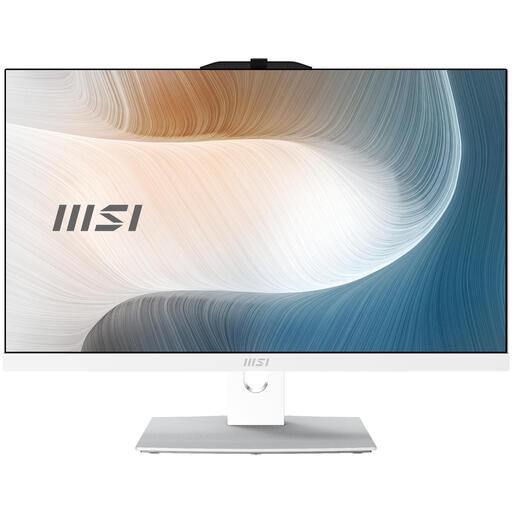
Why it suits this user: This 23.8-inch all-in-one PC has Windows 11 Pro, an Intel Core 5 120U, 8 GB DDR5 and a 512 GB SSD. It’s well suited to office work, video calls and business software.
The storage, memory, ports and wireless connectivity are all specified. Before buying, check the information about the charger, which must be purchased separately.
Windows 11 Pro, Wi-Fi 6E, HDMI, USB-C, built-in webcam and memory expandable up to 64 GB, according to the product information.
We’ve put together a complete, up-to-date list of products that meet these strict selection criteria and the current European safety regulations.
Yes, if the model has enough RAM, an SSD, a built-in webcam and the right connections. For standard office software, video calls and browsing, 8 GB RAM is often enough. If you use lots of programmes at once, 16 GB is more comfortable.
Its lifespan depends on the components, software updates and how you use it. A model with a faster processor, plenty of RAM and enough SSD storage will generally remain practical for longer. Also check whether the RAM or storage can be replaced later. Many of the models mentioned come with a minimum two-year legal guarantee in the EU, but always check the specific product listing.
An all-in-one PC usually has a single integrated power supply for the computer and screen. Power consumption varies depending on the processor, screen brightness and how intensively you use it. An energy-efficient office computer usually uses less power than a system running demanding graphics tasks continuously. Turn off the screen and computer when you won’t be using them for a while.
