
Vandaag of morgen in huis

Kwaliteit gegarandeerd

Welkomstaanbiedingen ontgrendelen: GRATIS bezorging | Tot 80% korting | Gratis 30 dagen JoyPlus-proefperiode
Download de app
An all-in-one PC combines the computer and screen in a single housing. This saves space and reduces the number of cables on your desk. However, not every all-in-one computer is suited to the same tasks. A model for email and admin has different requirements from a system for photo editing, video calls or a business cloud environment.
As a Joybuy Product Recommendation Officer, I focus mainly on verifiable specifications. That way, a striking design or a marketing buzzword won’t count for more than performance, ports and upgradeability.
A modern processor sounds appealing, but 8 GB RAM can quickly become limiting when you have lots of browser tabs open, make video calls or work with large Office files. So don’t just look at the processor name. Check the RAM type and capacity, and whether the memory can be upgraded.
A business desktop PC with 16 GB RAM will generally give you more room for multitasking than a comparable model with 8 GB. Some compact systems also have memory that’s soldered to the motherboard, making upgrades difficult or impossible.
A 4K or 4.5K screen can be appealing, but check that the computer has enough ports for your peripherals and a second screen. Look for USB-C, USB-A, HDMI, DisplayPort, Ethernet and wireless standards.
A touchscreen PC is useful for certain applications, but it won’t necessarily add value for word processing or long days of office work. Also check whether the screen is matte or glossy, and whether the viewing angle suits your workspace.
Always check what’s included in the box. According to the product information, some MSI Modern models no longer come with a charger as standard, so you’ll need to buy one separately. Also check whether a keyboard and mouse are included, and which operating system is installed.
For a Windows 11 PC, Windows 11 Home is enough for many home users. Organisations may need features in Windows 11 Pro, such as device management and business security. Check with your IT administrator before ordering.
A 24-inch all-in-one PC is a practical mid-sized option for a desk, home office or student room. Full HD at 1920 × 1080 pixels is enough for admin, streaming and video calls. A higher resolution is worth considering for image editing, more screen space or finer detail.
A 27-inch screen gives you more workspace, but also takes up more room on your desk. Measure the available width and depth, and check the stand’s height and whether the screen can be tilted.
For browsing, word processing and online meetings, energy-efficient Intel Core 3, Core 5 or AMD Ryzen processors are often suitable, depending on the other specifications. For more demanding tasks such as video editing or working with large spreadsheets, more processor cores, 16 GB RAM and a powerful integrated or dedicated graphics solution are more important.
A processor with a high boost frequency won’t run at that maximum speed all the time. Treat a stated maximum of 5 GHz, for example, as a technical ceiling rather than a constant operating speed.
A PC with an SSD starts up faster than a system with a traditional hard drive. For documents, photos and programmes, 512 GB is a useful starting point. If you store lots of video files, you may need 1 TB or could use network or cloud storage.
Also check for:
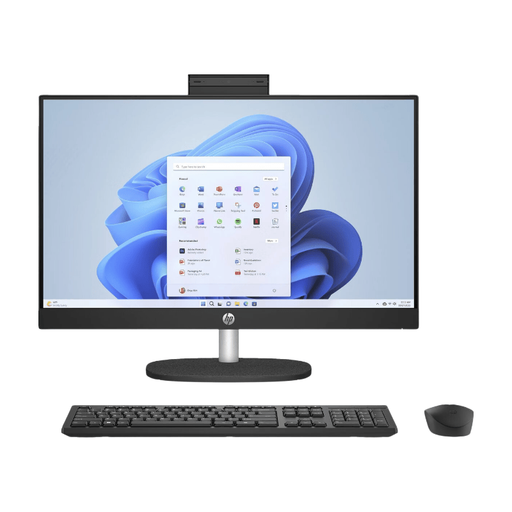
Why it suits this user: A 23.8-inch Full HD IPS screen, 8 GB RAM, a 512 GB SSD and Windows 11 Home make this a good fit for everyday use at home, studying and basic office tasks.
The product information clearly lists the storage, screen resolution, ports and included QWERTY keyboard. Bear in mind that, according to the specifications, the 8 GB of memory cannot be upgraded.
23.8-inch IPS screen, 512 GB SSD, built-in webcam, Wi-Fi 6 and Bluetooth 5.3 support.
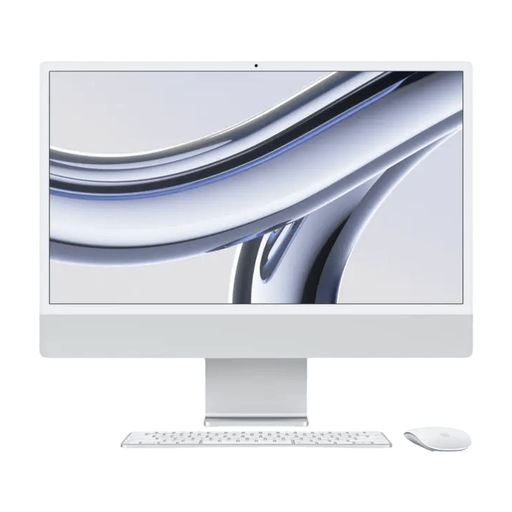
Why it suits this user: This model is aimed at users who value an integrated macOS workspace, a high-resolution screen and a clean, understated design.
The configuration lists 16 GB RAM and a 512 GB SSD, so your choice needn’t be based on the Apple iMac’s appearance alone. Bear in mind that it runs macOS 14 and has USB-C/Thunderbolt ports.
4.5K resolution of 4480 × 2520 pixels, Apple M3 chip, 16 GB RAM and 512 GB SSD.
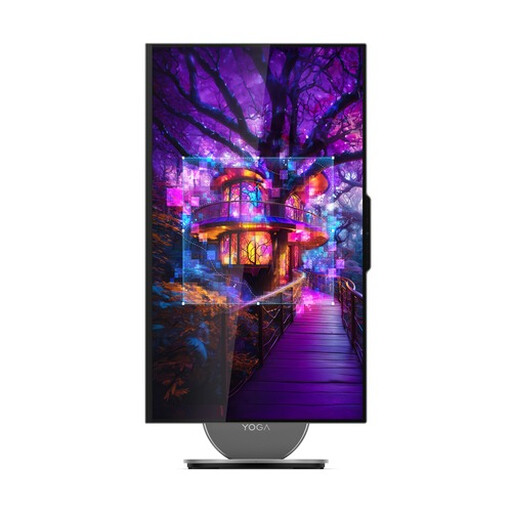
Why it suits this user: The 27-inch QHD screen, Intel Core Ultra 7 processor, 16 GB LPDDR5X and 1 TB SSD are designed for creative work, multitasking and larger workspaces.
The product details list more than just the processor: they also specify the RAM, SSD capacity, screen resolution and ports. The HDMI 2.1 input also lets you use the screen as a monitor for another computer.
27-inch QHD IPS screen with a 120 Hz refresh rate, 1 TB PCIe 4.0 NVMe SSD, Wi-Fi 7 and a 5MP webcam.
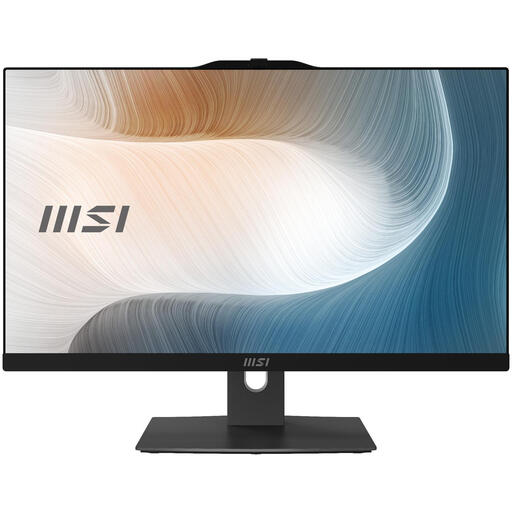
Why it suits this user: This business desktop PC has a 23.8-inch Full HD IPS screen, Windows 11 Pro, a webcam, a 512 GB SSD and Wi-Fi 6E for office work and video conferencing.
The product page specifies the RAM, SSD, ports and network options. Before buying, though, check the note that the charger must be purchased separately.
Intel Core 5 120U, 512 GB M.2 SSD, Windows 11 Pro and USB-C, HDMI and Ethernet ports.
We’ve put together a complete, up-to-date list of products that meet these strict selection criteria and current European safety regulations.
A mini PC takes up less space than an all-in-one computer, but usually needs a separate screen, keyboard and mouse. This can be useful if you already have a monitor or want to use multiple screens. For example, the Lenovo Yoga Mini 01IPH11 has a case measuring around 0.65 litres, 16 GB LPDDR5X, a 512 GB SSD and support for multiple screens.
An all-in-one PC is more practical if you want a complete workstation with as few cables as possible. For cloud or VDI environments, LG thin clients may be worth considering. First check which operating system and management environment your organisation uses.
Its lifespan depends on how you use it, cooling, software updates and whether components can be replaced. An SSD and enough RAM help with everyday use, but the screen and motherboard are not easy to upgrade on many models. Back up your files regularly and keep the ventilation openings clear.
Power consumption varies depending on the processor, screen size and how you use the computer. An energy-efficient office computer will generally use less power than a powerful desktop PC with a dedicated graphics card. Check the adapter’s stated power rating, and make sure sleep mode and automatic shut-down are set up correctly.
Only if the model has a suitable video input. An HDMI output is usually designed to send a picture to another screen. So check the product information specifically for HDMI input or a similar feature.
